

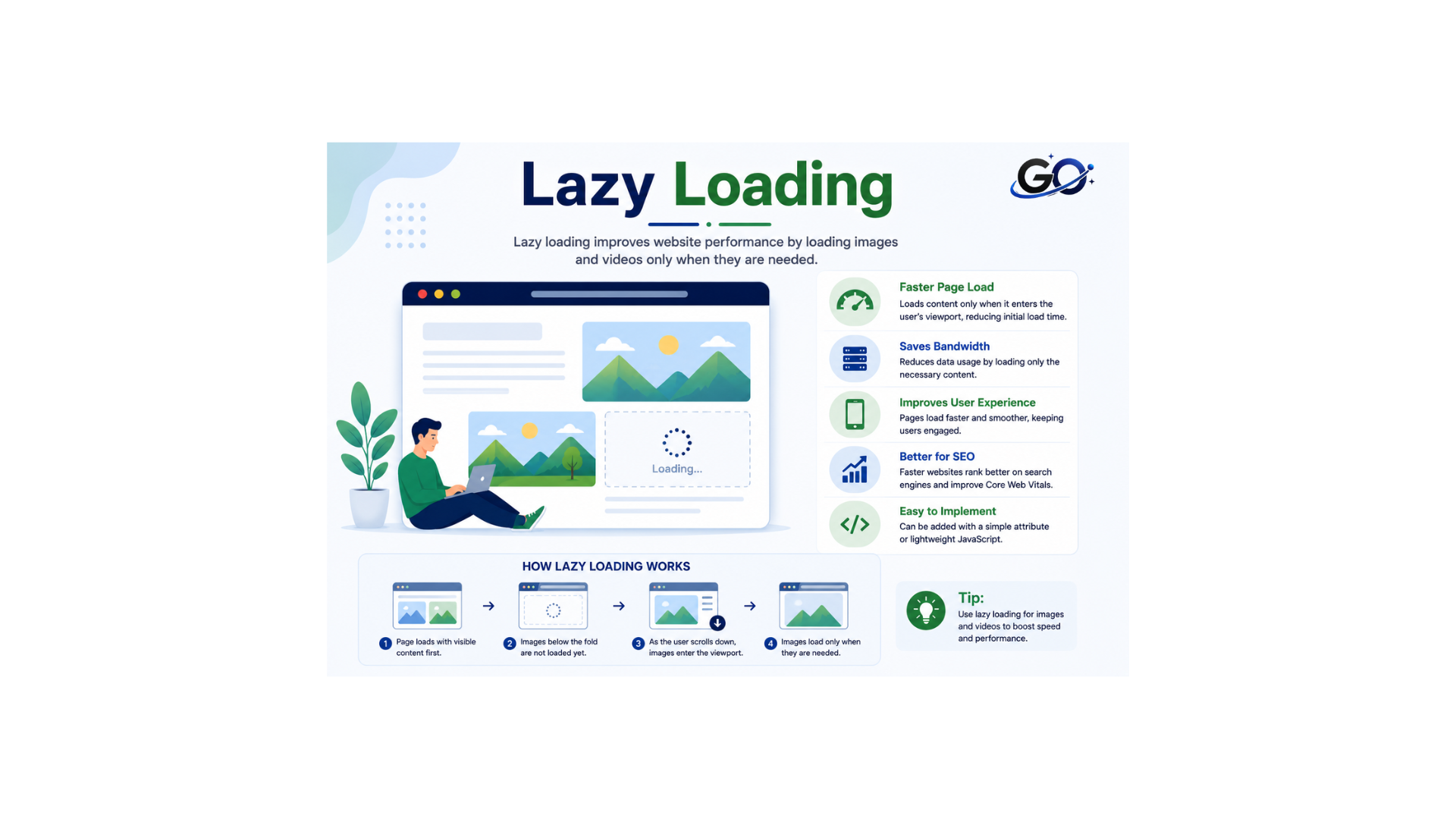
Learn lazy loading improves website speed, Core Web Vitals, SEO, and user experience by loading content only when needed. It works by delaying the loading of certain webpage elements, especially images, until they are required. Instead of loading everything at once, the browser loads resources as the user reaches the relevant content. When implemented properly, this approach can improve page load times and overall website performance.
The term refers to the browser delaying the loading of certain resources until they are actually needed. Instead of loading every image immediately, the browser waits until the user reaches the relevant content. In contrast, eager loading loads resources right away. This delayed approach can reduce unnecessary downloads and improve website performance.
Why Is Lazy Loading Important?
Lazy loading is important because it significantly improves a website’s initial load time by deferring the loading of non-essential resources until they are actually needed.
Instead of forcing the browser to download every image or video as soon as the page loads, lazy loading prioritizes content that is immediately visible to the user.
This results in faster rendering of above the fold content, which can lead to better user engagement, lower bounce rates, and improved Core Web Vitals metrics.
The Core Web Vitals are among the signals that Google uses to evaluate your page experience, which is a ranking factor.
From a technical perspective, this approach reduces bandwidth consumption and server load. Because users only download the content they interact with, mobile users and those with slower internet connections can particularly benefit from it.
Overall, websites that implement this technique often perform better in terms of SEO because search engines favor fast-loading pages over slower ones.
How Lazy Loading Works
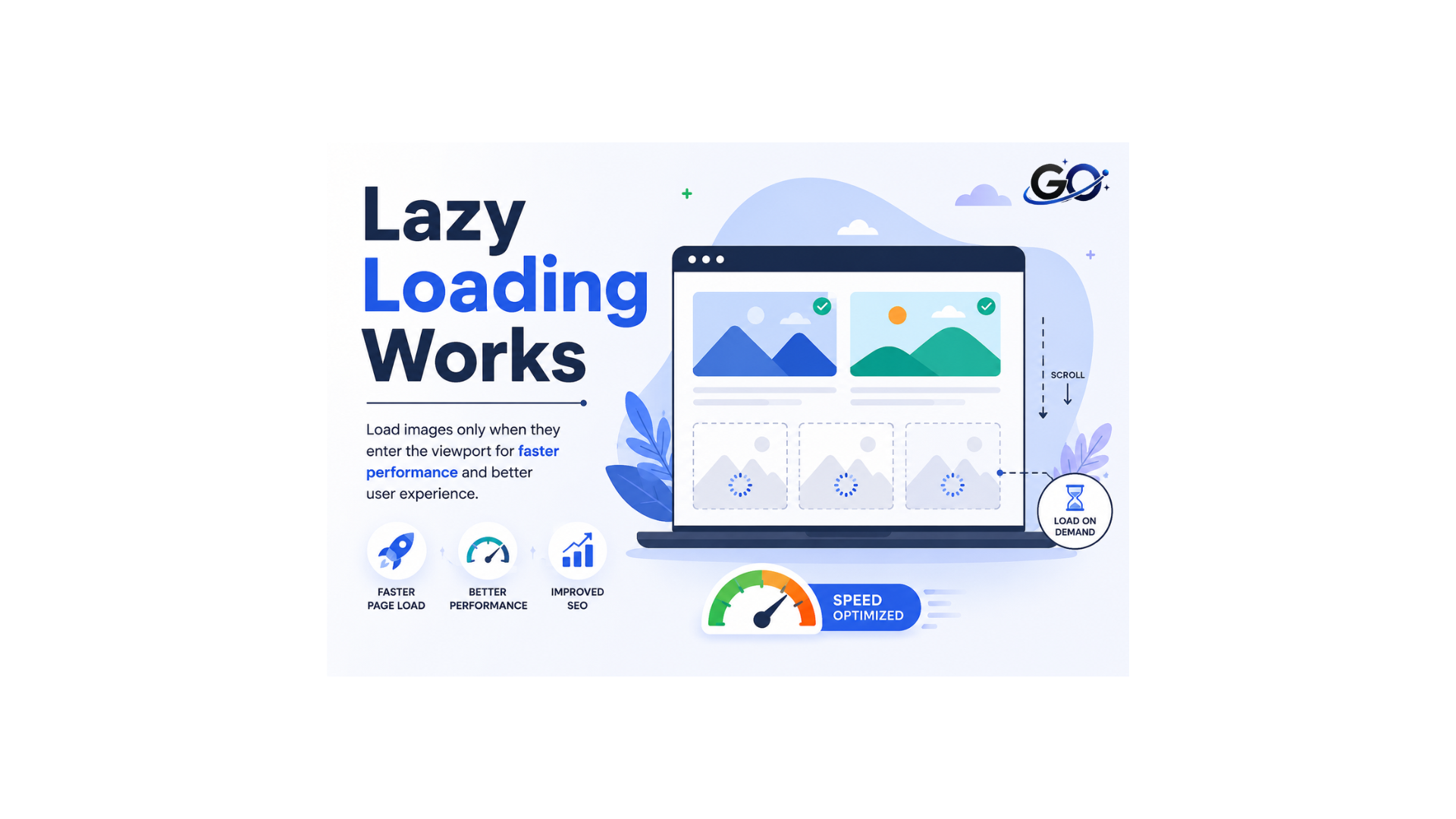
Lazy loading usually occurs during user navigation. When a user scrolls down a page, the browser loads the images there.
The part of a webpage that a visitor sees is called “above the fold,” whereas the part they don’t see yet is “below the fold”. Images above the fold must load instantly or the user interface will suffer. Photos below the fold are visible when you scroll down. As a result, visuals below the fold may load slowly.
What does “fold” mean, exactly? “Above the fold” and “below the fold” come from newspaper layouts. The reader first sees the front half of a newspaper folded horizontally. A web layout’s “fold” is the user’s screen’s bottom.
Implementing Lazy Loading
Lazy loading can be incorporated into your web project in several ways. Over time, different methods have been developed and improved to make this approach more effective. The following sections discuss some of the most common ways to implement it.
Lazy loading with JavaScript
The simplest way to incorporate this technique into your web project is through native browser support. Originally limited to Google Chrome (version 75 and higher), this feature is now compatible with Firefox, Edge, and Opera as well. Adding the appropriate loading property to the corresponding website content is all that is required to use this option.
You can use Mika Tuupola’s script Lazy Load Remastered as an alternative to LazyLoad. In contrast to LazyLoad, it makes use of jQuery and offers several lovely effects, such as the blur technique.
Native lazy loading
In addition to the option “lazy,” the following configurations are also available for loading:
Eager: As soon as the page is requested, the browser loads the item.
auto: The browser chooses whether to load the object instantly or gradually.
What Content Can Use Lazy Loading?
Lazy loading is commonly used for different types of website content.
- Images: The poster child for lazy loading, images are often the biggest culprits behind slow loading times.
- Videos: Until the user starts playing, embedded videos may take a long time to download.
- Iframes: These embedded elements (think maps and social media widgets) can benefit from delayed loading.
- Scripts, Text, and More: While less common, lazy loading can be applied to text-heavy blocks, scripts, or other elements to maximize performance gains.
Best Practices for Lazy Loading
Use Descriptive Placeholders
Don’t just leave empty spaces! Implement placeholders that give hints about the content. Image placeholders with meaningful alt text are particularly important for image SEO.
Ensure Accessibility
Assistive technology should still be able to find content that is loaded slowly. ARIA labels (if relevant), alt text descriptions for images, and semantic HTML are still essential.
Structured Data
If applicable, use structured data (like Schema.org markup) to give search engines more context about your content, whether it’s loaded immediately or loaded later.
Server-Side Rendering (SSR)
Think about SSR for websites that rely on JavaScript or have a lot of content. This ensures that all content is easily indexable by sending pre-rendered HTML to the browser (even if you lazy load components later for faster user interactions).
Lazy loading vs. eager loading
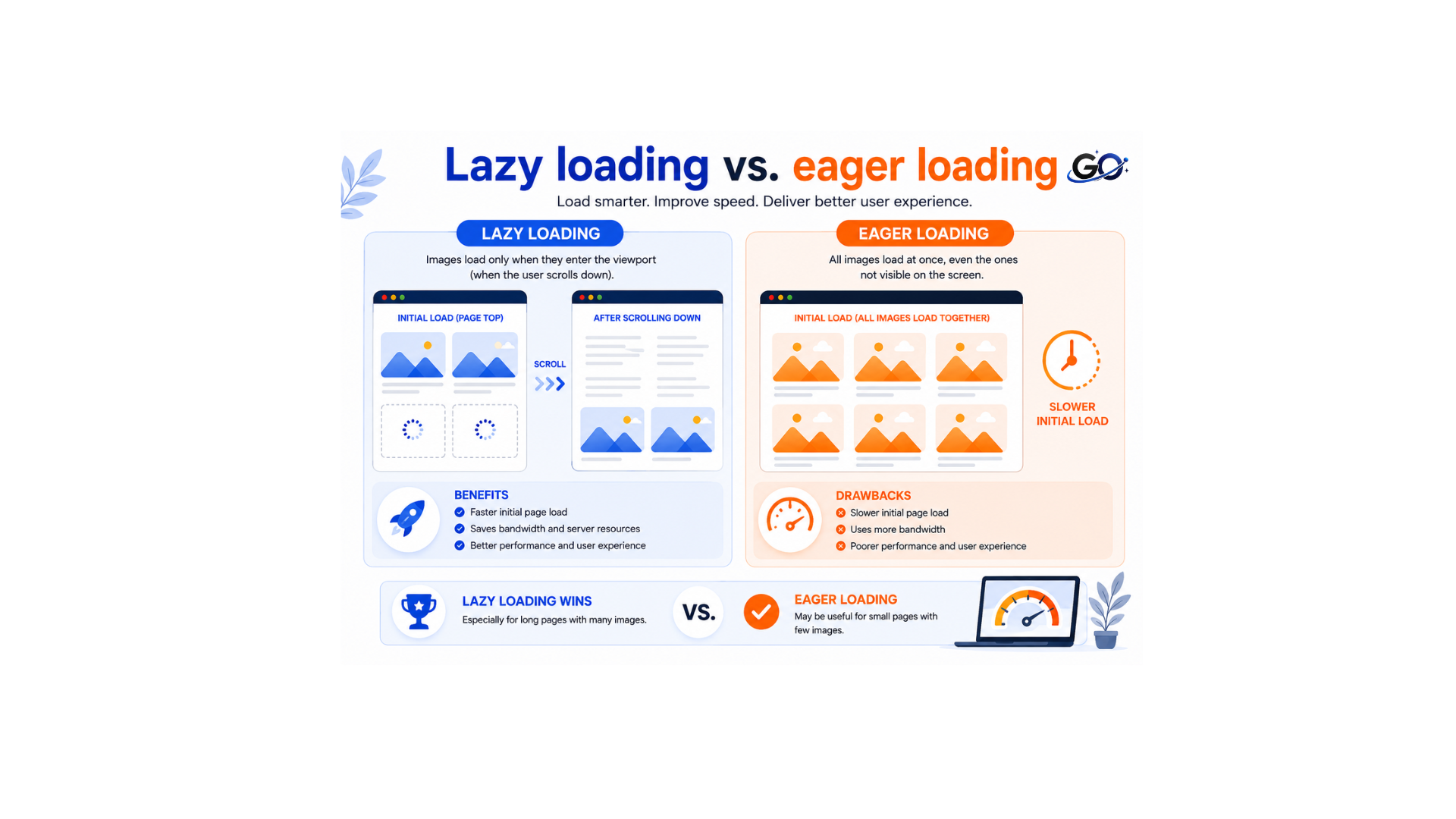
Now that we’ve covered this technique, let’s compare eager loading and traditional loading.
While deferred loading delays unnecessary downloads, traditional loading does the opposite. It loads all images immediately when someone opens the website.
When users come across a page that uses eager loading, they may see some loading indicators or have to wait while all the downloading and rendering occurs. This also means that even if the user never ventures further into the page, all the images will still download, which is the opposite of how lazy loading works.
Some websites, including those with few or highly optimised graphics, may benefit from eager loading, but for the most, this technique can significantly slow down a webpage.
However, eager loading can be useful for websites with a lot of text and very few assets. A website like Wikipedia, for instance, greatly benefits from eager loading.
Lazy Loading and Core Web Vitals
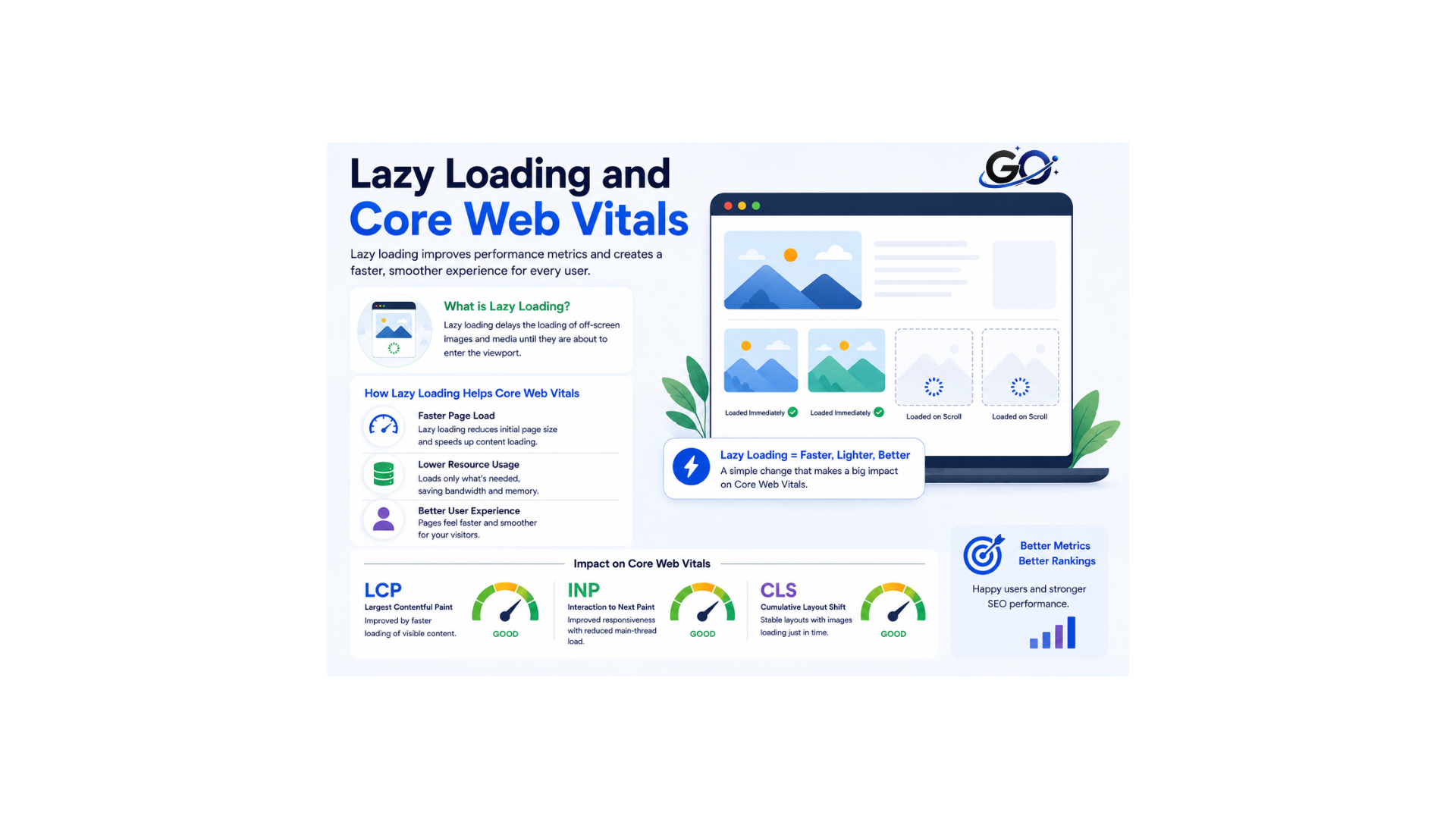
This technique improves website performance by delaying the loading of images, videos, and other non-essential content until users scroll to them. It reduces the initial page load time, making websites faster and more responsive. As a result, it can improve Core Web Vitals, including Largest Contentful Paint (LCP) by speeding up visible content, Interaction to Next Paint (INP) by reducing unnecessary resource usage, and Cumulative Layout Shift (CLS) when implemented correctly with defined image dimensions. By enhancing page speed and user experience, it also supports better SEO performance and can contribute to higher search engine rankings.
Lazy Loading for Mobile Websites
Lazy loading is especially important for mobile websites because users may rely on slower internet connections and devices with limited processing power. It loads images, videos, and other media only when needed. This reduces page size and speeds up loading times. It also improves the mobile browsing experience and reduces data usage. A faster mobile website can support better SEO, lower bounce rates, and increase user engagement. Therefore, this technique is an essential optimization method for mobile-friendly websites.
Tools That Support Lazy Loading
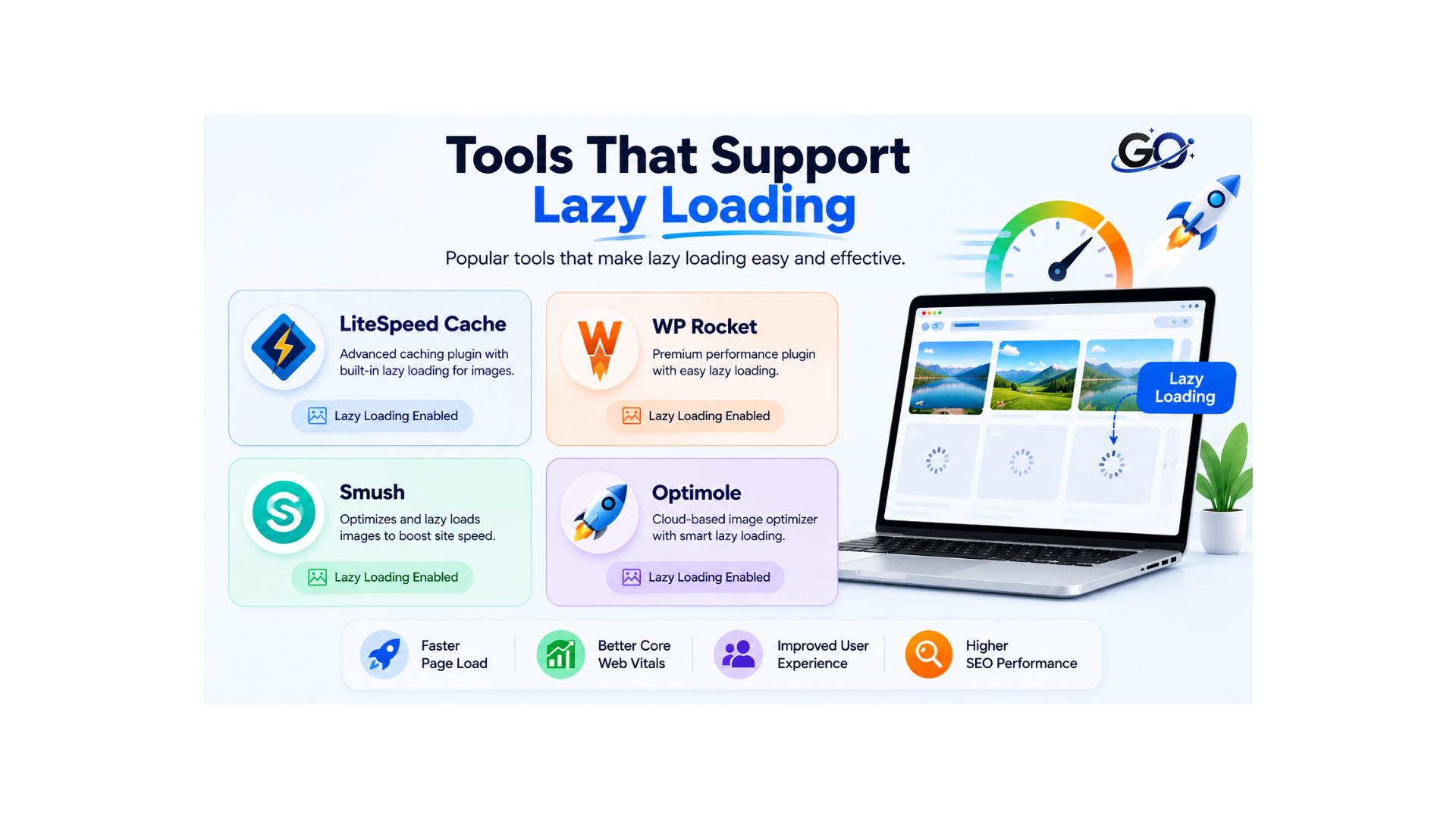
Many website platforms and optimization tools support lazy loading automatically.
Popular options include:
These tools simplify implementation while helping improve website performance.
Conclusion
Lazy loading is an effective optimization technique that improves website speed by loading images and media only when users need them. It reduces bandwidth usage, enhances mobile performance, and creates a smoother browsing experience.
Although this technique is only one part of website optimization, it works best with image compression, responsive images, modern file formats, and other Image SEO techniques. Proper implementation can improve website performance and support better SEO. It also helps visitors enjoy a faster and smoother browsing experience.
FAQs
How does lazy loading operate and what does it entail?
Lazy loading is a technique used to improve website performance by delaying the loading of certain assets until needed. This means that images, videos, and other elements aren’t loaded until the user scrolls down to where they’re located, resulting in faster initial page load times.
What are the benefits of lazy loading?
Lazy loading can improve overall webpage performance and speed up load times, resulting in better user experience. It also reduces the amount of data being sent over the internet and can save on bandwidth costs.
Does lazy loading impact SEO?
Even though Google claims that lazy loading might enhance page performance, it’s crucial to make sure that search engines can access all material. If scripting is turned off, make sure that content is viewable and that all images have alternate text.
How can I implement lazy loading on my website?
There are several ways to implement lazy loading, such as using plugins or libraries for popular content management systems like WordPress or manually coding it yourself. Make sure your implementation is functioning as planned by extensively testing it.
What Does the Future of Lazy Loading Look Like?
According to Zion Market Research’s most recent analysis, the market for lazy loading is expected to grow to a size of up to 3.8 billion USD globally by 2027 due to the substantial rise in mobile phone usage and the quick growth of e-commerce platforms.