

Discover the best image formats for SEO to boost website speed, image quality, user experience, and search performance with optimized images. An essential component of picture SEO and website optimisation is selecting the appropriate image format. Different image formats offer different levels of quality, compression, transparency, and browser compatibility. Selecting the best format helps reduce file size, improve page speed, and create a better user experience.
Search engines prefer websites that load quickly and provide high-quality content. Using the correct image format improves website performance, supports Core Web Vitals, and increases the chances of images appearing in search results. Whether you are publishing blog posts, product photos, or website graphics, selecting the right image format plays a key role in your overall SEO strategy.
Why Image Format Matters for SEO
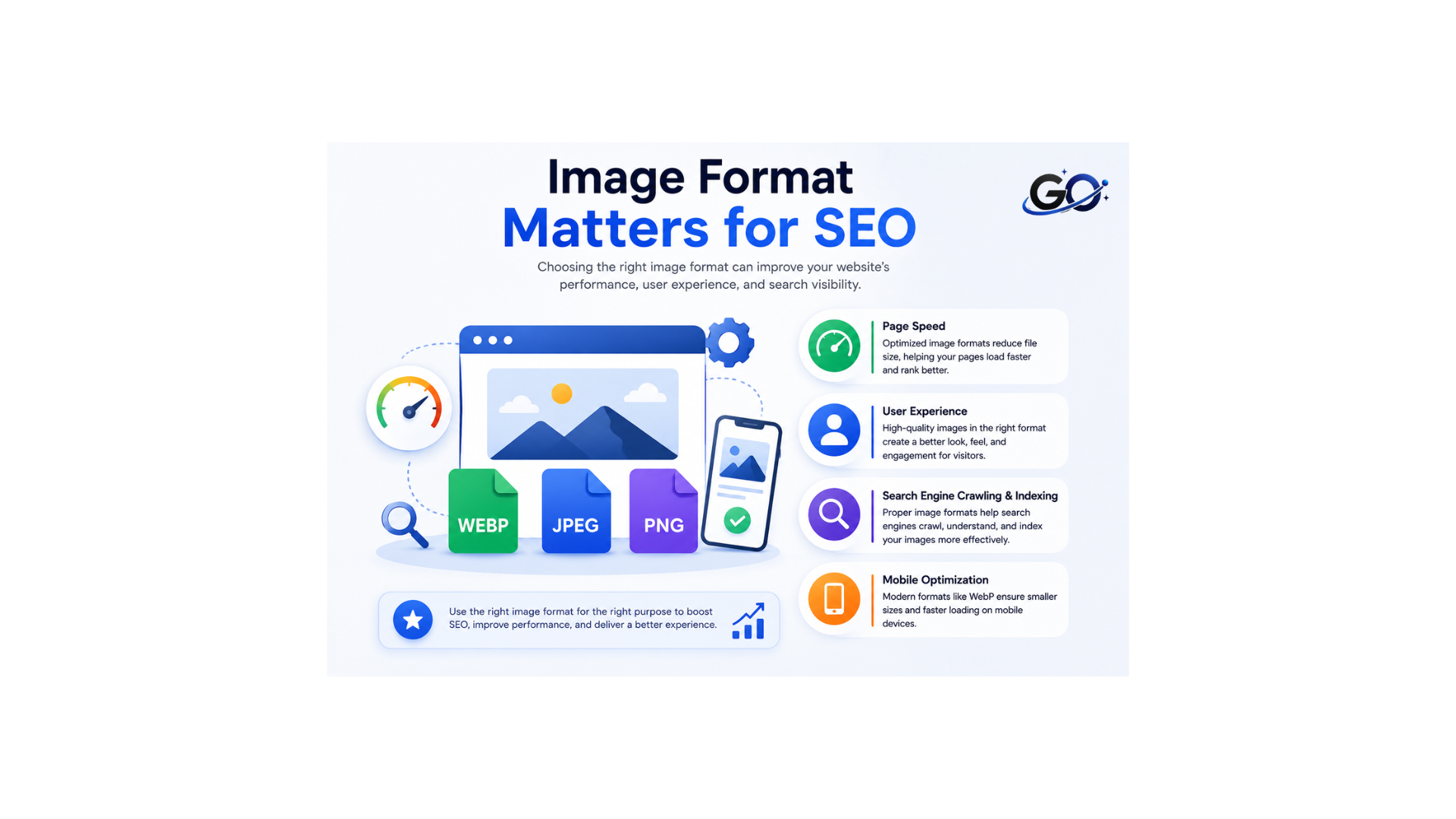
Let’s remember why image optimization is important in the first place before we get into the argument about “which image file format.” SEO experts should be concerned for the following reasons:
Page Speed:Site speed is a ranking factor, according to Google. You are more likely to lose visitors and have greater bounce rates if your website loads more slowly.
Large, poorly optimised image files can cause your page to load more slowly, which is particularly troublesome for mobile users where speed is even more important.
User Experience:An improved user experience is the result of proper image optimisation. Fast-loading images make browsing more fluid, which has a direct effect on engagement metrics.
We are aware that when users are content, Google’s algorithms also tend to be content.
Search Engine Crawling & Indexing:Photos cannot be “seen” by search engines in the same manner that humans do. To comprehend the substance of an image, they rely on metadata (alt text, file names, etc.).
The easier it is for search engines to crawl, index, and rank the photos on your website, the better the optimization.
Mobile Optimization: Responsive photos are more crucial than ever due to the rise in mobile searches.
Since Google switched to mobile-first indexing, images that load fast and appear properly on all devices are essential for SEO.
Let’s examine the formats that will best meet your SEO requirements now that that has been clarified.
JPEG
One of the most used image formats on the internet is JPEG (Joint Photographic Experts Group). Because it employs lossy compression, photos can have smaller file sizes without sacrificing quality.
Best for:
- Photographs
- Blog images
- Travel photos
- Product images
- Lifestyle images
Advantages
- Small file size.
- Fast loading.
- Excellent browser support.
- Ideal for websites.
Limitations
- Does not support transparency.
- Quality decreases after repeated editing and saving.
PNG
PNG (Portable Network Graphics) uses lossless compression, preserving image quality without removing image data.
Best for:
- Logos
- Icons
- Screenshots
- Graphics with text
- Transparent backgrounds
Advantages
- High image quality.
- Supports transparency.
- Excellent for graphics.
Limitations
- Larger file size than JPEG.
- Can reduce page speed if overused.
WebP
A contemporary image format called WebP was created to provide high-quality photos with significantly reduced file sizes.
Best for:
- Blogs
- Business websites
- eCommerce stores
- Landing pages
- General website images
Advantages
- Excellent compression.
- Smaller files than JPEG and PNG.
- Supports transparency.
- Improves website speed.
Limitations
- Older browsers may have limited support, although most modern browsers fully support WebP.
One of the greatest formats for image SEO is WebP.
AVIF
AVIF is a next-generation image format that offers even better compression than WebP while maintaining outstanding image quality.
Best for:
- High-quality website images.
- Modern websites.
- Large image galleries.
- Performance-focused websites.
Advantages
- Extremely small file sizes.
- Excellent image quality.
- Supports transparency.
- Supports HDR images.
Limitations
- Not supported by every older browser or editing application.
AVIF is becoming increasingly popular for high-performance websites.
SVG
SVG (Scalable Vector Graphics) is different from other image formats because it uses vector graphics instead of pixels.
Best for:
- Logos
- Icons
- Illustrations
- Simple graphics
Advantages
- Infinite scalability.
- Very small file size.
- Sharp on every screen size.
- Easy to edit.
Limitations
- Not suitable for photographs.
For logos and icons, SVG is the recommended format.
JPEG vs. PNG vs. WebP vs. AVIF
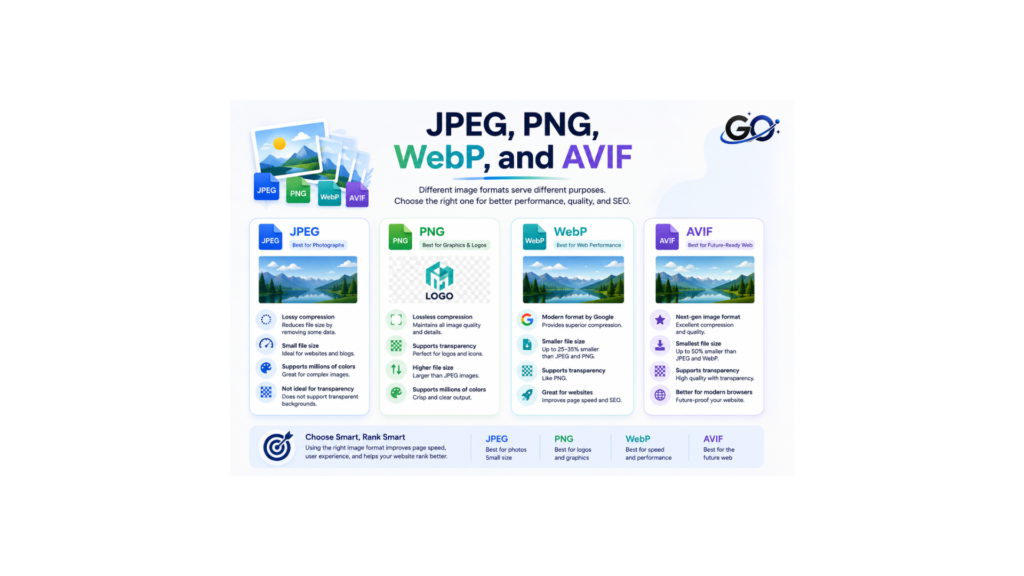
Each format serves a different purpose.
| Format | Best For | Compression | Transparency |
| JPEG | Photos | Lossy | No |
| PNG | Graphics & Logos | Lossless | Yes |
| WebP | Most Website Images | Lossy & Lossless | Yes |
| AVIF | Modern High-Performance Websites | Advanced Compression | Yes |
| SVG | Logos & Icons | Vector | Yes |
Selecting the correct format depends on the type of image you want to display.
Which Image Format Should You Choose?
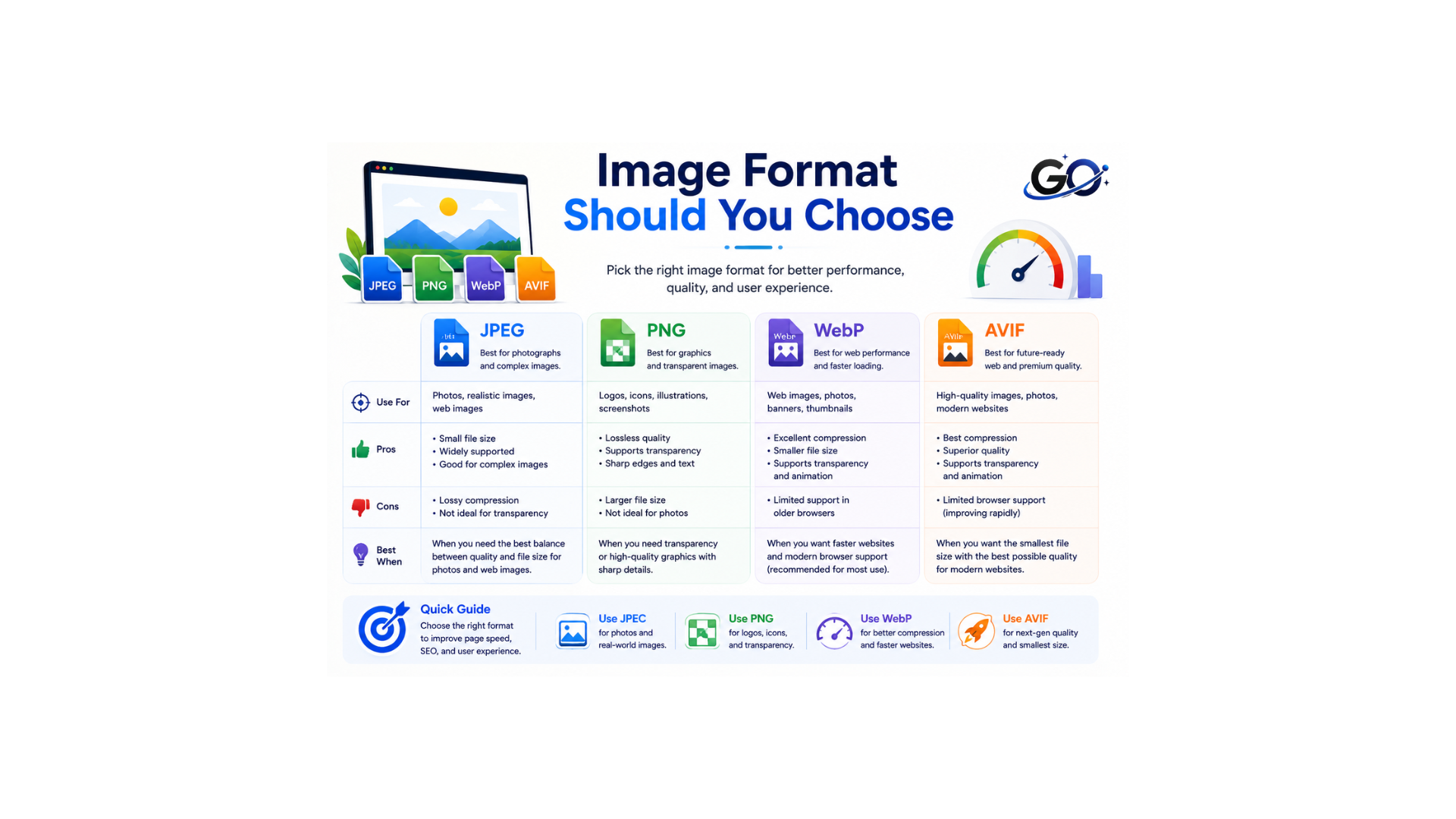
PNG or JPEG are excellent options for many websites, including eCommerce companies. However, the best practice is to stick to one format throughout the website to help consistency in design. GIFs are often reserved for adding lightweight animations.
Choosing between JPEG and PNG is often a tricky decision.
JPEG offers high compression for image data and offers much smaller image sizes with little loss of visual quality for images with lots of colors.
Because of this, it’s an excellent format for photos with lots of details. You’ll find JPEG at portfolio websites and eCommerce stores because of the performance boost.
On the other hand, PNG should be your first pick if you value the details in the pictures.
The file sizes are nearly identical to JPEGs, and the images maintain nearly all of their information even after compression.
Best Practices for Choosing Image Formats
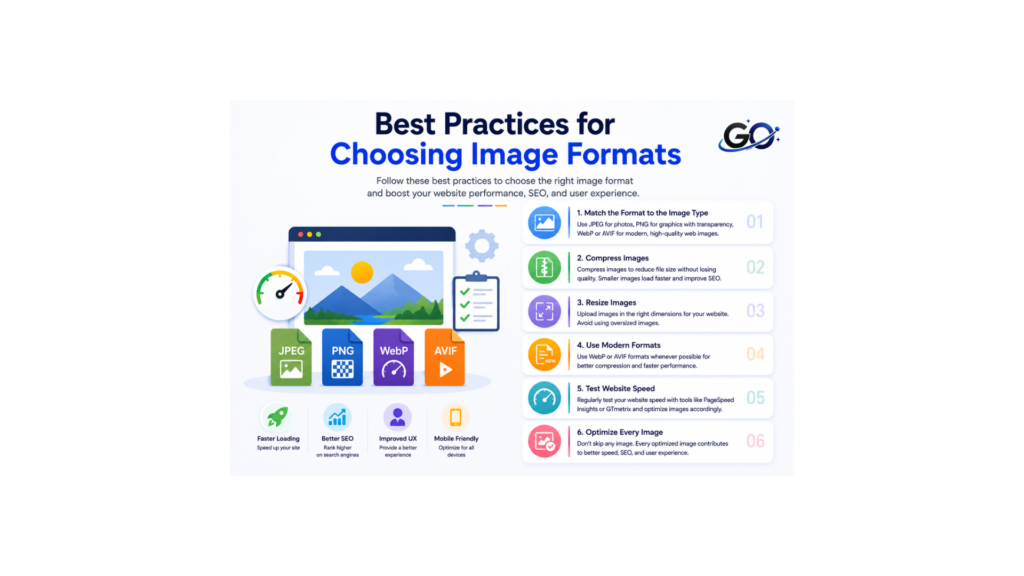
To optimise your photos, adhere to following best practices:
Match the Format to the Image Type
Choose the right image format based on the type and purpose of the image. JPEG works well for photographs, while PNG is better for graphics that need transparency.
Compress Images
Compress images to reduce file size without noticeably affecting quality. Smaller images help pages load faster and improve the overall user experience.
Resize Images
Resize images according to the dimensions where they will be displayed. Avoid uploading large images when a smaller version can provide the same visual quality.
Use Modern Formats
Modern formats such as WebP and AVIF can provide smaller file sizes with good image quality. Using these formats can improve website performance and loading speed.
Test Website Speed
Test your website regularly to see how images affect loading performance. Tools such as PageSpeed Insights can help identify images that need further optimization.
Optimize Every Image
Use the proper format, size, compression, and descriptive file name to maximise each image. Page speed, SEO, and user experience can all be enhanced with regular image optimization.
Common Image Format Mistakes
Many websites use the wrong image format, which reduces performance.
Common mistakes include:
- Using PNG for every image.
- Uploading oversized JPEG files.
- Ignoring WebP or AVIF.
- Using low-quality compressed images.
- Uploading images larger than necessary.
- Choosing bitmap images instead of SVG for logos.
Avoiding these mistakes improves website performance and user experience.
Conclusion
Selecting the image formats for SEO enhances website performance, user experience, and page speed. PNG is a good choice for transparent graphics, while JPEG is still a great choice for photos. WebP is among the greatest options for contemporary websites since it provides an exceptional balance between file size and quality. SVG is the best format for logos and icons, and AVIF offers even greater compression for high-performance websites.
By choosing the image formats for SEO and combining them with image compression, descriptive file names, and optimized alt text, you can create a faster, more search-friendly website that benefits both users and search engines.
FAQs
1. Which image format is best for SEO?
Because WebP offers superior image quality with fewer file sizes, it is typically regarded as the ideal image format for SEO. SVG is best for logos and icons, JPEG is best for photos, and PNG is good for transparent images.
2. Should I use JPEG or PNG for website images?
For photos, utilise JPEG since it produces reduced file sizes. For graphics, logos, screenshots, and pictures that need to be transparent, use PNG.
3. Can WebP Improve Website SEO?
Indeed, WebP can help with SEO by lowering the size of picture files without sacrificing visual quality. Smaller graphics can enhance user experience and speed up page loading.