

Understand the importance of a Focus Keyphrase in Yoast SEO and learn how it helps optimize your content for better search engine performance.
Adding a target keyphrase in Yoast SEO is one of the first things you should do if you want your content to rank higher on Google. A focus keyphrase tells Yoast what your page is about, allowing the plugin to analyze your content and provide SEO recommendations. When used correctly, it helps improve your on-page SEO, keyword optimization, and overall content quality.
In this guide, you’ll learn how to add a focus keyphrase in Yoast SEO, why it matters, and the best practices for getting the green SEO score.
What is a focus keyword?
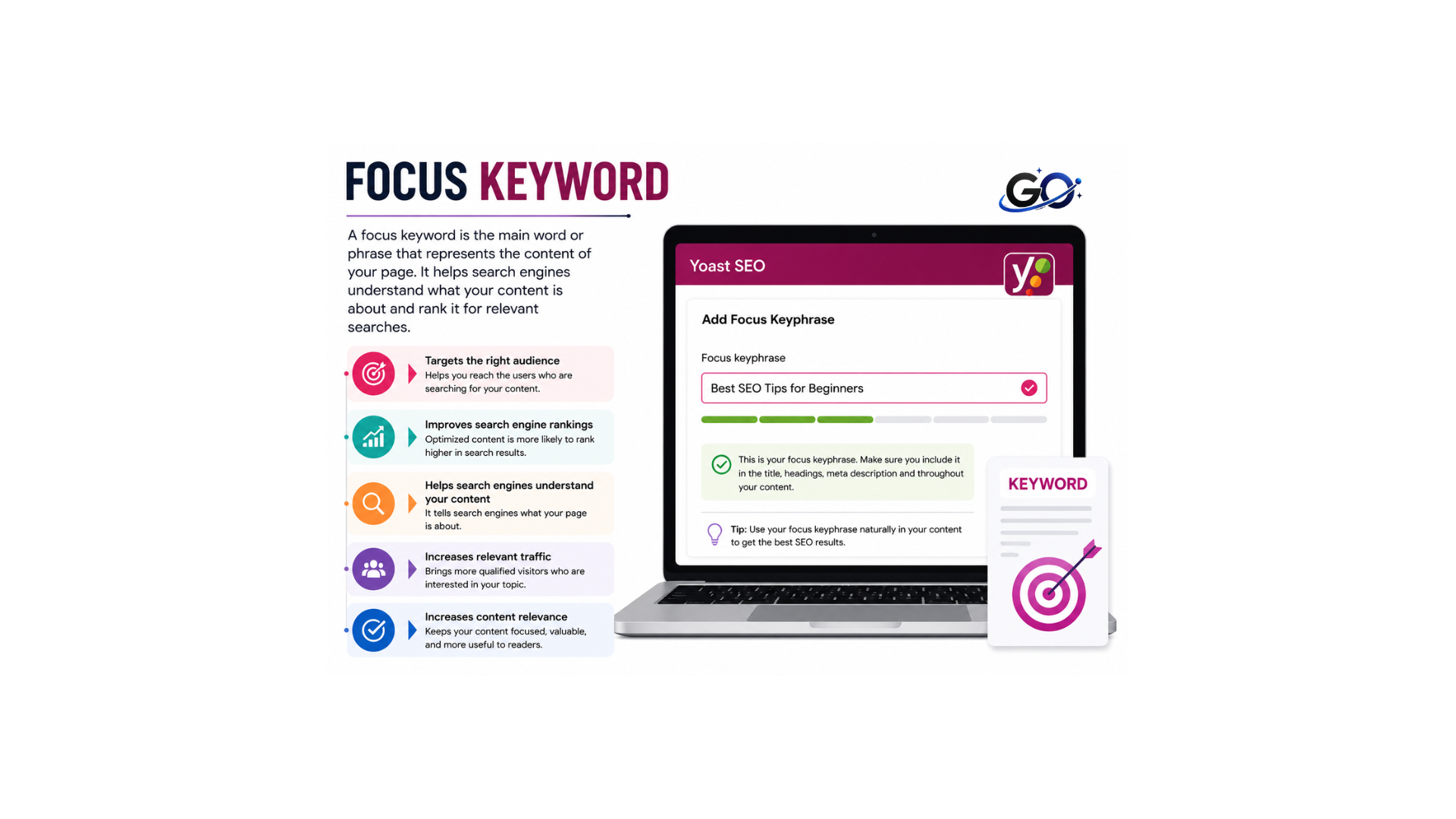
The search term you want a site or post to rank for is known as the focus keyword or keyphrase. You should be found when people search for that phrase. If you specify a focus keyphrase for a page using Yoast SEO in WordPress or Shopify, the plugin or app assesses the content of the page. In order to boost your chances of ranking higher for that search keyword, it offers feedback on how to improve the content.
The Yoast SEO sidebar on the right side of your editor contains the input area for your focus keyphrase. If you’re working in WordPress and don’t see the Yoast SEO sidebar, click the Yoast icon on the top right of your screen first. If you’re working in Shopify, click the ‘More actions’ option at the top of the screen to optimize in Yoast SEO.
Why Is a Focus Keyphrase Important?
Search engines can better comprehend the topic of your product page by using the focus keyphrase. Search engines use word patterns to establish the topic of your product pages when they crawl them. You may help search engines index and rank your products more correctly by optimising your product page around a certain keyphrase. Customers will be able to locate your products in the search results as a result.
You may optimise your product pages based on feedback by entering a focus keyphrase in Yoast SEO. This could raise the search engine ranking of your product page. Increased visibility from higher ranks results in more organic visitors and, eventually, more revenue.
How to Add a Focus Keyphrase in Yoast SEO
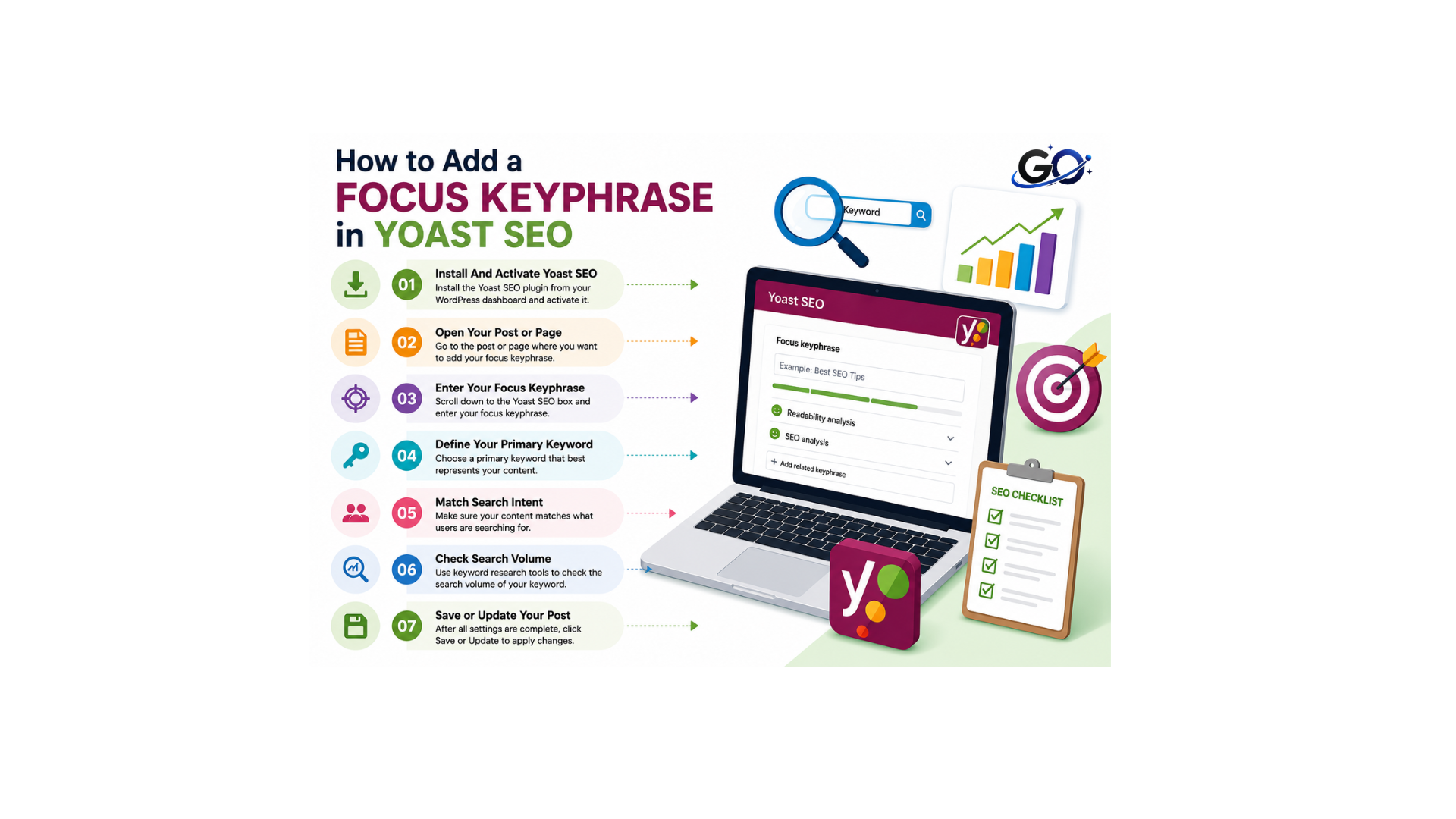
Adding a focus keyphrase is simple. Follow these steps:
Step1: Install And Activate Yoast SEO
Go to Plugins in your WordPress dashboard and select Add New if Yoast isn’t already installed.
Look for Yoast SEO, select Install Now, and when it’s done, click Activate. .
The free version is more than enough while you are learning how to work with keyphrases and content.
Step 2: Open Your Post or Page
Go to Posts or Pages, choose the item you want to edit, or click Add New to create a fresh one.
Write your content first, or at least a rough draft, before worrying too much about the keyphrase field.
Step 3: Enter Your Focus Keyphrase
Locate the Focus keyphrase box by opening the Yoast SEO panel on the block editor sidebar.
Enter the phrase of your choice there, such as “easy apple pie recipe.” .
Yoast will instantly refresh the SEO analysis and start checking your content against that phrase.
You might see red or orange bullets appear, which is normal for an early draft.
Step 4: Define Your Primary Keyword
Enter your primary keyword in the focus keyword field before publishing your content. This allows SEO tools to analyze your page and check keyword optimization. It also provides recommendations to improve your content for better search engine rankings. Make sure the keyword matches the main topic of your article.
Step 5: Match Search Intent
Choose a focus keyphrase that matches what users are actually searching for online. When your content answers the user’s intent, it has a better chance of ranking in search results. Understanding search intent also helps attract the right audience to your website. Always ensure your keyphrase reflects the main purpose of your content.
Step 6: Check Search Volume
Before selecting a focus keyphrase, check its monthly search volume using a keyword research tool. A keyword with a reasonable search volume can bring more organic traffic to your website. Avoid choosing keywords with very low or no search demand. Balancing search volume with relevance helps improve your overall SEO strategy.
Step 7:Save or Update Your Post
After completing all SEO improvements, click Save or Update to apply the changes. This publishes the latest optimized version of your content. Search engines can then crawl and index your updated page more efficiently. Always review your changes before publishing to ensure everything is correct.
Yoast SEO Checks After Adding a Focus Keyphrase
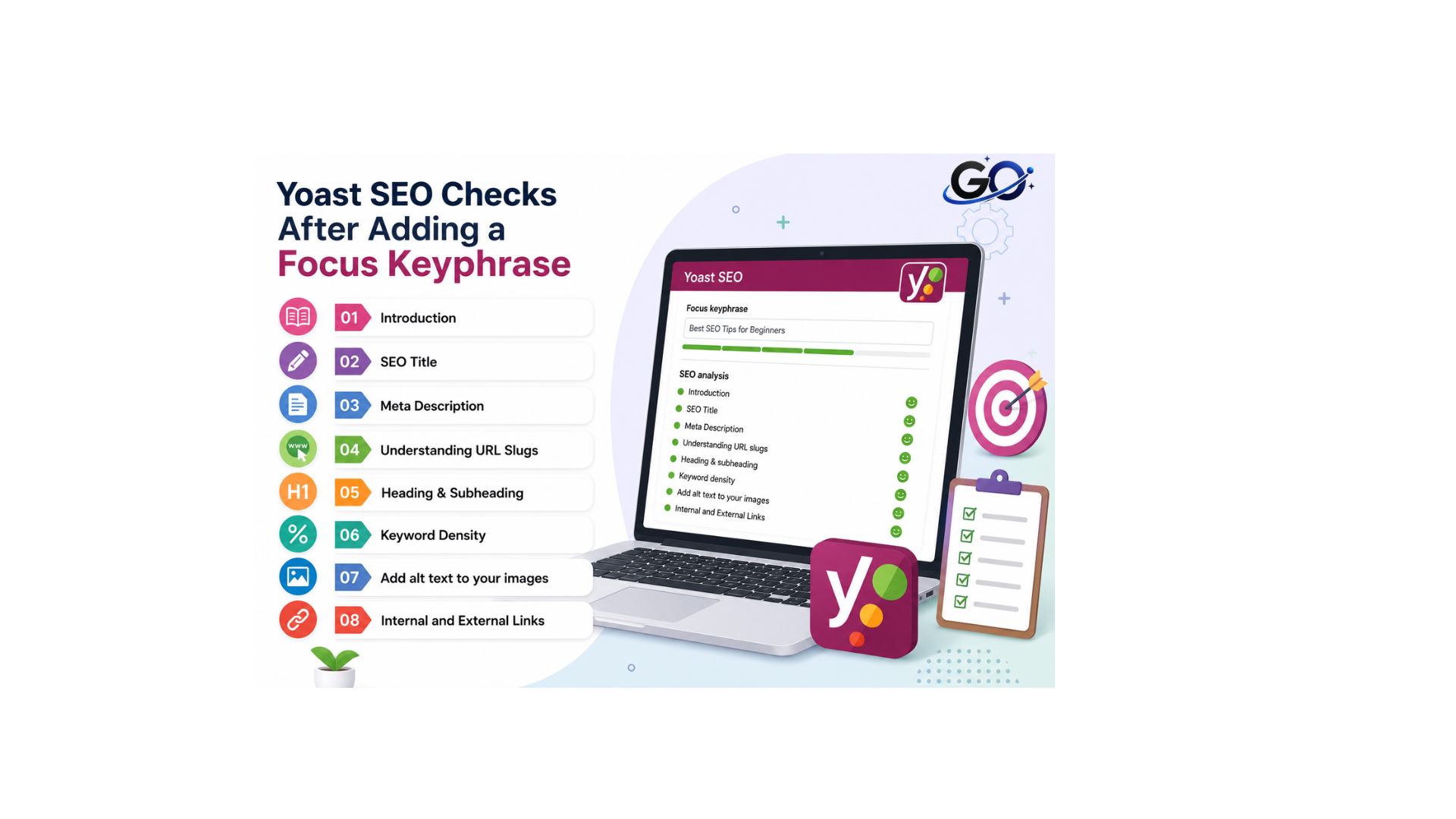
Once you enter your focus keyphrase, Yoast performs several SEO checks, including:
Introduction
An introduction is the opening section of an article that gives readers a brief overview of the topic. It captures the reader’s attention and explains what they can expect to learn from the content.
SEO title and Meta Description
SEO Title : An SEO title is the clickable headline that appears in search engine results and browser tabs. It helps both users and search engines understand the main topic of a webpage and encourages more people to click on your content.
Meta Description : One major advantage of utilising Yoast is the option to modify the meta description for a blog article. The brief passage of text that appears beneath the page title on search engine results pages is known as the meta description.
In order to provide search engines a clear notion of the content of your blog article, be as succinct and descriptive as you can in this passage.Remember to incorporate your keyphrase.Remember to incorporate your keyphrase.
Understanding URL Slugs
The ‘slug‘ is the part of the URL that appears after your domain name and forward slash. Additionally, your page’s URL might tell search engines what your post is about.
For instance, the slug in this post’s URL is ‘how-to-use-yoast’. This section of your webpage is accessible through the Yoast plugin, so you may make any necessary edits.
It’s preferable to leave this section alone if your site or post has been up for some time. Changing the URL of a page can result in broken links and could negatively affect your SEO.
Heading & Subheading
Heading : A heading is the main title of a section that introduces the primary topic of the content. It helps readers understand what the section is about before reading the details. Headings also improve content organization and make articles easier to navigate. In SEO, clear headings help search engines better understand your page structure.
Subheading : A subheading is a smaller title placed under a main heading to divide the content into specific sections. It explains a particular part of the main topic in more detail. Subheadings improve readability by breaking long content into organized sections. They also enhance user experience and help search engines understand the hierarchy of your content.
Keyword Density
make sure you’ve included the phrase enough times within your content, relative to the amount of words in your post. But don’t force it, it’s better to have a slightly lower keyword density than to write clunky text that doesn’t flow well.
Add alt text to your images
Images are not visible to search engines, but the alternative text you might include with each image on your page or blog post is. Additionally, this alternate content can aid in giving search engines context.
Yoast will recommend that you use your keyphrase in the alt text of the page’s photos. This is a good idea for SEO, but only if that keyphrase is actually relevant to the image. Bear in mind that the alternative text is used by screen readers to provide assistance to partially sighted people. Don’t spam your keyword into the alt text if it’s not relevant; focus on providing a good description of the image instead.
Internal and External Links
Internal links : linking to relevant pages within your website also helps search engines to understand the context and content of your web pages. It can also benefit user experience and engagement, encouraging visitors to click through your website.
External links : linking to an external website which is relevant to your topic can provide more context to search engines, helping them to see what your post is about .You may be able to improve your own search engine rankings if you link to a page that currently ranks highly in the search results.
Can You Rank Without a Focus Keyphrase?
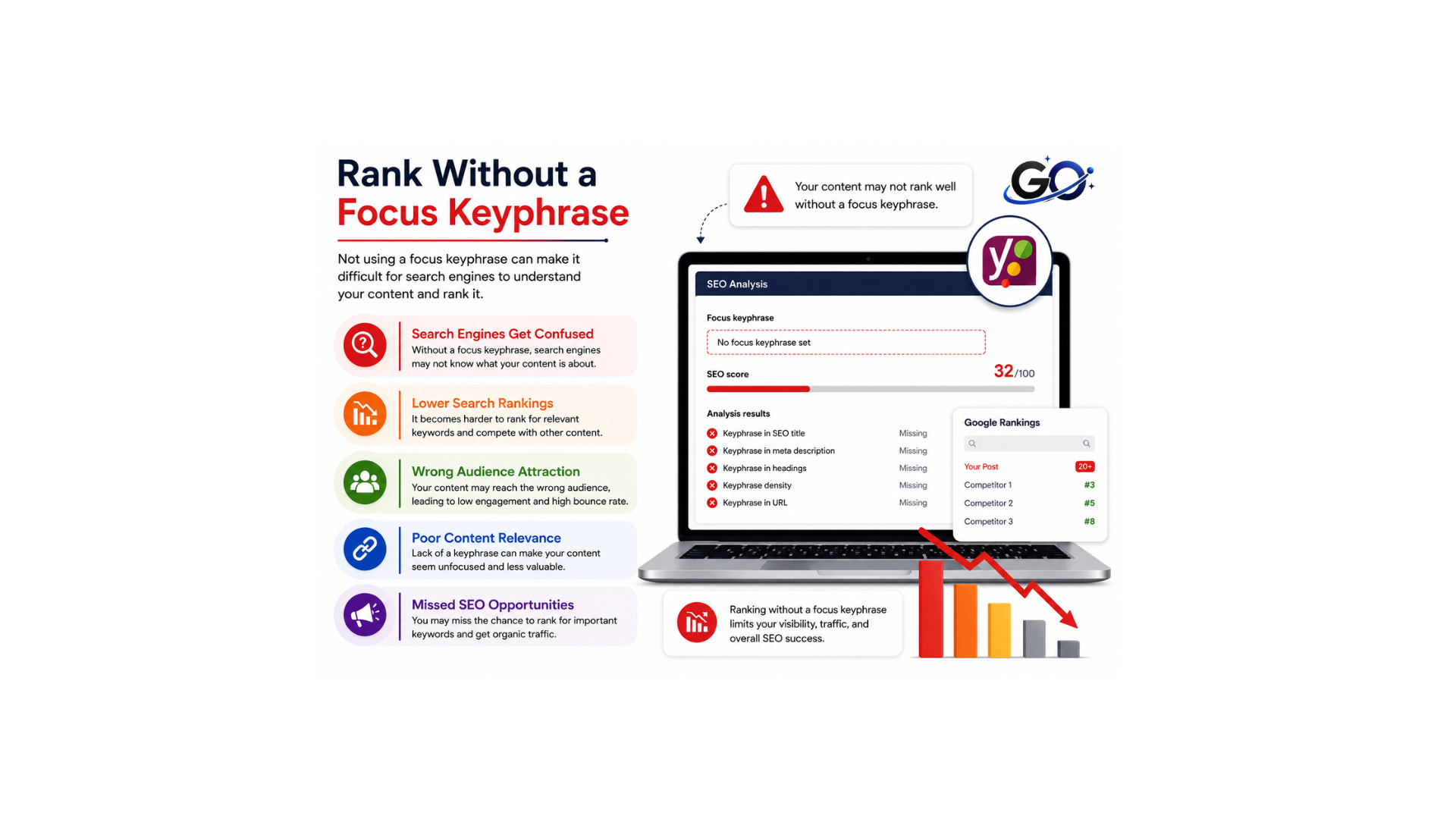
Yes. Google does not read the Yoast focus keyphrase field directly. The field is only used by Yoast SEO to analyze your content and provide optimization suggestions. Your rankings depend on content quality, relevance, backlinks, page experience, and many other SEO factors. However, using a focus keyphrase correctly makes it much easier to optimize your content.
Frequently Asked Questions
What is the ideal length of a focus keyphrase?
A long-tail keyphrase containing 3–5 words often performs better because it targets a more specific search intent.
Can I use more than one focus keyphrase?
The free version of Yoast SEO focuses on one primary keyphrase. The premium version allows multiple related keyphrases.
Does the focus keyphrase guarantee higher rankings?
No. It helps optimize your content, but rankings also depend on content quality, competition, user experience, backlinks, and many other SEO factors.
Should every post have a focus keyphrase?
Yes. Assigning one clear focus keyphrase to each page or post helps keep your content focused and improves your on-page SEO.
Conclusion
Adding a focus keyphrase in Yoast SEO is a simple but important step in optimizing your content for search engines. By choosing the right keyword and placing it naturally in your title, headings, URL, meta description, and content, you help Yoast provide accurate SEO recommendations while making your article more relevant to users.