

Technical SEO for Beginners is an important part of search engine optimization that helps websites perform better in search results. When people think about SEO, they usually focus on keywords, content writing, and backlinks. While these elements are important, they are only part of a successful SEO strategy.
Technical SEO is integral for skyrocketing your search engine ranking. Diving deeper into it, it further splits into the following aspects: on—page, OFF-page, local, and technical. On-page and off-page SEO deals with the improvements made in and out of your site.
In this guide, you’ll learn what technical SEO is, why it matters, and the most important technical SEO practices every beginner should know.
What Is Technical SEO?
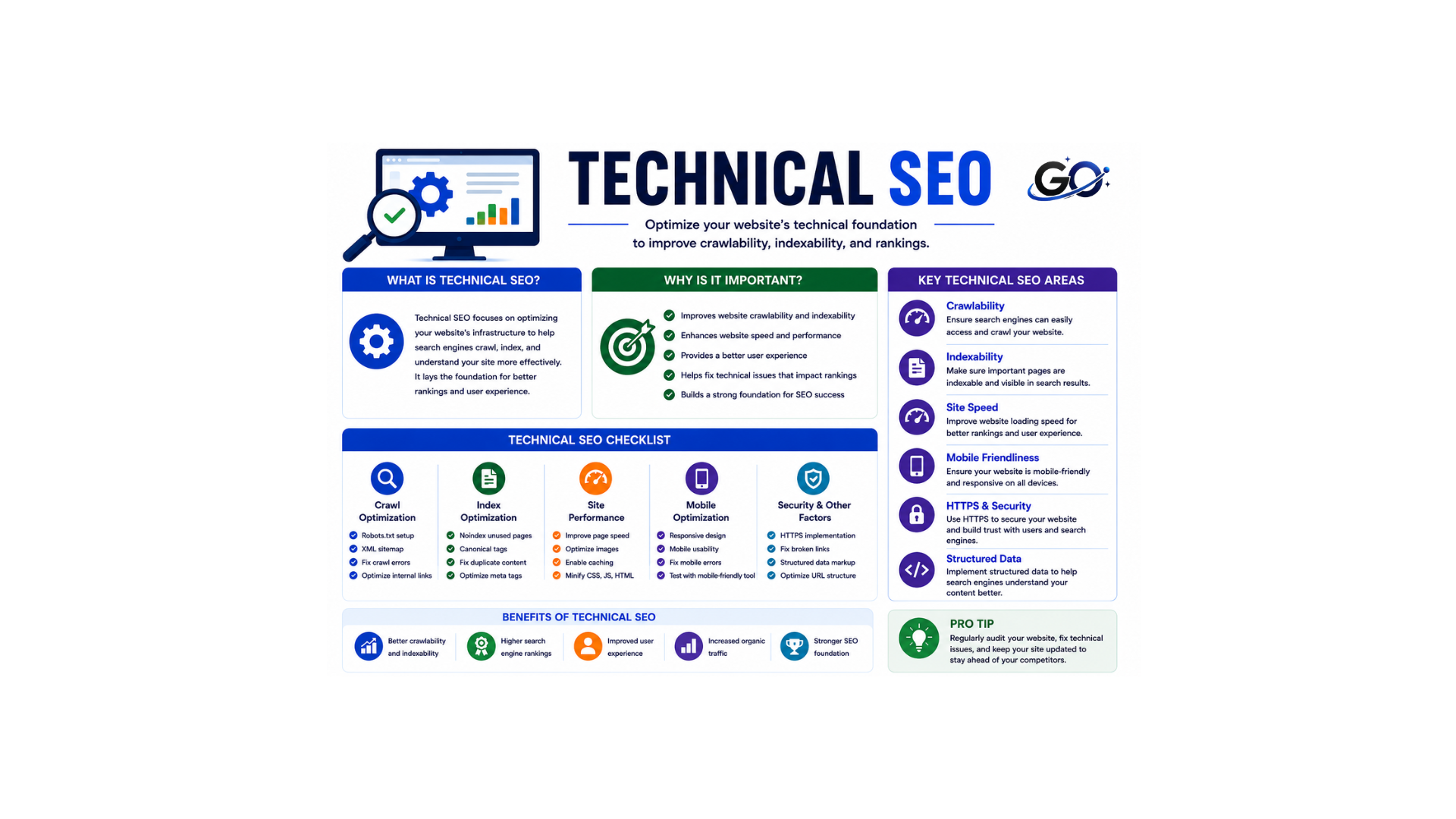
Technical SEO is the work of optimizing a website’s infrastructure so search engines and AI systems can crawl, render, index, and cite its content. It’s the foundation that determines whether your pages are eligible to appear in traditional search results and AI-generated answers.
The main goal of technical SEO is to make your website easy for search engines and users to access. When a website is technically optimized, search engines can understand its content better, which increases the chances of ranking higher in search results.
Technical SEO includes factors such as website speed, mobile-friendliness, XML sitemaps, HTTPS security, URL structure, structured data, crawlability, and indexability.
Why Is Technical SEO Important?
The simplest way to explain this is that technical SEO is the backbone of a website’s visibility on search engines. Without proper technical optimization, even the best content might struggle to rank or even get indexed by search engines.
As search engine algorithms become more sophisticated, they prioritize not just the content, but also the user experience, website performance, and the security of a website, all of which are influenced by technical SEO practices.
Google’s core processes (crawling, indexing, ) are significantly enhanced by good technical SEO. It ensures that Google can efficiently crawl and index content, setting a foundation for higher organic rankings.
Understanding Crawling and Indexing
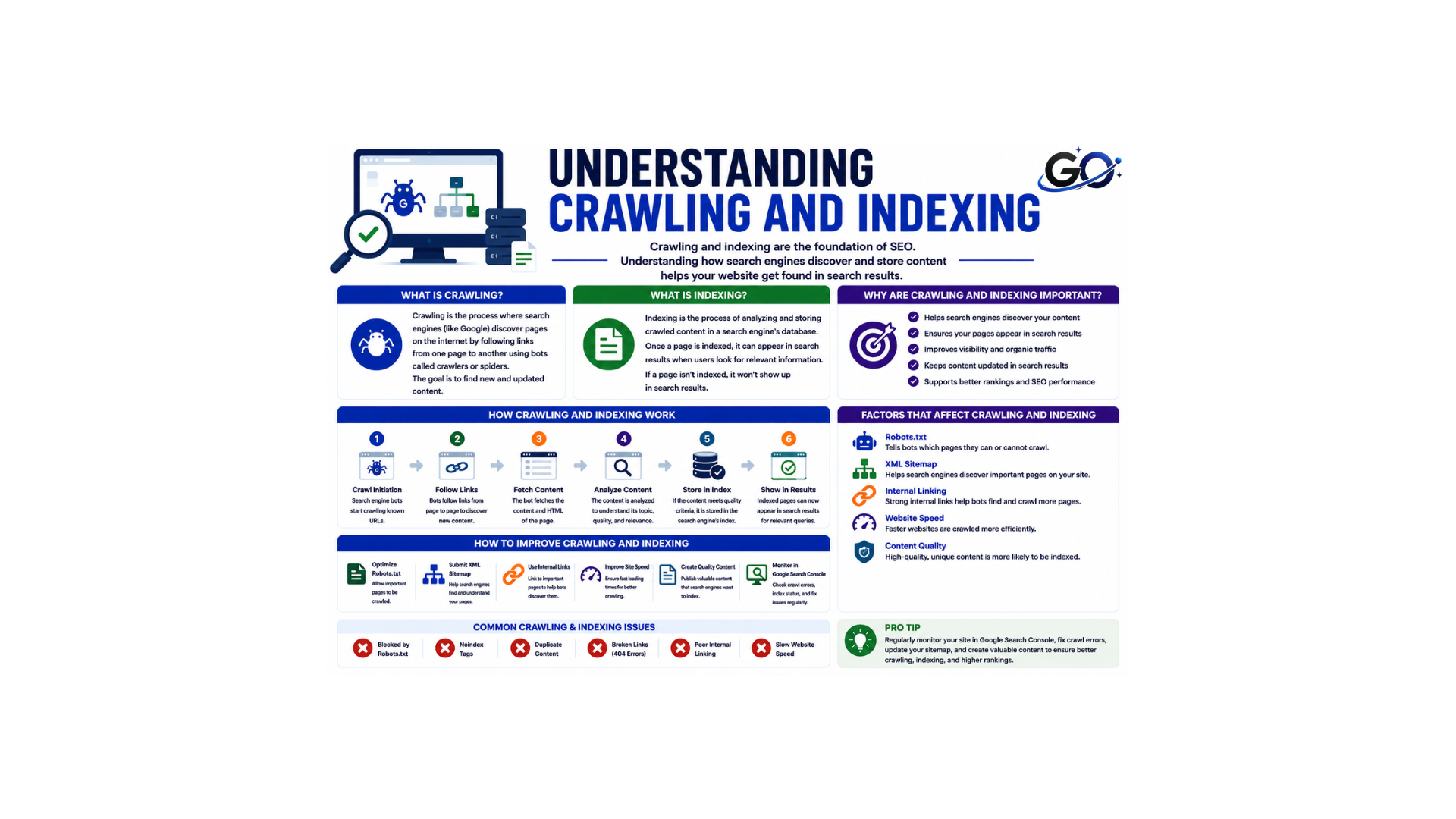
Before diving deeper into technical SEO, beginners should understand how search engines work.
Search engines like Google use bots known as crawlers or spiders. These bots visit websites and scan pages to collect information.
The process consists of three stages:
Crawling
Crawling is what search engines do to find out your site or new updates on your site. It is the process of finding new pages on the internet. Search engines carry this out through special software programs known as “spiders” or “bots”. These bots visit a known or specific site and look for reference links. They explore each link for further processing—rendering and indexing.
Indexing
After rendering, all that is left for the search engines is to store the newfound information. Indexing stores and organizes the webpage info. Search engines create indexes of the metadata they find on each webpage, like the meta title, description, keywords, and backlinks. The major challenges faced during indexing are duplicate or thin content and keyword stuffing. These negatively impact the process.
Website Speed Optimization
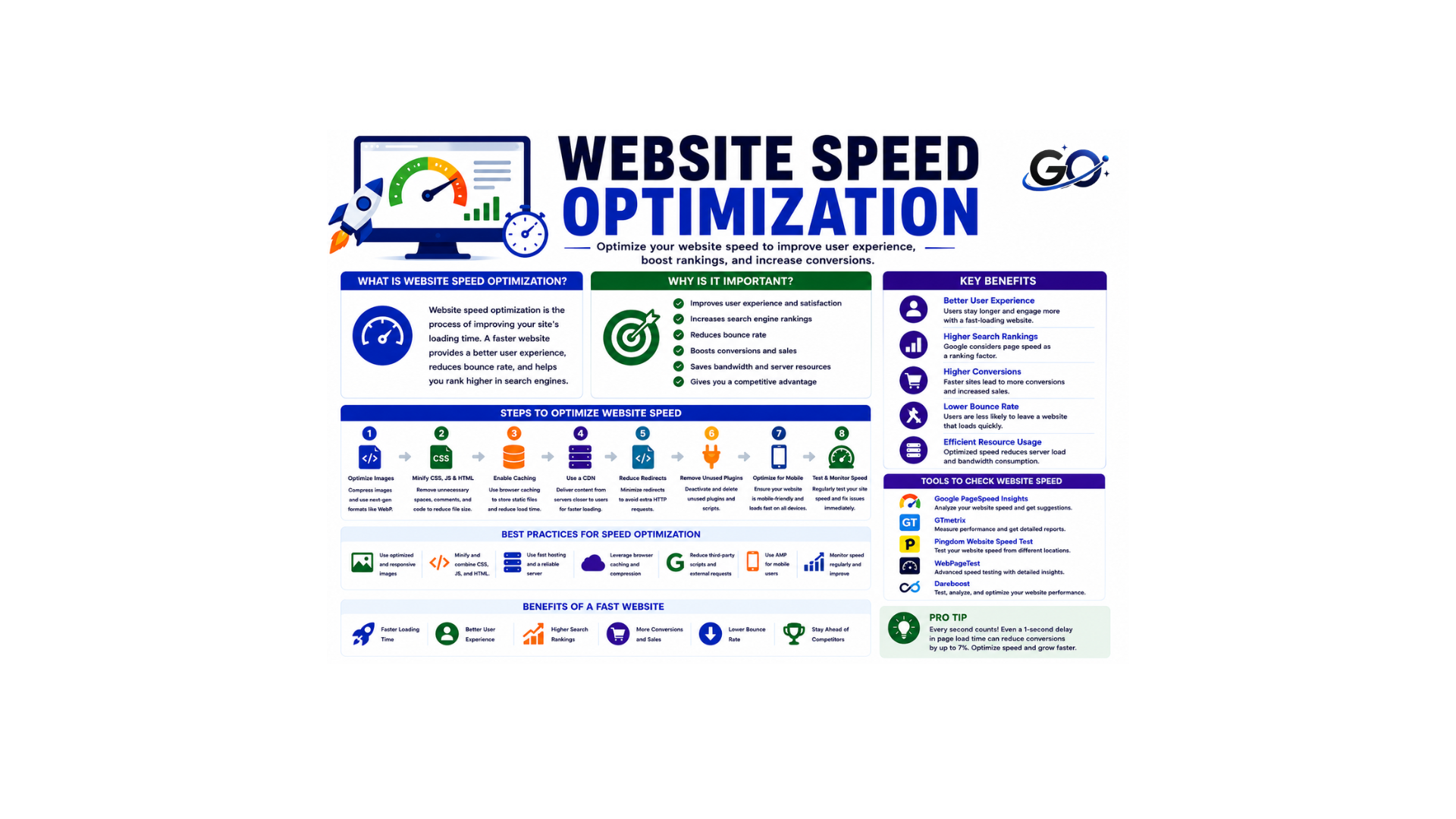
Page speed is a ranking factor for both mobile and desktop devices. Both search engines and users like fast websites. Google has stated that page speed is a direct ranking factor, meaning the faster sites will outrank slower sites. Ensure your site loads as quickly as possible.
- Why it matters: Search engines like Google prioritize websites that load quickly. Slow websites can lead to higher bounce rates, negatively affecting rankings.
- How to improve it:
- Test Speed: Use tools like Google PageSpeed Insights or GTmetrix to test your site’s speed.
- Enable Caching: Set up caching to store static files locally so they don’t need to be reloaded each time a user visits.
- Minify Resources: Minify CSS, JavaScript, and HTML files to reduce their size and improve loading times.
- Use a Content Delivery Network (CDN): CDNs like Cloudflare can distribute your content across multiple servers worldwide, reducing load times.
Mobile-Friendly Websites
A mobile-friendly website, also known as a mobile-responsive website, is designed to load quickly, display properly, and offer seamless navigation on mobile and tablet devices, just like it does on a desktop. Ensure your website is optimized for mobile devices.
- Why it matters: Google uses mobile-first indexing, meaning it prioritizes the mobile version of your site for ranking.
- How to improve it:
- Responsive Design: Ensure your site adjusts seamlessly to different screen sizes.
- Test Mobile Usability: Use Google’s Mobile-Friendly Test to see if your site passes.
- Avoid Flash: Make sure your site uses modern technologies like HTML5 and CSS for better compatibility with mobile devices.
HTTPS and Website Security
HTTPS helps protect the connection between a user’s browser and a website by encrypting data through an SSL certificate. It improves website security, builds trust among visitors, and can positively impact search engine rankings. Google recommends using HTTPS because it creates a safer browsing experience for users.
To implement HTTPS, install an SSL certificate from a trusted provider and redirect all HTTP URLs to HTTPS. You should also update your internal links, XML sitemap, and robots.txt file to use HTTPS versions. Regularly monitor your website for mixed content issues, which occur when secure HTTPS pages load resources through unsecured HTTP connections. This helps maintain both security and SEO performance.
XML Sitemap
An XML sitemap is essentially a list of all the pages on your website that serve as a navigational aid for search engines. Its existence guarantees that search engines will find all of the important content you have selected. Usually, this sitemap is divided into categories like posts, pages, tags, custom post types, and specifics like the quantity of photos and the date of each page’s latest modification.
In a perfect world, websites might not need an XML sitemap. Search engine robots will be able to traverse without it if every piece of information has a perfect internal linking system. However, it is advised that all websites use an XML sitemap because not all websites keep an ideal structure.
Robots.txt File
The robots.txt file tells search engine bots which pages they can access and which pages they should avoid.
For example, you may want to block:
- Admin pages.
- Login pages.
- Duplicate content sections.
- Internal search result pages.
While robots.txt is useful, beginners should use it carefully because incorrect settings can accidentally block important pages from being indexed.
Optimizing URL Structure
A clean URL structure helps both users and search engines understand page content.
Good URL Example
yourwebsite.com/technical-seo-for-beginners
Poor URL Example
yourwebsite.com/page?id=5678
Best Practices for URLs
- Keep URLs short.
- Include relevant keywords.
- Use hyphens instead of underscores.
- Avoid unnecessary numbers.
- Make URLs descriptive.
Clean URLs improve usability and SEO performance.
Internal Linking
Internal links help users navigate the site, establish a clear site structure, and allow search engines to crawl and index content effectively. They help your pages be found and also help the pages rank better.
- Why it matters: Internal links help search engines discover content and understand the relationship between different pages on your site. They also improve the user experience by guiding visitors to relevant pages.
- How to improve it:
- Use Descriptive Anchor Text: Link relevant pages using clear, keyword-rich anchor text.
- Link Deep: Link to deeper pages (not just the homepage or category pages) to help search engines discover more of your content.
Canonical Tags
When Google finds similar content on multiple pages on your site, it sometimes doesn’t know which of these pages to index and show within search results. The canonical tag (rel=”canonical”) is an HTML element used to indicate the preferred or original version of a webpage when there are multiple pages with similar or duplicate content. By adding this tag to the <head> section of a webpage, it signals to Google and other search engines which version of the page should be indexed and considered the authoritative source.
Structured Data (Schema Markup)
Structured data (schema markup) is a type of code that helps search engines better understand your content. It also enables features that can make your website stand out in search results, such as rich snippets and enhanced search listings.
- Why it matters: Structured data helps search engines understand your content better and can result in rich snippets (like star ratings, FAQs, etc.) appearing in search results.
- How to improve it:
- Use Schema Markup: Implement schema.org markup for things like articles, reviews, events, and products. You can add this manually or use plugins for platforms like WordPress (e.g., Yoast SEO or Schema Pro).
- Test with Google’s Structured Data Testing Tool: Ensure your markup is correct and well-implemented.
Core Web Vitals
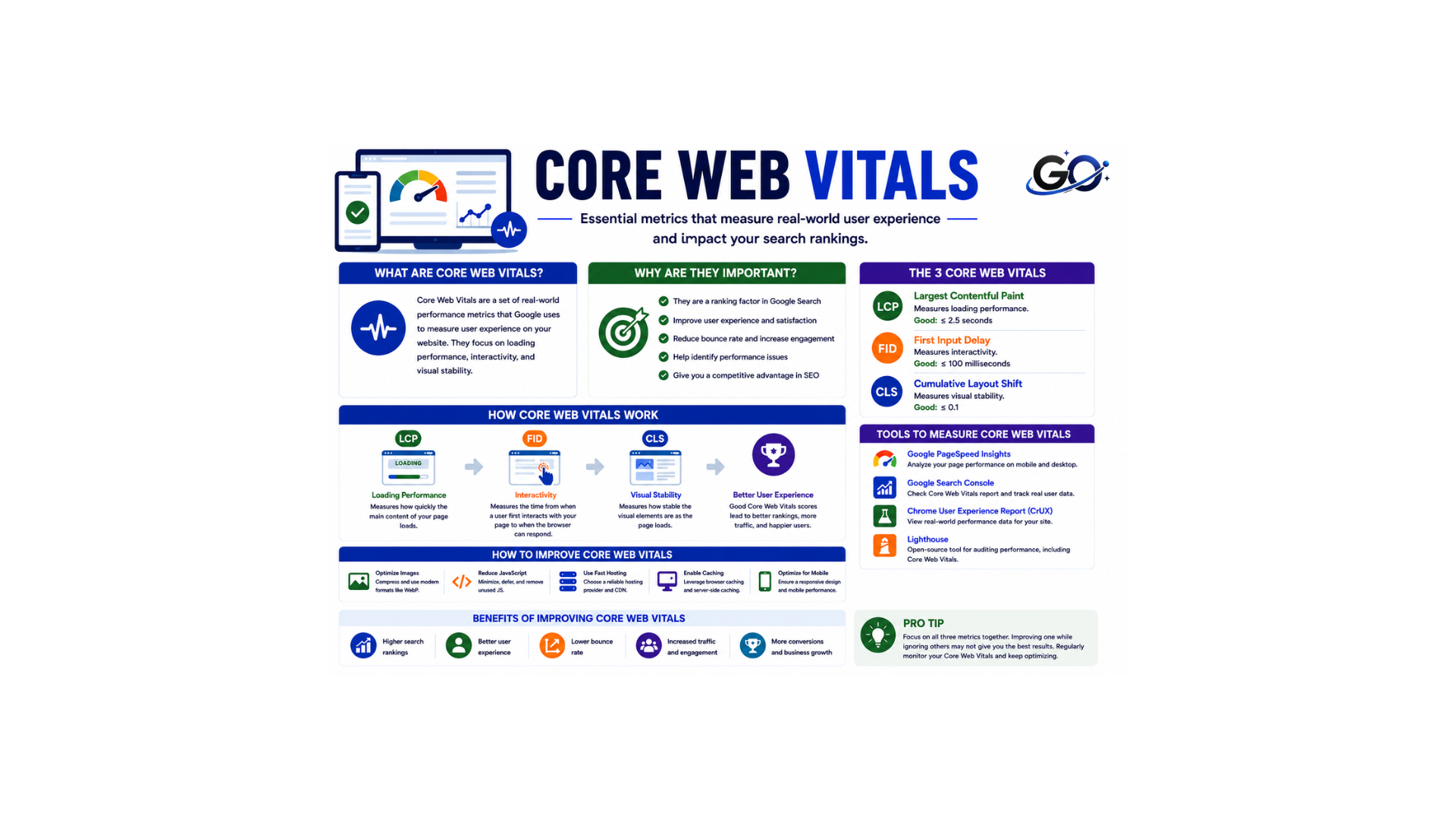
Core Web Vitals are Google’s user experience metrics.
These metrics measure how users interact with your website.
Largest Contentful Paint (LCP)
Measures loading performance.
Interaction to Next Paint (INP)
Measures responsiveness.
Cumulative Layout Shift (CLS)
Measures visual stability.
Improving Core Web Vitals helps create a smoother user experience and can positively impact rankings.
Image Optimization
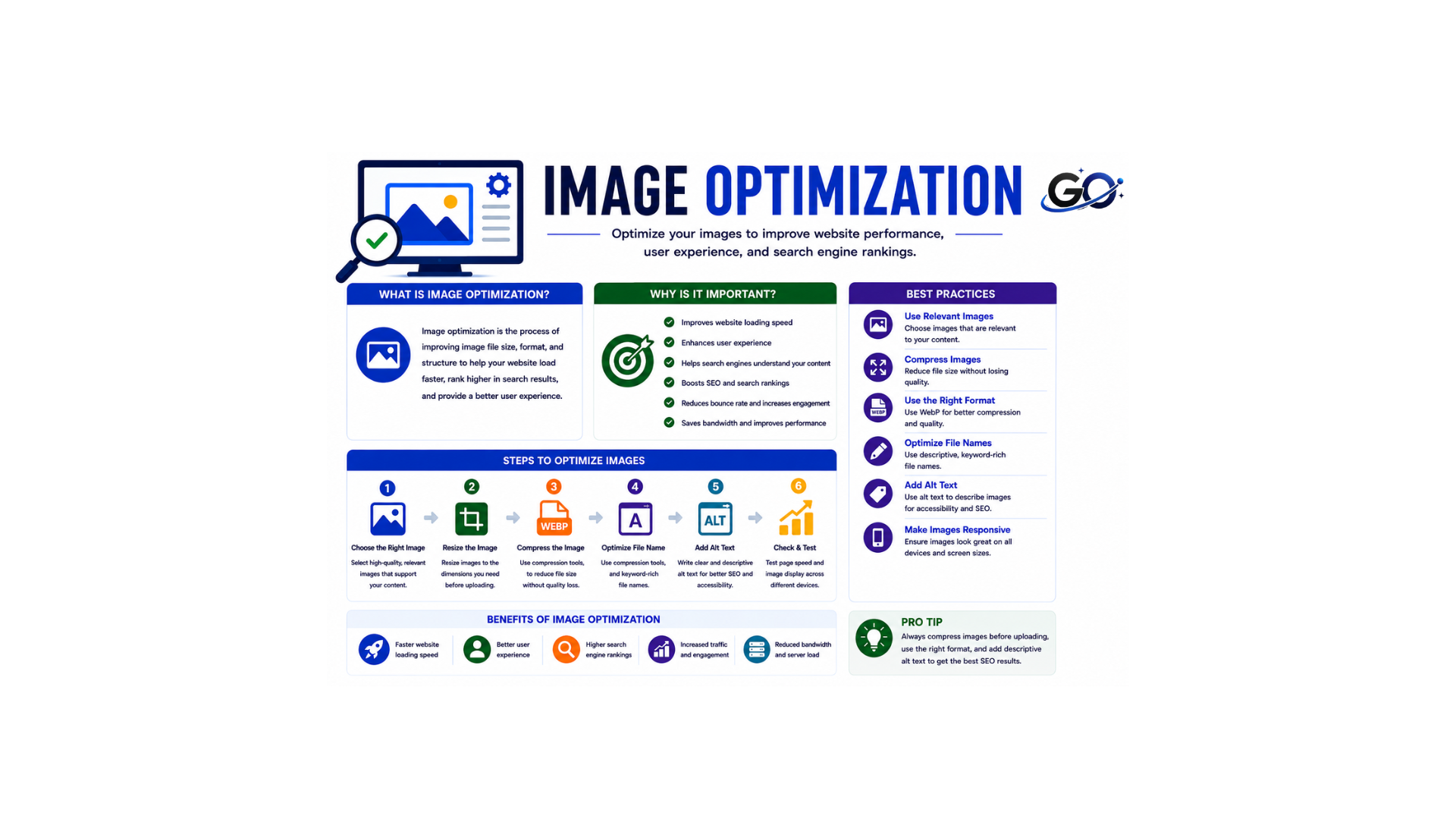
Images are among the largest content files on your website, optimizing them is essential for achieving the fastest possible site speed. When users search for images related to your content, optimized images are more likely to appear in search results, driving traffic back to your website.
- Optimize Image File Names:
Use descriptive file names (e.g., blue-widget.jpg instead of jpg).
Compressing them with image optimization tools like Pexels
- Add Alt Text to Images:
Ensure all images have appropriate alt text to help search engines understand the content and improve accessibility.
Common Technical SEO Mistakes Beginners Make
Many beginners unknowingly make technical SEO mistakes that can negatively affect their website rankings. One common mistake is ignoring mobile optimization, which creates a poor experience for mobile users. Slow website speed caused by large images, poor hosting, or unoptimized code can also hurt both rankings and user satisfaction. Some website owners fail to create an XML sitemap, making it difficult for search engines to discover important pages.
Duplicate content is another issue that can confuse search engines and dilute ranking signals. Beginners also often overlook broken links, which occur when a page no longer exists or a URL is entered incorrectly. Broken links can lead to 404 errors, reduce user trust, and make it harder for search engines to crawl a website efficiently. Additionally, incorrect robots.txt settings may accidentally block important pages from being indexed. Regular website audits can help identify and fix these issues before they impact SEO performance.
Best Technical SEO Tools for Beginners
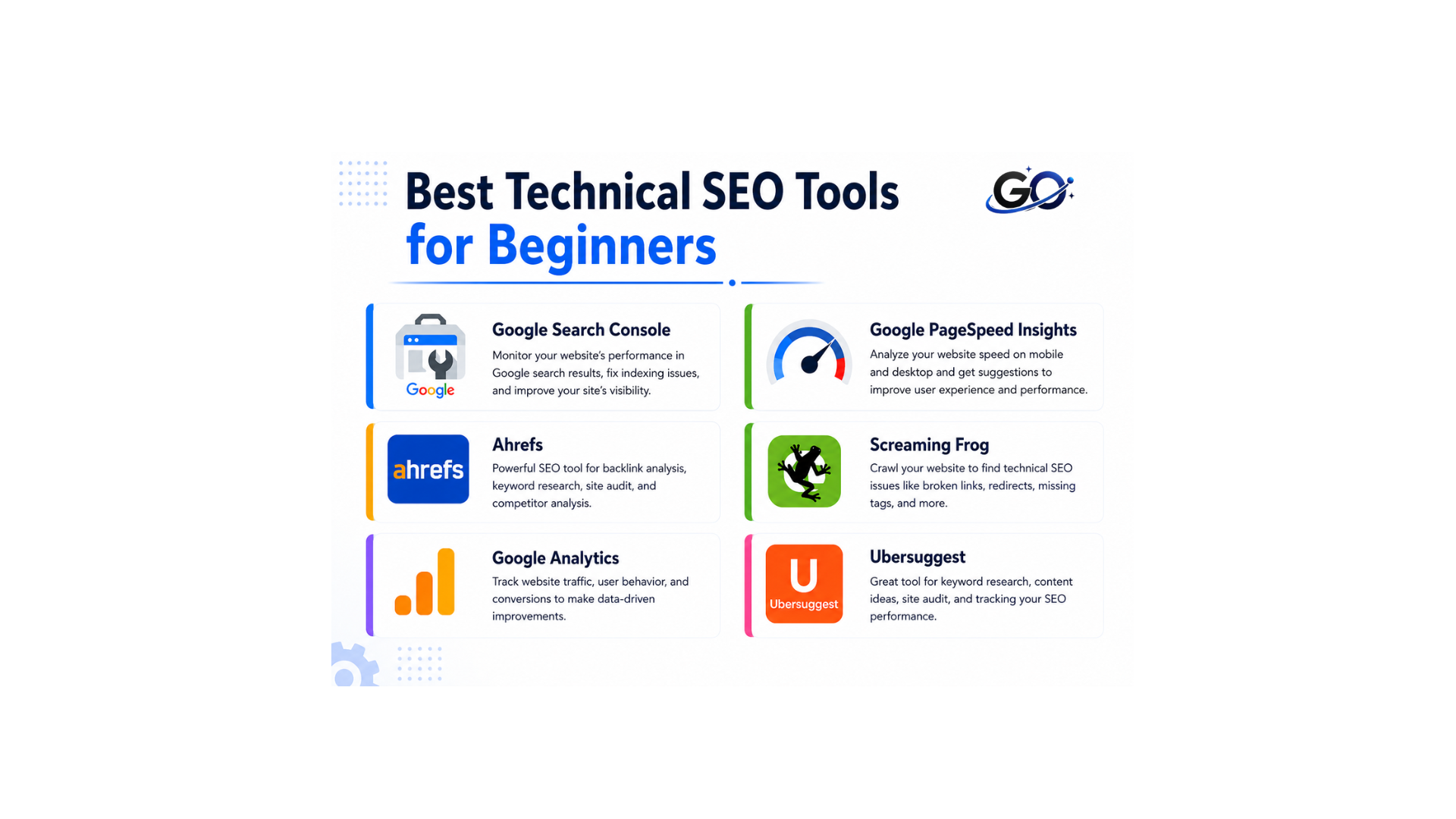
Several tools make technical SEO easier to understand and manage.
Google Search Console
A free tool by Google that gives you insights about your website’s performance. It includes search traffic, indexing errors, and core web vitals.
Google PageSpeed Insights
Analyzes website speed and provides recommendations.
Ahrefs
Offers technical audits, backlink analysis, and keyword research.
Screaming Frog
A powerful SEO tool that crawls your website, and identifies broken links, duplicate content, and other technical issues.
Google Analytics
Provides valuable insights into visitor behavior.
Ubersuggest
Offers beginner-friendly SEO analysis and recommendations.
Conclusion
Technical SEO for Beginners is the foundation of a successful SEO strategy because it helps improve website performance, user experience, and search visibility.While content and backlinks are important, they cannot perform at their best without a technically optimized website. Technical SEO helps search engines crawl, index, and understand your content while providing visitors with a faster, safer, and more user-friendly experience.
For beginners, the best approach is to focus on the fundamentals first. Improve website speed, ensure mobile-friendliness, secure your site with HTTPS, create an XML sitemap, optimize URLs, and monitor technical issues regularly. As your knowledge grows, you can explore advanced technical SEO strategies.
By implementing these essential technical SEO practices, you will build a strong foundation for long-term search engine success and increase your chances of achieving higher rankings and more organic traffic.