

A heading in SEO is a title or subheading used to organize the content of a webpage into clear and meaningful sections. Headings facilitate reading, comprehension, and navigation of text. . They also help search engines understand the structure and topics covered on a page.
Headings are usually created with HTML heading tags, ranging from H1 to H6. Each heading level has a different purpose. The H1 generally represents the main topic of a page, while H2 and H3 headings are commonly used to organize major sections and supporting topics.
What Are Heading Tags
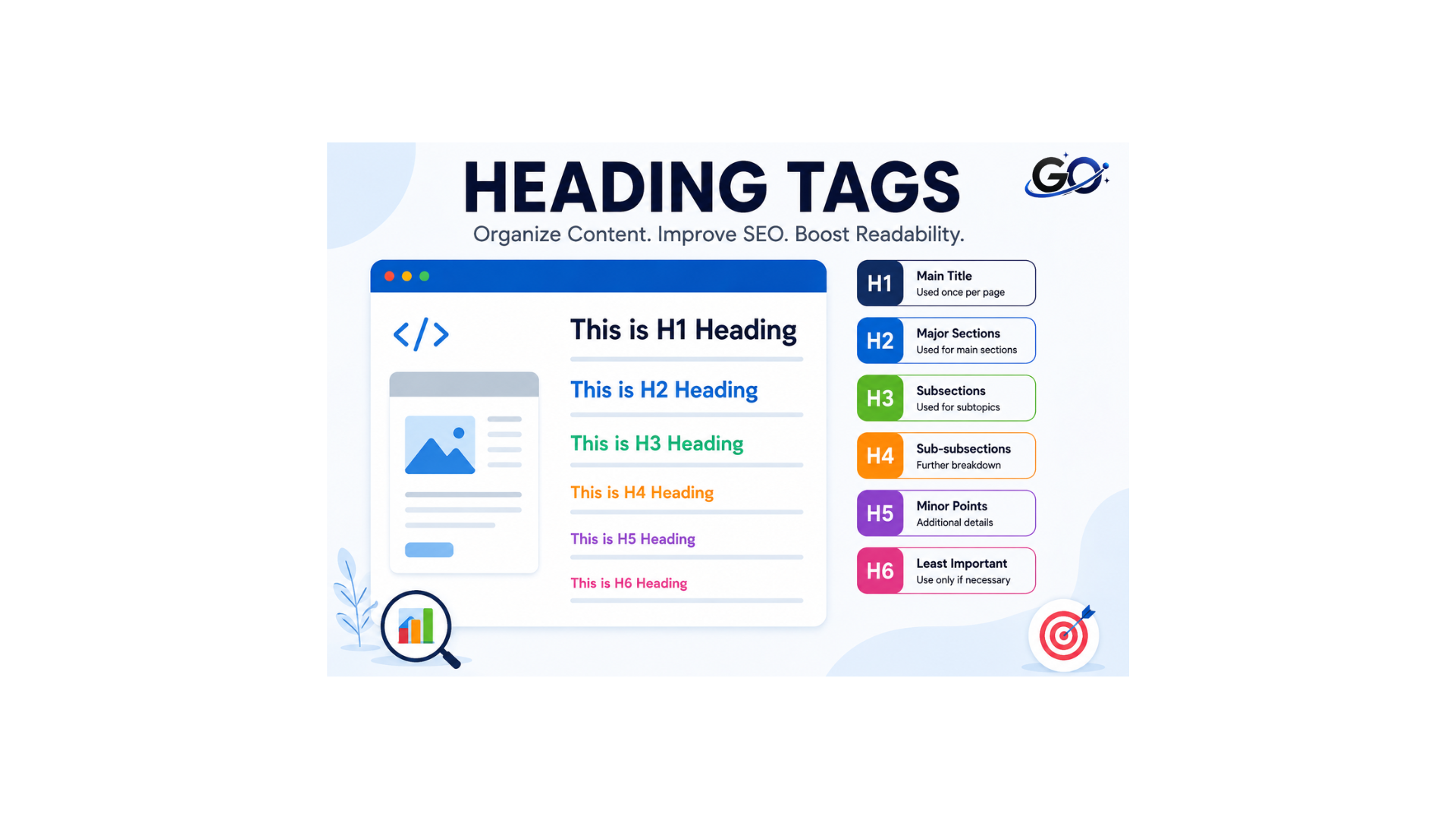
HTML components called heading tags are used to arrange and structure a web page’s content. They serve to distinguish and label various areas of the text, much like titles or subtitles.
Heading tags are divided into six levels, with H1 being the highest level and H6 being the lowest.
The primary heading or page title is usually contained in the H1 tag. One H1 tag every page is crucial because it aids search engines in comprehending the content’s primary subject.
The H2 tag is used for the page’s main parts or subheadings. Multiple H2 tags can be used, each of which can indicate a distinct segment. .
Why Are Headings Important for SEO?
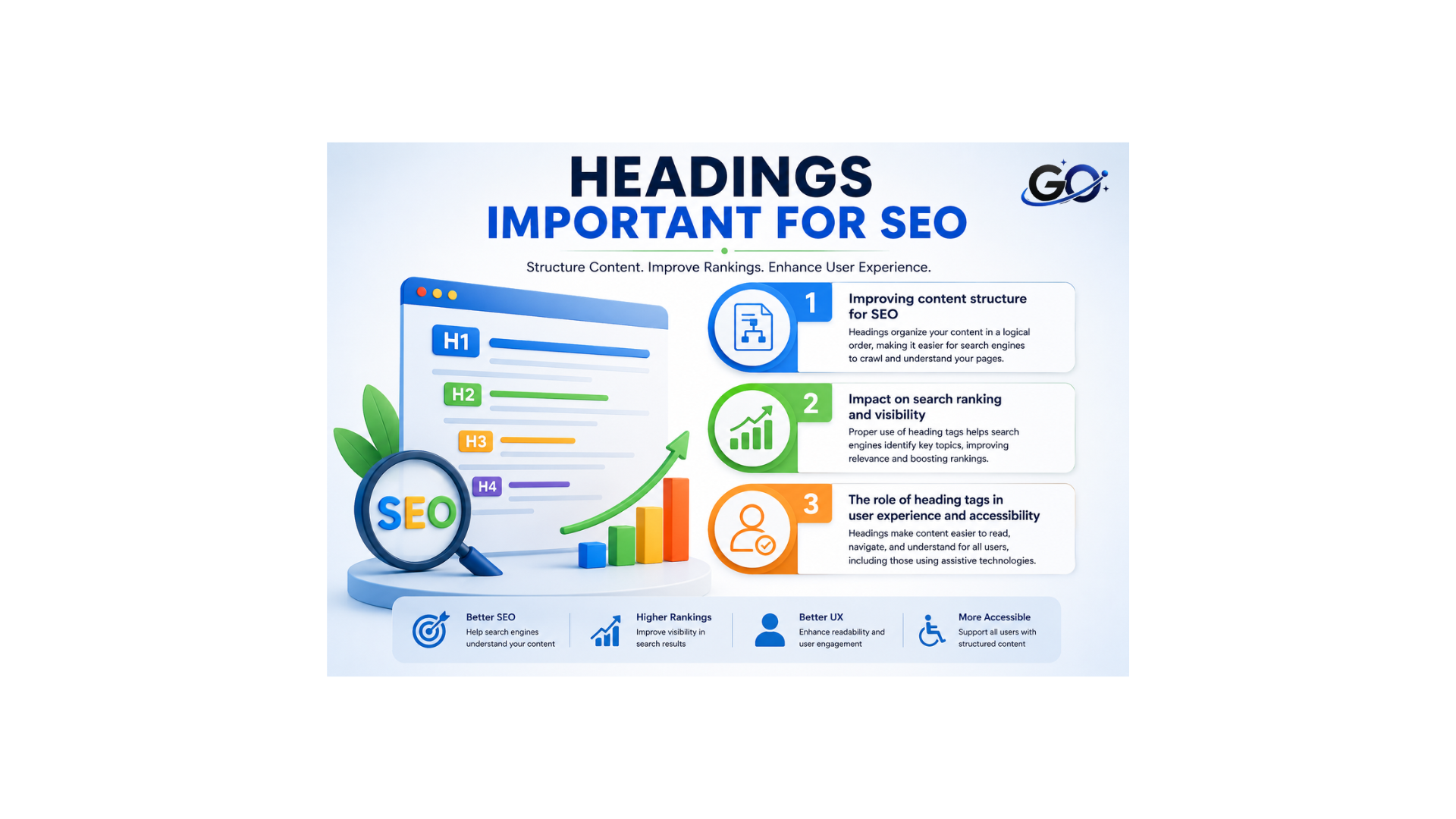
Improving content structure for SEO
Heading tags are crucial for optimising organic search since they organise your website’s content logically and hierarchically. By utilising them, you increase indexing and ranking in search results (SERP) by making the structure and content easier for search engines to comprehend. By establishing semantic connections between the terms and concepts offered, these tags assist search engine crawlers understand and organise the information more clearly.
Additionally, adding pertinent keywords to header tags—especially the H1, H2, and H3 tags—reinforces the content’s relevancy to search searches.
Impact on search ranking and visibility
The strategic use of heading tags has a direct effect on your website’s search rankingYou can greatly raise a page’s rating in search results by arranging material hierarchically, which aids Google’s crawlers and those of other search engines in identifying the page’s primary topic.
Increased visibility and click-through rate (CTR) of your sites might result from rich snippets appearing in the SERP due to search engines’ improved comprehension of the content. Furthermore, a clear and logical content structure, made possible by heading tags, reduces the bounce rate and improves user engagement. These factors are also taken into account by search algorithms when assessing the quality and relevance of a web page.
The role of heading tags in user experience and accessibility
Heading tags are not only beneficial for SEO, they also play a role in improving the user experience and accessibility of your website. By structuring content in a clear and hierarchical way, you make navigation and understanding easier for your visitors.
This point is particularly important for users who rely on assistive technologies, such as screen readers, which use these tags to navigate the content of the page efficiently. In addition, a well-organized structure allows users to quickly find the information they are looking for, improving their satisfaction and reducing the bounce rate, which contributes to a more positive overall user experience.
What Is an H1 Heading?
Because search engines use H1 headings to understand the main topic, they are crucial for Heading in SEO. The H1 tag increases relevance for important search terms, confirms the webpage’s topic, and provides a natural opportunity to include your primary keyword.
Every page should generally have one clear H1 heading that describes the main subject. Using multiple H1 tags can make the page structure less clear and may confuse users and search engines. The H1 tag helps both readers and search engines understand what the content below is about.
What Are H2 Headings?
Following the H1 tag, the H2 heading is the first subheading. The H2 header is the most significant tag on the site, according to search engines. A web page can have more than one H2 tag.For those crucial subheadings that will break up the visual monotony of your site material, this is the ideal tag. H2 tags will direct the reader’s gaze downward and provide a brief synopsis so they don’t have to spend too much time reading the entire page.
The H3, H4, and H5 headers are rated lower once more. The H2 tag’s arguments are best supported by the H3 tags.H4 tags can also be used in conjunction with the H3 tag to support points as a subsection.Generally speaking, the following headings work best:One H1 tag, H2 tags as the main subheadings, and H3 tags as an H2 tag’s subsections
What Are H3 Headings?
Within an H2 section, lesser subjects are arranged using H3 headings. They are especially helpful when multiple related points are included in a major section.
This establishes a direct connection between the main idea and the data that supports it.
H3 headings are not required for every article. When they actually enhance readability and organization, they ought to be included.
For example:
H2: How to Use Heading Tags
Is Yoast warning ko remove karne ke liye 3 consecutive headings/sentences ko different wording se start kar dein:
Main Topic: Use H1
Major Sections: Use H2
Supporting Topics: Use H3
What About H4, H5, and H6?
H4, H5, and H6 headings are lower levels of the heading hierarchy. They can be useful for complex pages that contain several layers of information.
The majority of standard blog posts don’t require the usage of all six heading levels. For many kinds of content, H1, H2, and H3 are typically sufficient.
Instead than utilising every heading level that is accessible, the objective should be to develop a logical structure.
For example:
H1: Main Topic
H2: Major Topic
H3: Subtopic
H4: Supporting Detail
How to Use Headings for SEO
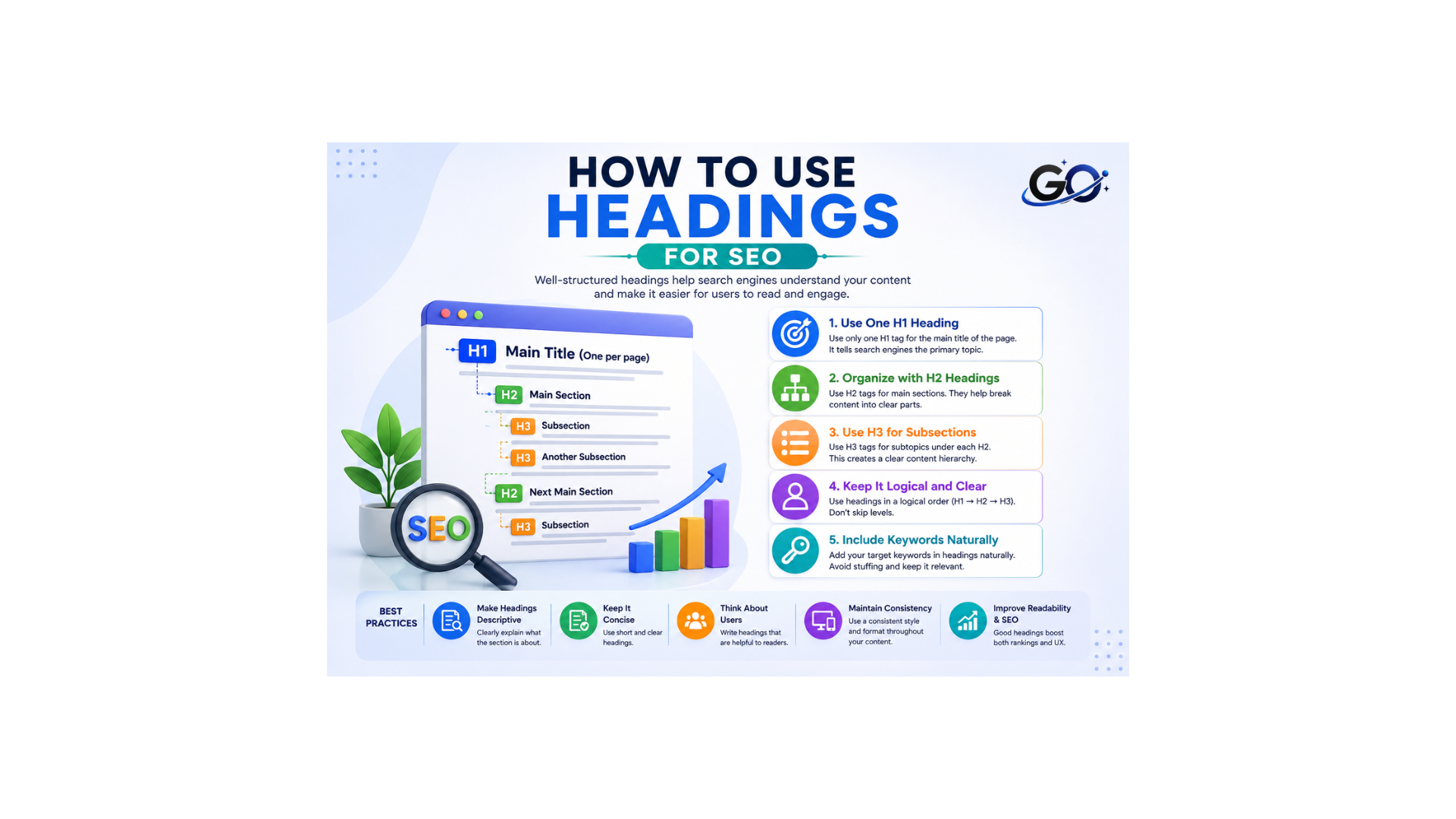
It takes more than just adding keywords to use headings successfully. The content that appears beneath each header should be explained.
Start with a succinct headline that sums up the key idea. Next, use H2 headings to separate the article into major sections. Use H3 headers to further arrange related subtopics in a section.
For instance:
H1: What Is Content Writing for SEO?
H2: What Makes Writing SEO Content Crucial?
H2: How Does Writing SEO Content Operate?
H3: Researching Keywords H3: Search Intent H3: Optimising Content
H2: Best Practices for Writing SEO Content
The article’s structure makes it easy to navigate.
Common Heading Mistakes
Heading structures can be less effective due to a number of errors. Heading in SEO should be used to organize content clearly and logically. Using headings merely to make text appear larger or smaller is one frequent error. Heading tags should be used for more than just visual styling; they should also reflect the content’s structure.Using too many headings is another error. An article may appear disjointed if a heading is added after every few sentences. A clear and balanced heading structure helps readers understand the content and makes the page easier to navigate.
Another issue is keyword stuffing. SEO is not always improved by using the same keyword in several headings.Skipping logical hierarchy can also make content confusing. For example, several H3 headings should generally belong to a relevant H2 section. Finally, avoid writing headings that do not match the content underneath them. A heading should accurately describe what readers will find in that section.
Best Practices for SEO Headings
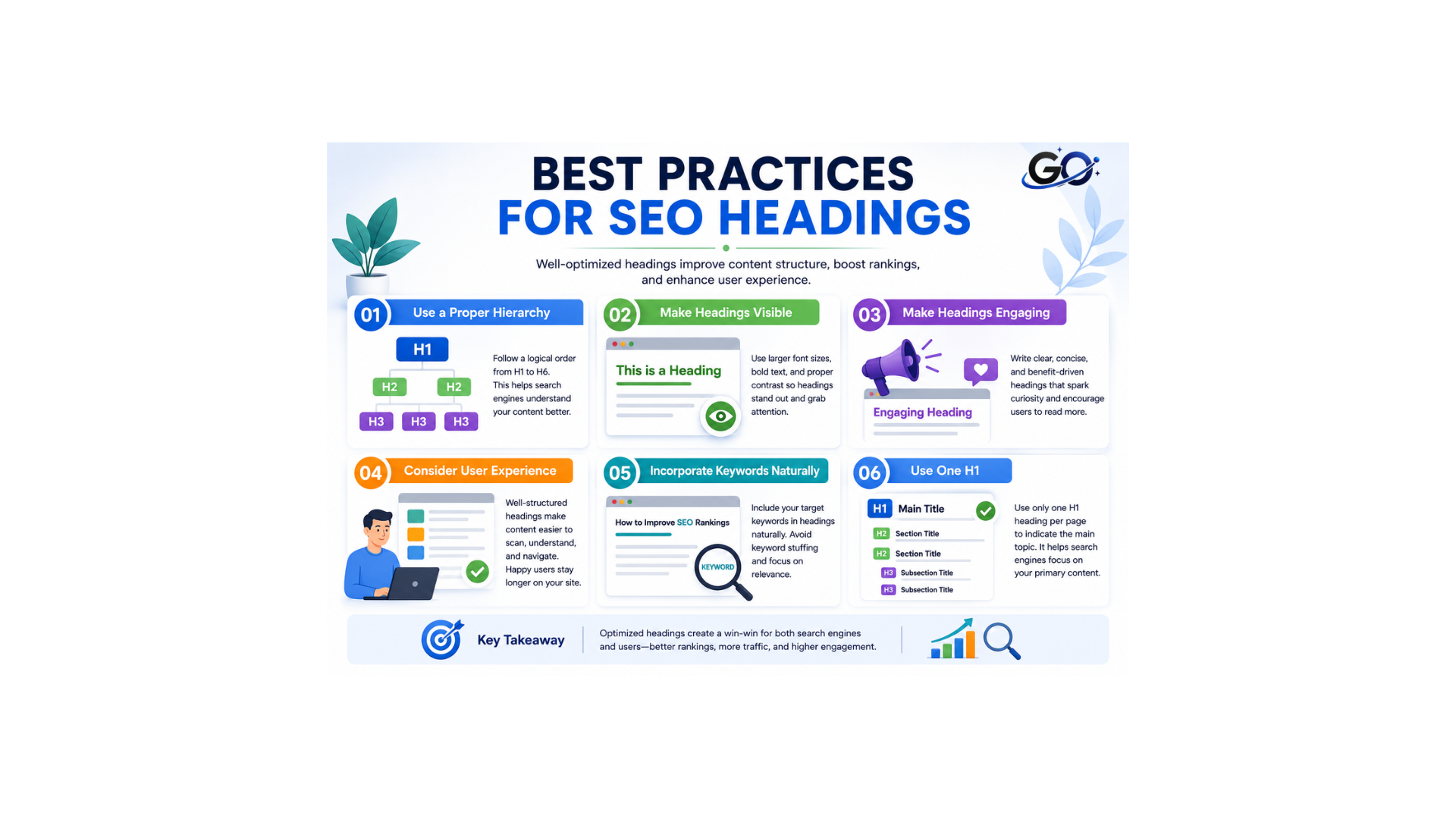
When it comes to SEO heading structure, there are a number of best practices. When utilising website headings for SEO, take into consideration following six measures to optimise and split your material as clearly as possible:
1. Use a proper hierarchy
Not all website headings are created equal. H1s are most important and sit at the highest level, while H6s are least important and sit at the lowest level. To clearly communicate the reading order of your page, keep the hierarchy in mind when applying headings in content.
2. Make headings visible
Because prominent website headings enhance navigation, format H1 and H2 headings for SEO to be large and bold. Smaller titles should be displayed as well, but their size should indicate that they define subsections rather than main subjects. To avoid visual clutter and preserve a clear reading sequence, H3s, H4s, H5s, and H6s should be kept more subdued.
3. Make headings engaging
Interesting website headings capture users’ attention and encourage them to stay on your page. The resulting lower bounce rate signals to search engines that your page contains high-quality, relevant information and can boost your ranking in SERPs.
4. Consider user experience
Particularly on lengthier pages like blogs, breaking up material keeps readers interested and makes it easier for them to find what they’re looking for. Content organised by headings is easier to read and rapidly scan thru than a daunting wall of text.
5. Incorporate keywords naturally
In order for search engines to quickly relate your website to pertinent enquiries and send you high-quality traffic, keywords alert them to the topic of your page. Your content is more likely to show up in search engine results pages (SERPs) and outperform competitors for certain searches when keywords are used prominently on your page, such as in headings.
6. Use one H1
H1 is at the top of the hierarchy in SEO headings and conveys the main idea of your page. Your material will stay focused and pertinent to the topic you wish to rank for if you use only one per page. Using more than one could cause confusion for users, search engines, or artificial intelligence, which would lower your search visibility.
Conclusion
Headings are an important part of organizing SEO content. They divide information into clear sections, help readers navigate long articles, and provide search engines with additional context about the page. A strong heading in SEO structure usually starts with a clear H1, followed by relevant H2 headings and H3 headings when additional organization is needed. Lower-level headings can be used for more complex content when necessary.
FAQ
Should I use only one H1 tag per page, and why?
Although using just one H1 tag each page is not necessary, it is sometimes advised to provide a coherent and comprehensible structure. According to Google’s John Mueller, the search algorithm is unaffected by the usage of multiple H1 tags as long as they are applied consistently and benefit consumers.
How to organize heading tags (H1, H2, H3, etc.) for a better page structure?
An H1 tag should be used for the page’s main title in order to properly arrange heading tags. Next, use the H3 tags for the subsections and the H2 tags for the main subtitles. To organise your information in a comprehensible and understandable manner, adhere to this hierarchical logic.
What effect do keywords in heading tags have on search engine optimization?
Keywords in heading tags have a big effect on SEO. These keywords improve the page’s relevancy to user queries and aid Google’s crawlers in comprehending the material. You can increase your page’s exposure and ranking in search results by adding pertinent keywords to the H1, H2, and H3 tags. In addition, this makes the content easier for consumers to read and organise in a hierarchical manner.