

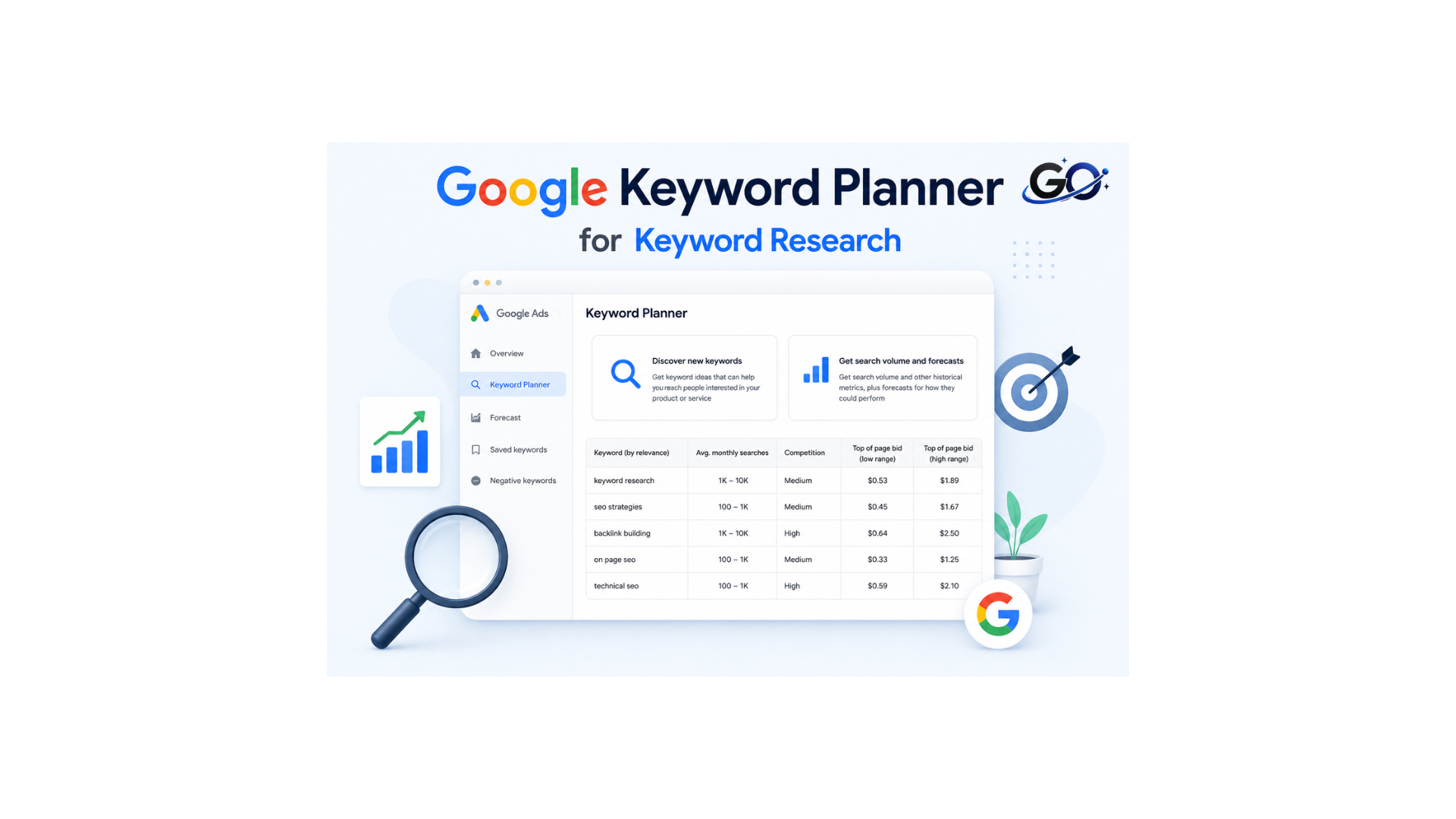
Learn how to use Google Keyword Planner for keyword research and discover valuable keywords for your website. This beginner-friendly guide explains how to find search volume, analyze competition, and uncover keyword opportunities to improve your SEO strategy, attract more organic traffic, and create content that ranks higher in search results.
Step 1: Create a Google Ads Account
A Google Ads account is a prerequisite for using the Google Keyword Planner setup. Here is the basic process:
- Visit the Google Ads website.
- Click on “Start Now.”
- Sign in with an existing Google account or create a new one.
After that, you’ll be asked if you want to launch the campaign right away. For now, select “Switch to Expert Mode” and then “Create an account without a campaign.”
Step 2: Access Google Keyword Planner
To use Google Keyword Planner, you must have a Google Ads account. Don’t worry—you won’t have to launch a campaign or spend money
Step 3: Choose “Discover New Keywords”
You get a choice of two options when you open the Keyword Planner:
- Discover new keywords
- Get search volume and forecasts
The second option is a great way to get search volumes for an existing keyword list. But we want to find new keywords, so let’s click the first option: Discover new keywords.
Step 4: Filter your terms
To concentrate on the most pertinent terms you’re likely to come up in searches or convert with, use the filters in Keyword Planner.
After choosing your preferred filter, click “Add filter.” You may select by terms you wish to exclude, the level of competition, and more in Keyword Planner.
Let’s imagine you wish to use Keyword Planner to search terms to include in content about the real leather handbags you offer. In this instance, choose the “Keyword” filter, type the word “faux,” and then click the circle next to “Semantic Match” to remove terms that have a similar meaning to the one you entered.
Click “Refine keywords” for further filtering options. Deselect any terms that aren’t relevant. You might choose not to carry specific colors for the leather purse example.
Plug a seed keyword like “bike” into Ahrefs’ Keywords Explorer, go to the Matching Terms report, switch the period to 12 months, then sort by the Growth column from high to low. You’ll see the keywords with the most growth over that period.
Step 5: Analyze search volumes
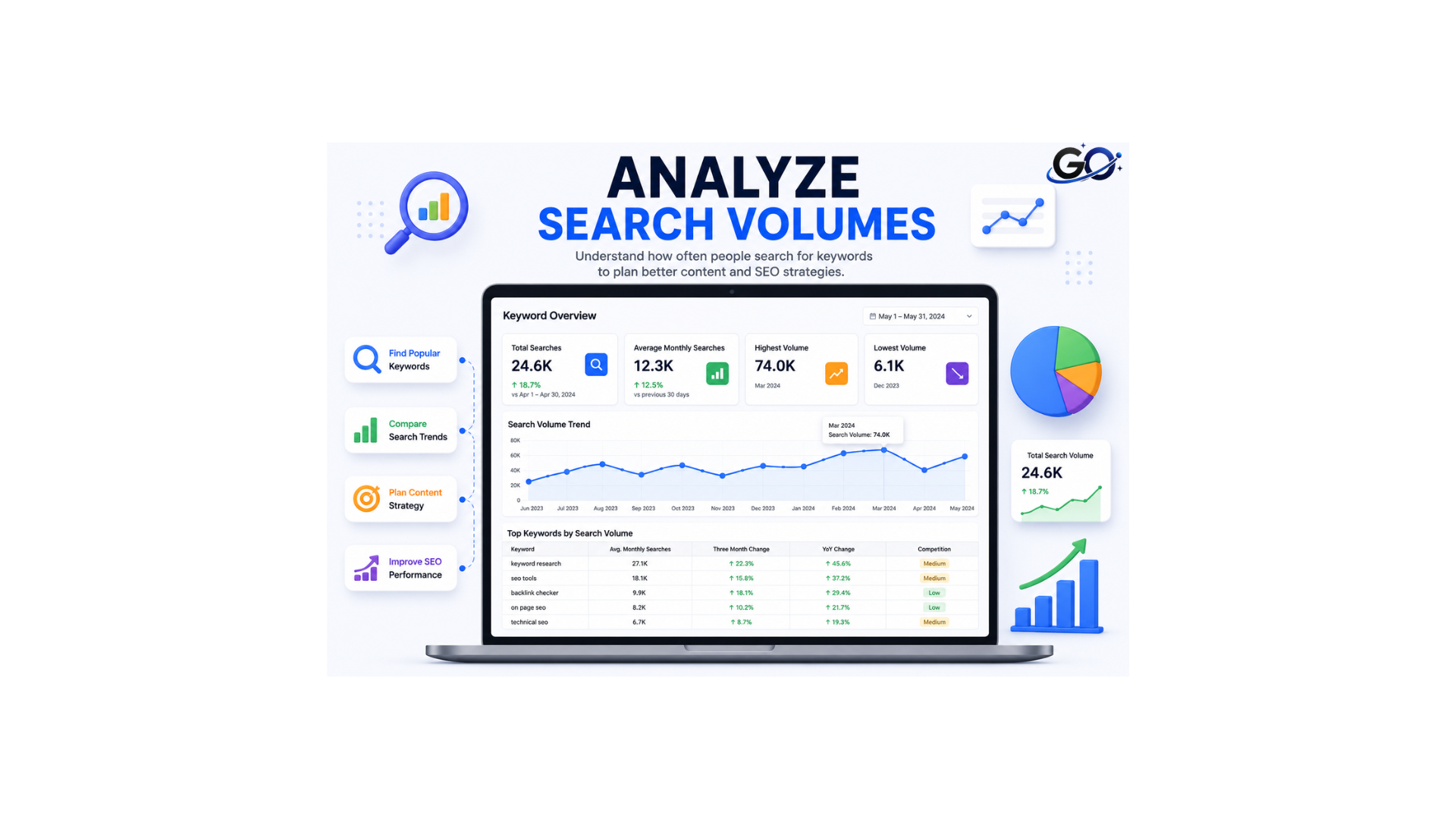
Examine Keyword Planner’s search volumes to see which terms could provide the greatest traffic to your website through advertisements or natural content.
Examine the column labelled “Avg. monthly searches.”
Instead of precise figures, Keyword Planner search volume data is typically displayed in broad ranges, such as 100–1K. Comparing keywords and figuring out which ones would generate more traffic becomes more challenging as a result. (If your account consistently spends money on advertisements, you can obtain precise search volume figures.)
Use SEMrush’s Keyword Magic Tool to get precise average search volumes.
For instance, we examined the average monthly search traffic for 100 terms over the last 12 months using data from SEMrush and Google. This is a sample of our data:
For each of the 100 keywords we examined:
An estimated 1,083,650 searches were displayed by Google’s Keyword Planner.
The Keyword Magic Tool from SEMrush provided a more precise total of 267,500
You may priorities the incorrect terms and lose out on traffic chances if you merely use Google’s search volume ranges.
Step 6: Compare competition
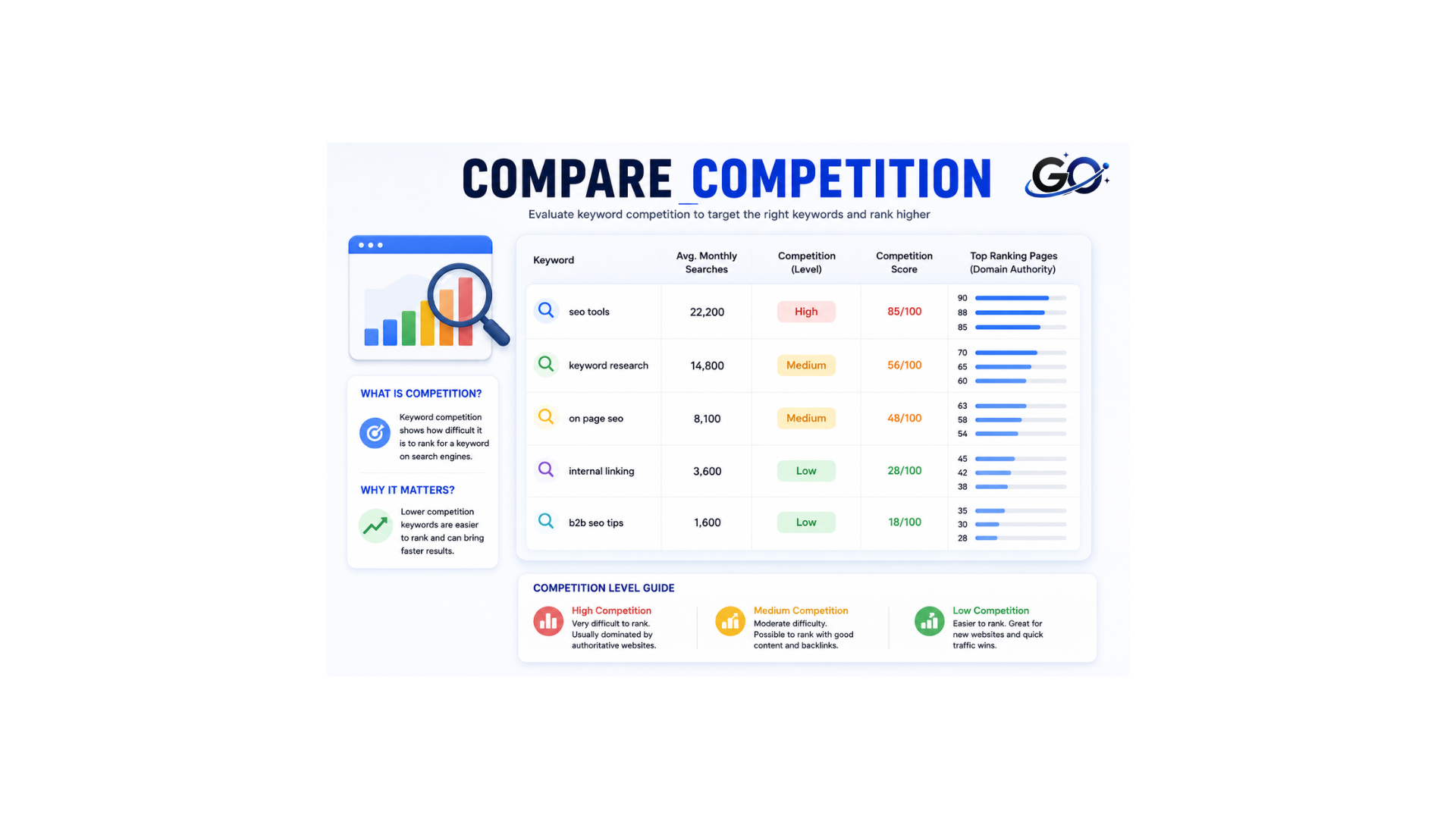
Examine the competition for keywords to determine whether you can easily rank for them organically or compete with them for ads.
Check the “Competition” and “Top of page bid” columns in Keyword Planner if you are running advertisements. These assist you in selecting keywords that fit your spending limit.
- The top of bid (low range) is the lower end of what advertisers typically pay for a top ad placement. It provides you with a ballpark estimate of this ad space’s minimal cost per click.
- The higher end of what marketers usually pay for a top ad place is known as the top of page bid (high range). It provides you with a ballpark estimate of this keyword’s maximum cost per click.
- Competition: Advertiser interest is rated as “Low,” “Medium,” “High,” or “–” if insufficient information is available. It shows how many marketers are placing bids on this term in comparison to other keywords.
You will receive a number called Personal Keyword Difficulty (PKD%) that indicates how difficult it is to rank highly in organic search for your website. You have a better chance of getting a top organic result if your PKD percentage is lower.
Step 7: Forecast PPC keywords
To focus on the most successful terms, use Keyword Planner’s forecast function to estimate how your advertising might perform.
Click “Get search volumes and forecasts” to get started. Click “Get started” after entering or uploading your keywords.
To obtain estimates for your list of
entered keywords research, select the “Forecast” tab. To assist you maximize your conversion rates, Google provides projections for conversions, clicks, and ad costs based on information such as past performance (if you have previously run ads), seasonality, and your budget.
Modify parameters such as your match type or bid strategy to discover which changes result in higher sales and, eventually, a higher return on investment (ROI).
Click “Create campaign” and follow the instructions to start your advertisements if you want to use the terms you provided.
Step 8: Find trending keywords
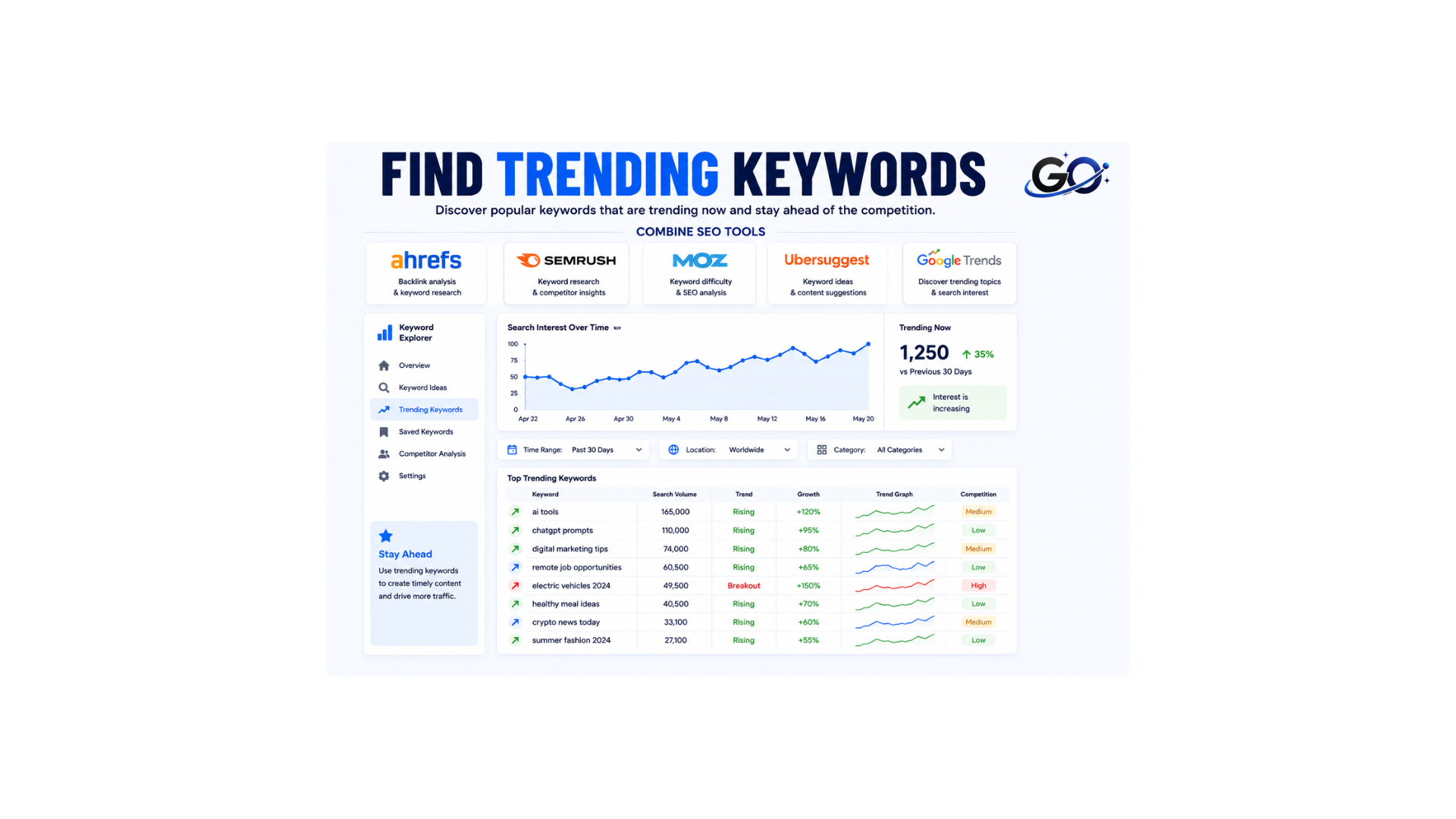
Keyword Planner has a YoY change metric. This illustrates how search trends have changed from the most recent month to the same month last year.
Sorting keyword suggestions by this column from highest to lowest will reveal breakout subjects.
For instance, “giant stance e+” has a +900% YoY rise when we enter “e bike” as our seed keyword.
Giant’s announcement that the bike was released last year is probably the reason for this.
This is a great technique to identify things that are worth reviewing if you own an affiliate website.
Combine SEO Tools
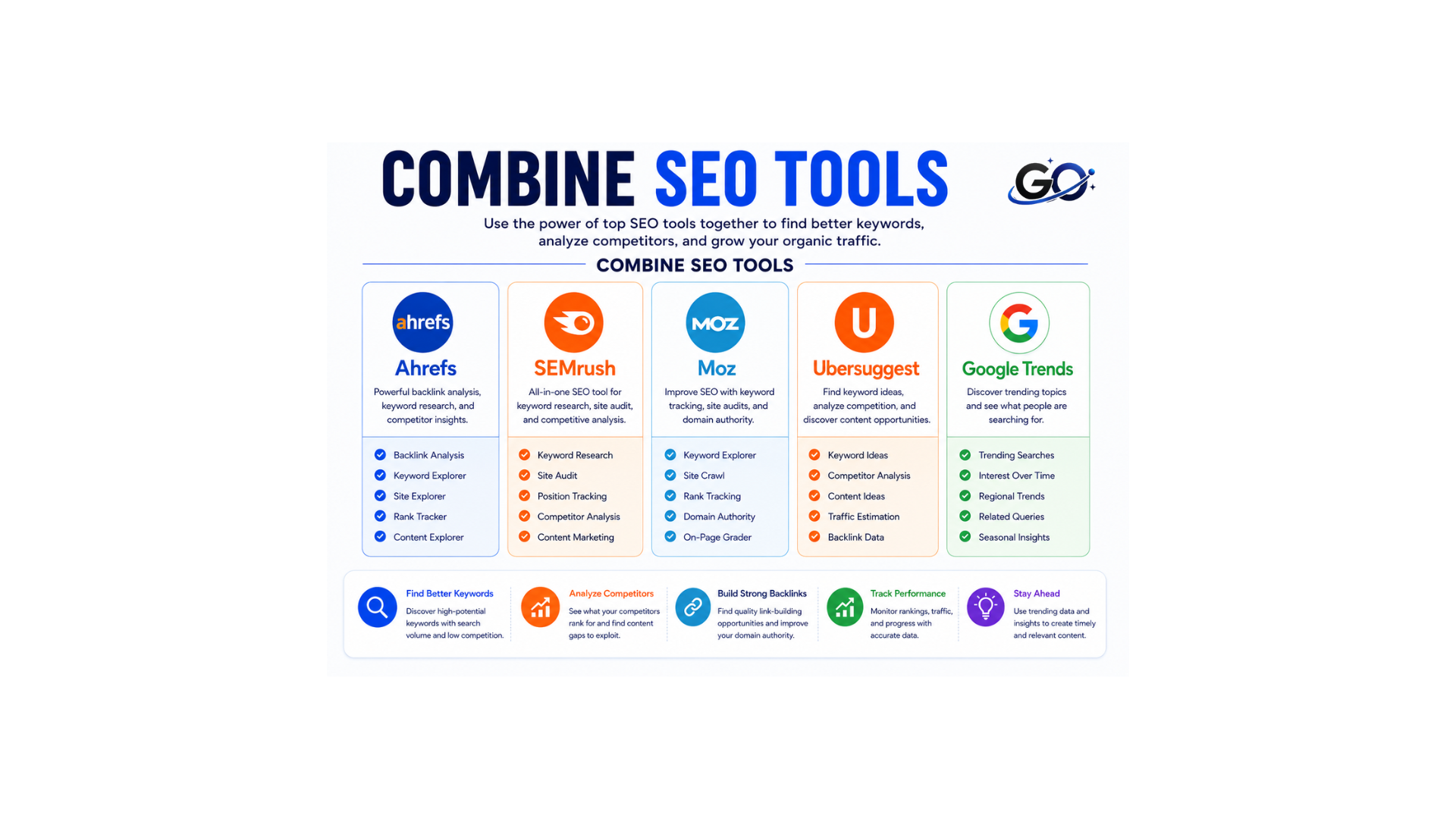
Google Keyword Planner is powerful but combining it with other SEO tools gives better results.
Popular tools include:
Using multiple tools h
Additional insights to refine your query list
You may improve your keyword list and determine which keywords should be prioritized for content and advertisements by using extra insights.
To begin, launch the Keyword Overview tool and input the list of terms you wish to examine. To determine whether a keyword triggers SERP features like featured snippets or AI Overviews, click the number in the “SF” column. This information may influence how you write your content or whether you choose to run advertising.
To determine the likely purpose of the searcher and the kind of content they are looking for, use the “Intent” column:
Organize Your Keywords
Informational Keywords
These keywords are used when users want to learn something.
Examples:
- What is SEO
- How keyword research works
- SEO tips for beginners
Navigational Keywords
These keywords are used to locate a particular brand or website.
Examples:
- Google Keyword Planner login
- Ahrefs backlink checker
- WordPress official website
Commercial Keywords
These keywords are used when users compare products or services before buying.
Examples:
- Best SEO tools
- Buy SEO software
- SEO services near me
Transactional Keywords
These keywords are used when users are ready to act or make a purchase.
Examples:
- Purchase SEO course
- Hire SEO expert
- Buy WordPress hosting
Additionally, you can choose keywords that meet your ad budget by using the CPC column.
Conclusion
One of the greatest free resources for keyword research in 2026 is Google Keyword Planner. It helps bloggers, marketers, and businesses discover valuable keywords directly from Google data. By learning how to use Google Keyword Planner properly, you can improve your SEO strategy, create better content, and increase website traffic.
If you are serious about growing your website, mastering keyword research with Google Keyword Planner is an excellent starting point.