

Core Web Vitals in seo are a set of performance metrics introduced by Google to measure important aspects of a webpage’s user experience. They focus on how quickly a page loads, how smoothly it responds to user interactions, and how stable the page remains while loading. For SEO, these metrics are important because website performance can affect both user satisfaction and search visibility.
A fast and well-optimized website makes it easier for visitors to find and interact with content. On the other hand, slow loading times, delayed responses, or unexpected layout changes can create a poor experience and may cause users to leave a website. Understanding Core Web Vitals helps website owners identify performance problems and make improvements that support a better overall browsing experience.
What Are Core Web Vitals?
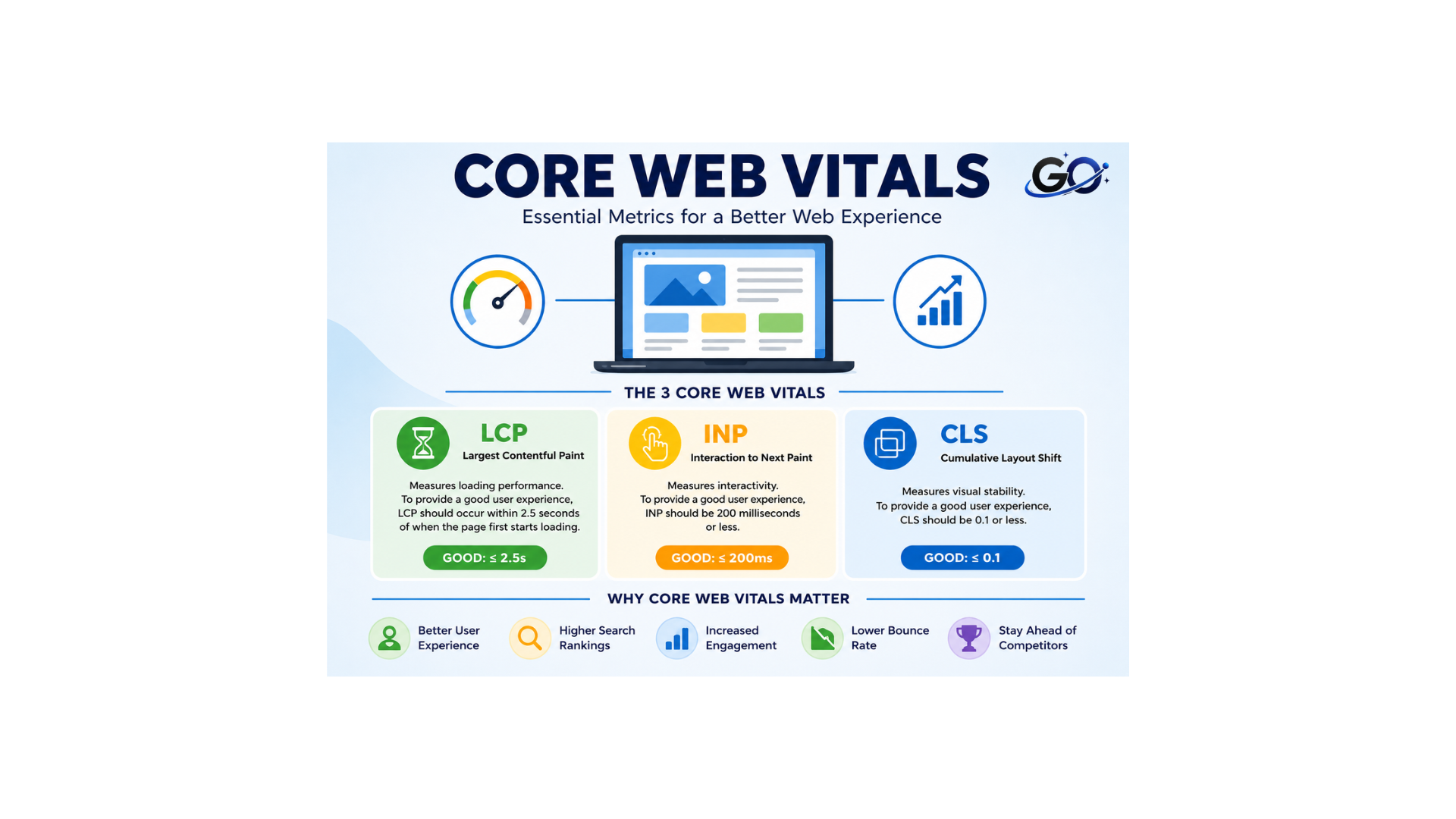
Core Web Vitals are specific metrics used to evaluate key parts of a webpage experience. Google currently focuses on three main metrics: Largest Contentful Paint (LCP), Interaction to Next Paint (INP), and Cumulative Layout Shift (CLS).
Every statistic assesses a distinct facet of the functionality of a website. . LCP evaluates loading performance, INP measures responsiveness, and CLS evaluates visual stability. Together, these metrics provide a useful picture of how visitors experience a webpage during loading and interaction.
Why Are Core Web Vitals Important for SEO?
Core Web Vitals are important for SEO because search engines aim to provide users with useful results and a positive browsing experience. A website that performs well can make it easier for visitors to read content, navigate pages, and complete actions.
Good performance can also improve engagement. When pages load efficiently and respond quickly, visitors are less likely to become frustrated. This can contribute to better user satisfaction and support other important website goals.
What Are the 3 Core Web Vitals?
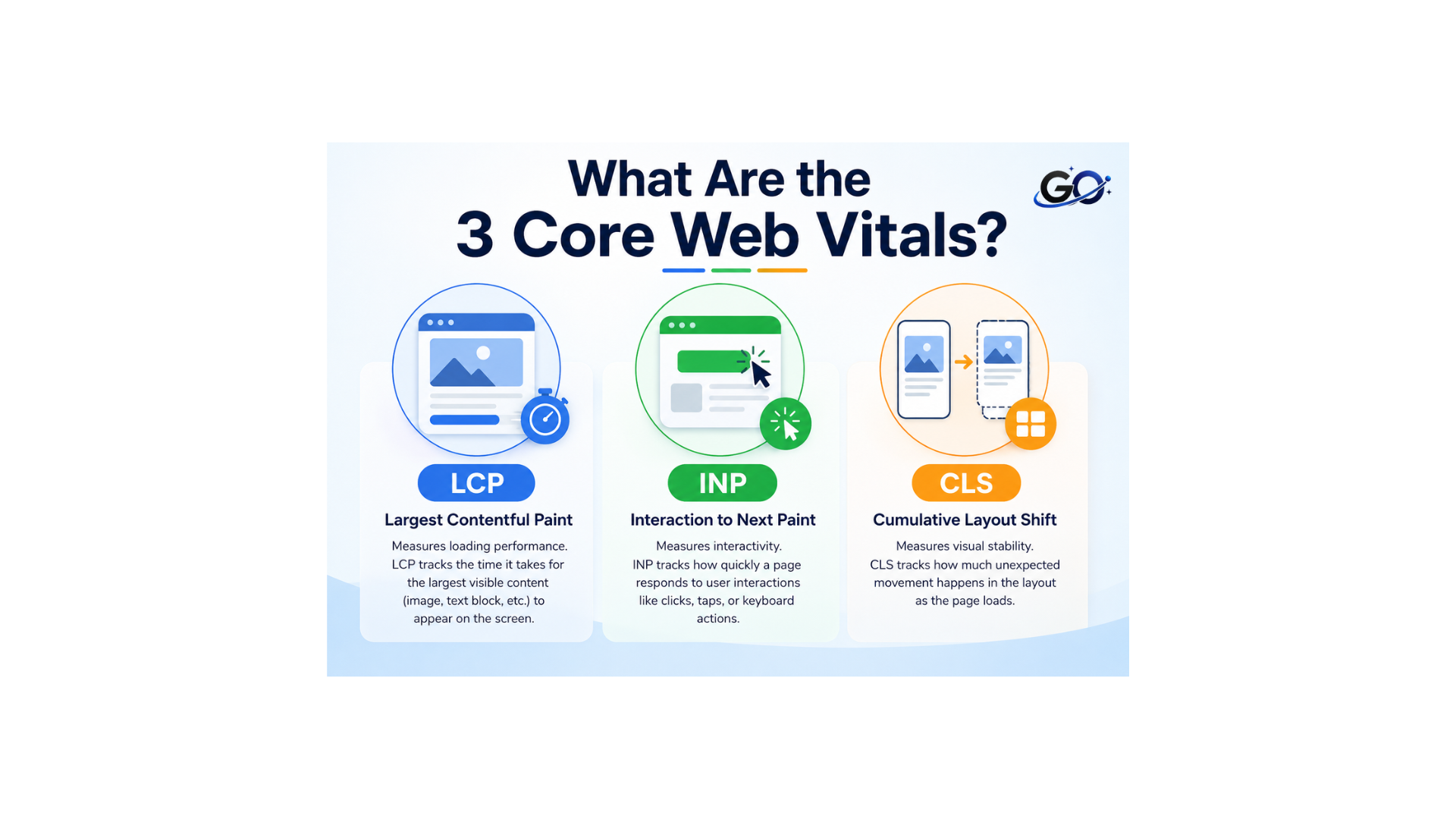
The three primary Core Web Vitals are LCP, INP, and CLS. Each metric focuses on a different part of the user experience.
1. Largest Contentful Paint (LCP)
Based on the render time of the largest visible content element, Largest Contentful Paint (LCP) is a Core Web Vitals metric that website owners can use to evaluate user experience and determine whether a page provides useful content. Core Web Vitals in SEO help website owners identify page performance issues and improve the overall user experience. To provide a better experience, website owners should ensure that pages load quickly. Faster-loading pages can also support better search performance while improving overall user satisfaction.
Plus, snappy load times have shown to impact engagement and conversion rates compared to a page with slow loading times.Google considers an LCP of 2.5 seconds or less to be a good result. A result above this level may indicate that the page needs performance improvements.
2. Interaction to Next Paint (INP)
Interaction to Next Paint (INP) measures how quickly a webpage responds to user interactions throughout a page visit. These interactions can include clicking a button, selecting an option, opening a menu, or entering information into a form. Core Web Vitals in SEO help website owners understand important performance factors such as responsiveness. A page may appear to load quickly but still feel slow if interactions take too long to produce a visible response. INP helps identify these responsiveness issues and shows where website performance needs improvement.
Google wants an INP of fewer than 200 milliseconds for optimal user experience. Note that the final INP value is calculated based on whichever interaction takes the longest to respond. This means even if every other interaction meets the minimum standard, just one slow interaction on a page will bring down the INP.
3. Cumulative Layout Shift (CLS)
Site owners need to make it as easy as possible for users to engage with links and buttons on a site to drive sales and conversions. Cumulative Layout Shift (CLS) is a metric that identifies links or buttons that shift after a web page has loaded and reflects the level of difficulty users will experience when trying to engage with elements on your site once a page renders. CLS is one of the quality signals that Google uses to assess the effectiveness of a website’s performance and user experience.
UX and design are vital components of a good user experience, and a user will become frustrated if a web page shifts elements while a user is reading. CLS helps developers determine if images or links shift on the page so site owners can improve usability, drive click-through rates, and improve online sales.
A CLS score of 0.1 or less is considered good. Website owners can improve CLS by reserving space for images and other dynamic elements, specifying image dimensions, and avoiding content that unexpectedly changes position.
Core Web Vitals and User Experience
Web vitals are an extensive collection of metrics created to assist website administrators in comprehending and enhancing the user experience on their websites. A subset of these measures, the Core Web Vitals, are especially crucial for providing a satisfying user experience. Increasing conversions, improving search engine results, and engaging users all depend on a positive user experience.
Optimizing for Core Web Vitals can lead to faster loading times, more responsive interactions, and stable visual elements, all of which contribute to a positive user experience. Users are more likely to stay on a website longer, engage with it more, and become customers when they have a smooth and enjoyable experience. Additionally, a well-optimized website is more likely to rank higher in search engine results, which boosts organic traffic.
Site owners can guarantee that their websites offer a good user experience by giving priority to Core Web Vitals. This will ultimately result in increased engagement, higher conversions, and better search engine results.
Common Factors That Affect Core Web Vitals
Many technical factors can influence Core Web Vitals. Understanding these issues can help website owners identify areas that require optimization.
Slow Server Response Time
When a server takes too long to respond, the browser must wait before receiving important resources. This can negatively affect loading performance, particularly LCP.
Improving hosting quality, using caching, optimizing databases, and using a content delivery network can help reduce response times.
Large and Unoptimized Images
Images often make up a significant portion of webpage resources. Large image files can take longer to download and may delay the appearance of important content.
Compressing images, using modern formats such as WebP or AVIF where appropriate, and serving properly sized images can improve loading performance.
Excessive JavaScript
JavaScript provides interactive features, but too much JavaScript can make a webpage slower to process. Large or inefficient scripts can also delay responses to user interactions.
Removing unnecessary scripts, minimizing JavaScript, and improving code efficiency can support better INP performance.
Render-Blocking Resources
Some CSS and JavaScript resources can prevent the browser from displaying important content quickly. The content of the main page may take longer to render as a result.
Missing Image Dimensions
When image dimensions are not defined, the browser may not know how much space to reserve before the image loads. Once the image appears, surrounding content can move.
Specifying width and height for images helps reserve the correct amount of space and can reduce unexpected layout shifts.
How to Improve Core Web Vitals
Improving LCP
You may improve your LCP by making both minor and major adjustments.
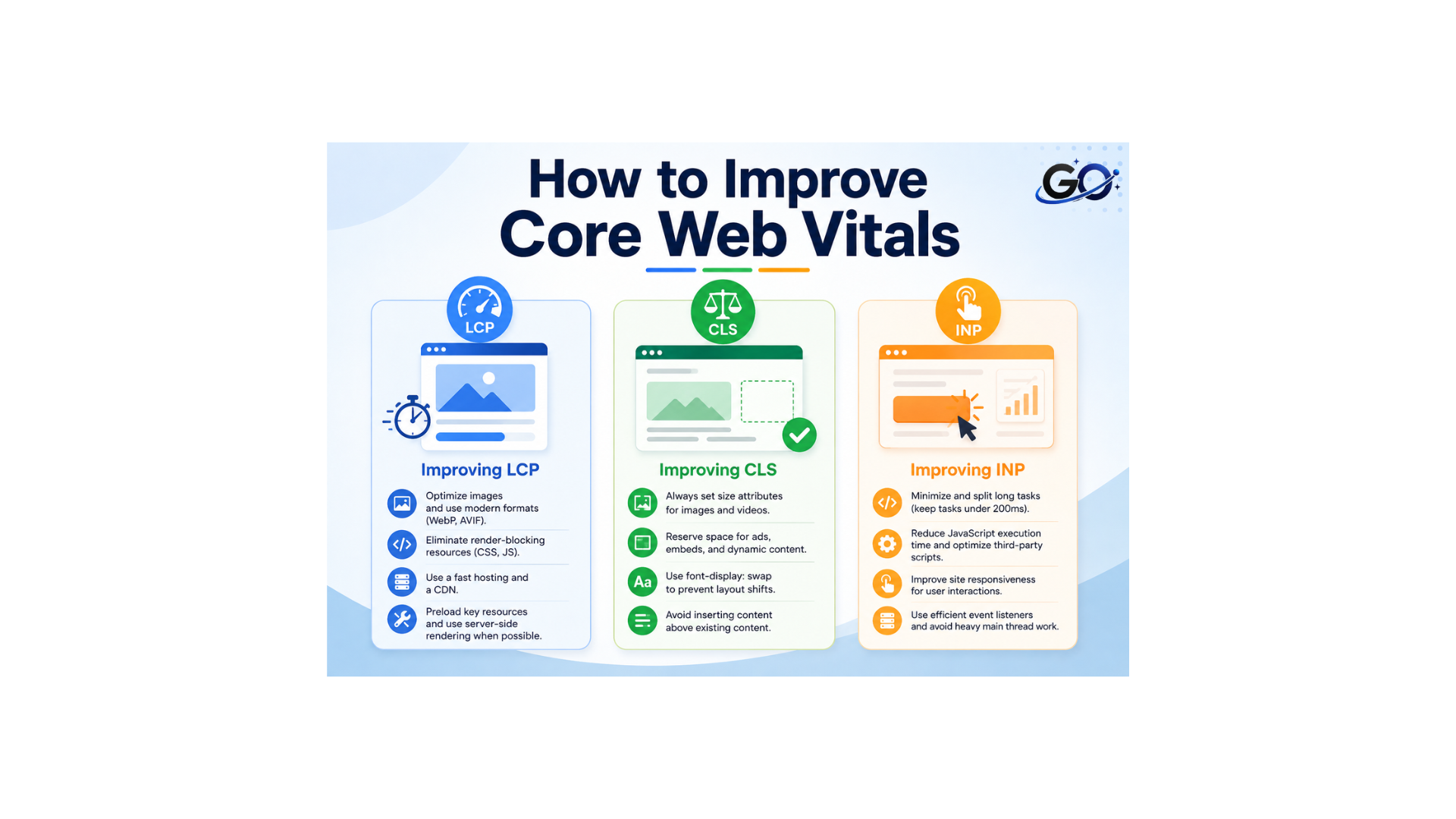
Using web-friendly picture formats like WebP, which are up to 34% smaller than conventional formats, and compressing your images is one of the simplest ways to optimise them.
Page caching is another option. This permits the page to be saved on the server following its first loading. in order for it to be recovered faster in the future.
Another way to improve your LCP score is to upgrade the hosting for your website.
Because everyone shares resources like memory and computing power, shared hosting—which involves hosting several websites on a single server—may be slower. Therefore, when those other websites see spikes in traffic, your website may slow down.
Improving CLS
When components with no dimensions, such as photos, banners, or advertisements, push other content to the side or down during loading, CLS problems typically arise.
Adding width and height size characteristics to photos and videos is one of the easiest methods to raise your CLS score.
In this manner, while the page loads, the browser sets aside space for things like photos or videos. As a result, everything is in its proper place and doesn’t shift while visitors browse the website.
As an alternative, you can incorporate aspect ratio boxes into your CSS code. Creating a container for your content that maintains the same width-to-height ratio across all displays is how this responsive design option operates.
Improving INP
The presence of numerous huge scripts or an excessive amount of JavaScript code on your website is one of the key things that can negatively impact your interaction with Next Paint.
Programming languages like JavaScript are used to create dynamic website elements including forms, animations, and menus. However, the speed at which your website reacts to user inputs may be slowed down by lengthy or complicated JavaScript code.
Your developer can improve your INP by cutting down JavaScript and other superfluous code.
Breaking up lengthy browser operations that interfere with user interaction is also a good idea.
The browser can process user interactions more quickly if these activities are divided into smaller chunks, which your developer can accomplish by using strategies like delaying code execution.
Tools for Measuring Core Web Vitals
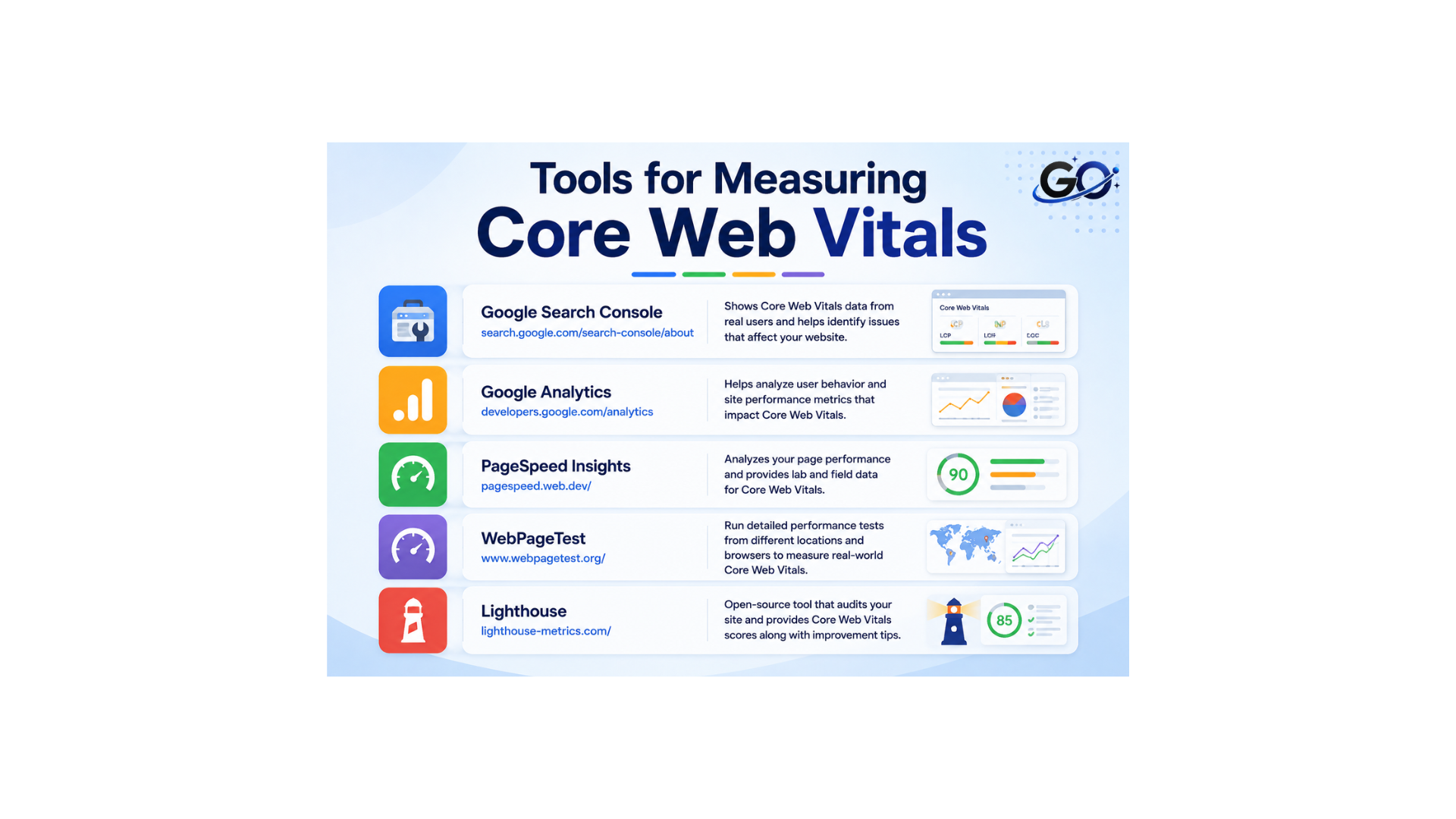
Core Web Vitals can be measured and reported using a variety of techniques, each of which provides distinct insights and suggestions. Among the most widely used tools are:
Google Search Console: This tool provides detailed reports on Core Web Vitals for your website, highlighting areas that need improvement and offering actionable recommendations.
Google Analytics: By integrating Core Web Vitals data, Google Analytics helps site owners track and analyze user interactions and performance metrics.
PageSpeed Insights: This tool analyzes the content of a web page and generates suggestions to make that page faster, including insights on Core Web Vitals.
WebPageTest: A comprehensive tool that allows site owners to run performance tests on their websites, providing detailed reports on Core Web Vitals and other performance metrics.
Lighthouse: An automated, open-source tool to enhance web page quality. It offers Core Web Vitals audits in addition to performance and accessibility checks.
These tools equip site owners with the necessary data to measure Core Web Vitals and make informed decisions to enhance their website’s performance and user experience.
Core Web Vitals: Field Data vs. Lab Data
The Core Web Vitals of your website can be examined using a variety of methods. These include Google Lighthouse, the Chrome Web Vitals plugin, the Chrome User Experience Report, and Google’s Pagespeed Insights or Google Search Console.
Field data and lab data are the two methods for gathering and analysing Core Web Vitals data, regardless of the platform you use. Because each data set was produced differently, the outcomes may differ significantly.
Since lab data is generated in a synthetic setting, it may not accurately represent the real user experience. Because of this, evaluating a website’s performance while it is being developed is a useful use for lab data.
Field data is generated by real users’ actions and includes data that Google collects via the Chrome browser, which requires prior user consent. For instance, field data can be used to track the results of earlier optimisations.
It is crucial to remember that since there is no user interaction, there is no lab data available for First Input Delay when comparing lab and field data. Alternatively, you can assess the Time to Interactive in conjunction with Total Blocking Time, which gives a clear picture of how long it takes a visitor to be able to use a page.
How Core Web Vitals Affect Mobile Websites
Mobile performance is particularly important because mobile devices may have slower connections and fewer hardware resources than desktop computers. A page that performs well on a powerful desktop may not provide the same experience on a mobile device.
Responsive design, optimized images, efficient code, and lightweight page elements can help improve mobile performance.
Website owners should test important pages on mobile devices and pay attention to loading, responsiveness, and layout stability. Mobile optimization should be part of the overall SEO strategy rather than treated as a separate task.
Conclusion
Core Web Vitals are important performance metrics that help website owners understand key aspects of user experience. CLS assesses visual stability, INP assesses responsiveness, and LCP assesses loading performance. When taken as a whole, these metrics offer insightful information on how users interact with websites.
For SEO, consider Core Web Vitals alongside high-quality content, technical optimization, mobile usability, internal linking, and other important ranking factors. Improving website performance can strengthen your overall SEO strategy while making sites simpler and more enjoyable to use.