

Learn sitemap best practices for SEO to improve crawling, indexing, search visibility, and search engines discover important website page. One of the most crucial—and most commonly abused—technical SEO tools for any website is a sitemap. When done properly, it speeds up search engines’ discovery and indexing of your material. Done poorly, it wastes crawl budget, creates index bloat, and can quietly suppress rankings.
Additionally, a well-organized file can help search engines recognize key pages and understand website changes. However, creating one alone is not enough. It should be submitted to search engines, kept up to date, and organized correctly. Following these practices can help search engines discover your website’s important pages.
What Is a Sitemap?
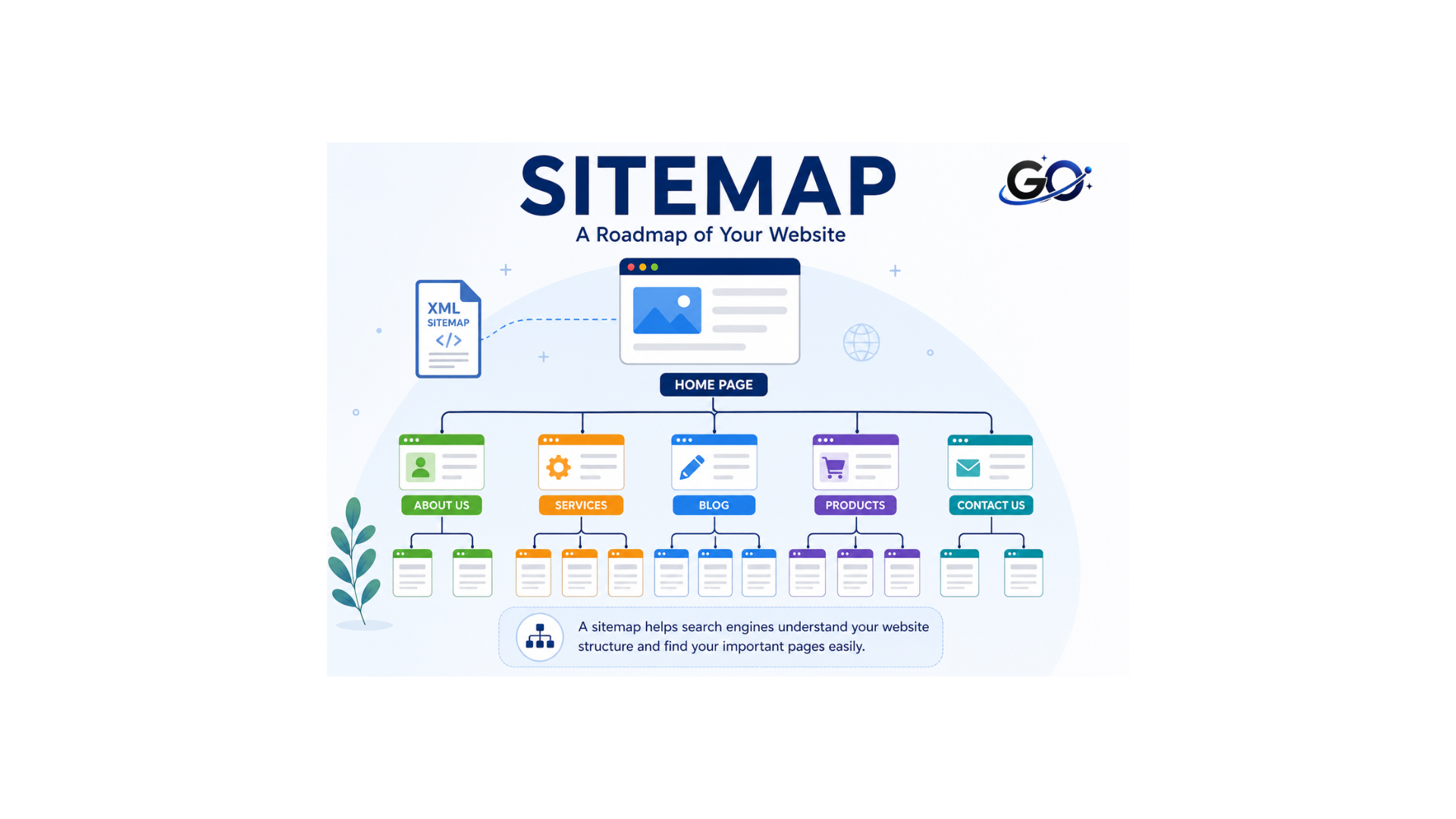
A sitemap, as the name implies, is basically a map for your website that makes it easier for search engine crawlers to comprehend and traverse. Technically speaking, it is a file that enumerates the pages and other files on your website along with their relationships.
Search engines use this file to crawl your website more intelligently. It helps them crawl and index your webpages more effectively. For example, an XML file can help search engines discover blog posts, product pages, category pages, and other important URLs. This is particularly useful when a website contains many pages or has a complex structure.
Why Is a Sitemap Important for SEO?
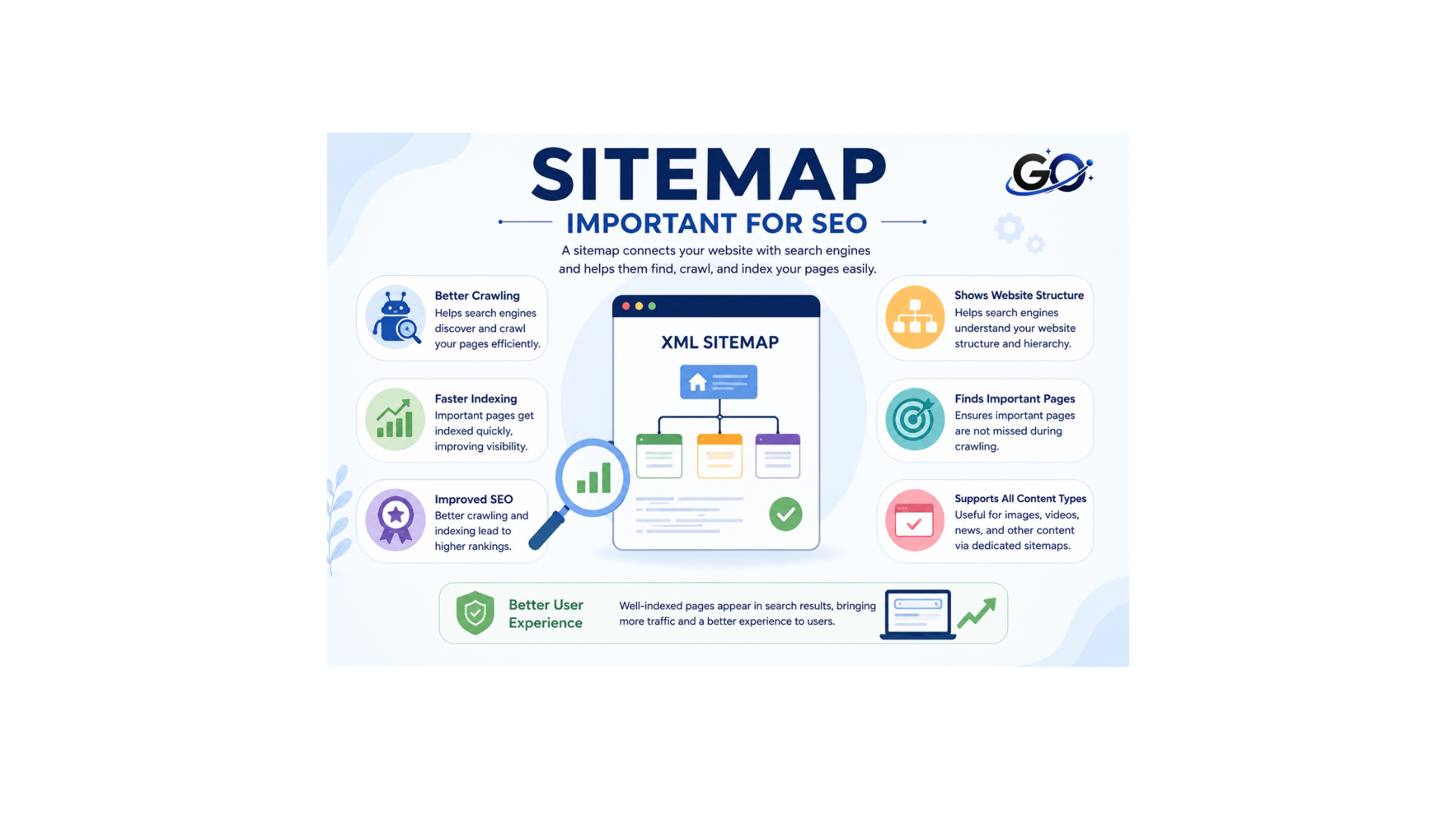
Sitemaps give you a direct advantage in search engine optimisation (SEO) because they make it easier for search engines to crawl your website and index your pages, which helps them better understand the content of your website and rank your pages for the most relevant search queries. The more well search engines comprehend and index your pages, the higher your rankings for the relevant search queries will be. Sitemaps are particularly useful for large websites or those with a lot of unlinked pages, as they help show the relationships between pages and help search engines understand your site.
Use Canonical URLs
Canonical URLs help search engines understand which version of a page should be treated as the primary version when similar or duplicate URLs exist.
Your sitemap should generally contain the preferred canonical URLs rather than multiple versions of the same page.
For example, if several URLs display similar content but one URL is the preferred version, the file should point to the canonical URL. Consistency between your canonical tags, internal links, and other SEO signals can make your website’s structure clearer to search engines.
Include Only Important and Indexable URLs
A page should not be included in your sitemap if it has an X-Robots-Tag: noindex response header or a tag. When you include noindex URLs, you are telling Google not to index a page while also submitting it for crawling. This is a clear contradiction. Although it costs crawl budget in the interim, Google usually resolves this dispute by finally removing the page from the index.
Use an XML Sitemap
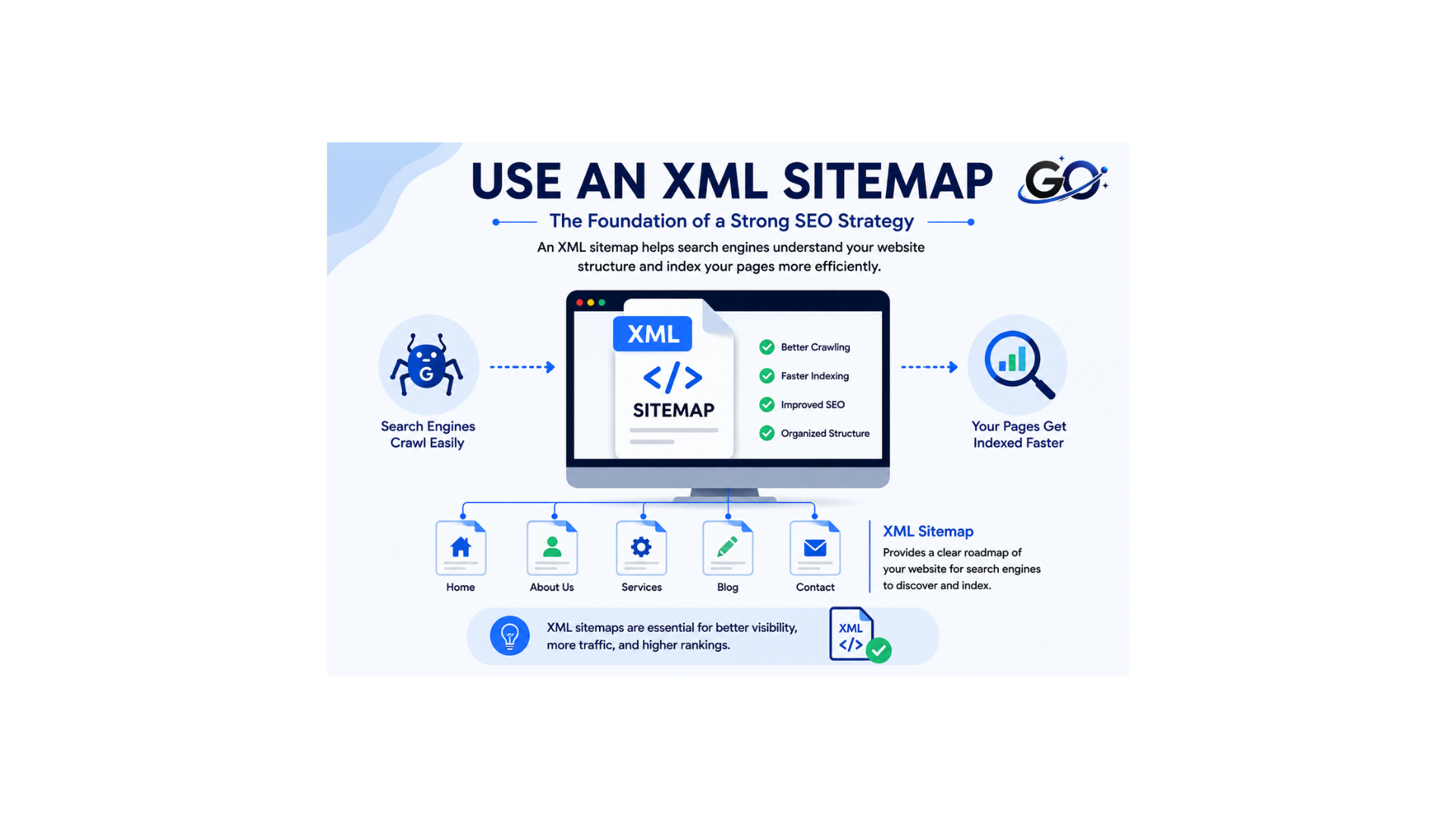
For SEO purposes, an XML sitemap is generally the most important sitemap format. It is designed to communicate website URLs to search engines in a structured format.
An XML file should contain the URLs that you want search engines to discover and potentially index. Avoid treating the file as a complete list of every URL that exists on your server.
For example, pages that are intentionally blocked from search engines or pages that should not be indexed generally should not be included. Keeping the file clean makes it more useful for search engine crawlers and helps website owners identify indexing issues more easily.
Keep Your Sitemap Updated
Websites evolve over time. URLs are updated, content is changed, new pages are published, and old pages are deleted. These modifications should be reflected in your sitemap.
An outdated or broken file can reduce its usefulness. Regularly reviewing it helps ensure that search engines receive accurate information about your website.
Most modern content management systems and SEO plugins can automatically update XML sitemaps when new content is published or existing content changes. If your website uses a manually created sitemap, it should be reviewed and updated regularly.
Follow the Sitemap URL Limits
XML sitemaps have technical limits. A single sitemap file can contain up to 50,000 URLs or be up to 50 MB uncompressed, whichever limit is reached first.
Large websites can divide their URLs across multiple files. An index can then be used to organize these files under one central file.
For example, an eCommerce website might use separate files for products, categories, and blog content. This structure can make large websites easier to manage while staying within the recommended limits.
Create a Sitemap Index for Large Websites
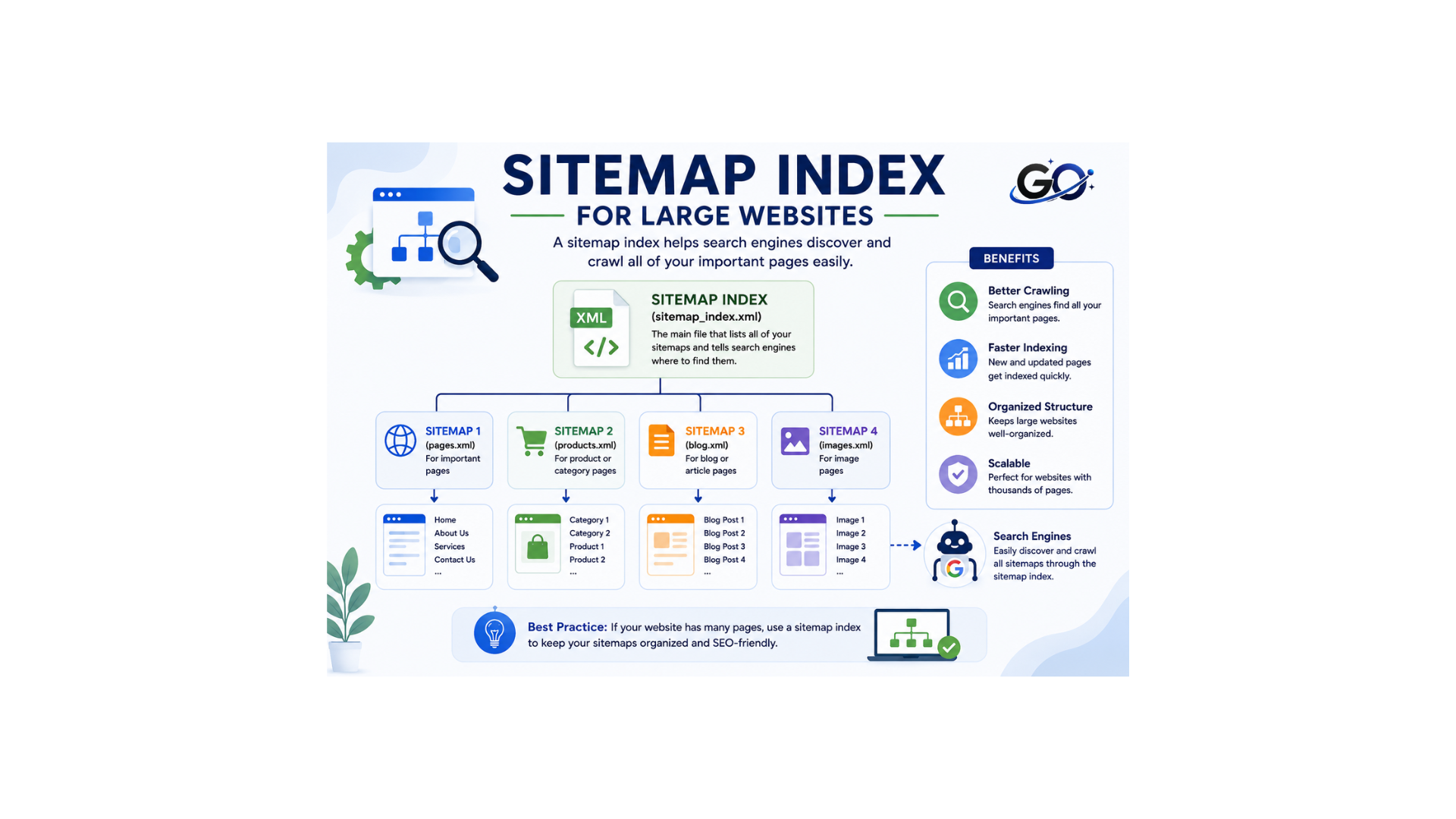
When a website has several files, an index can be helpful. Website owners can submit the index, which refers to the individual files, rather than submitting each file separately.
A large website might have:
- Product sitemap
- Blog sitemap
- Category sitemap
- Image sitemap
- Video sitemap
Sitemap management is made simpler and the overall structure is kept organised by using a sitemap index.
Smaller websites may only need a single XML file, so an index is not necessary in every situation.
Submit Your Sitemap to Google Search Console
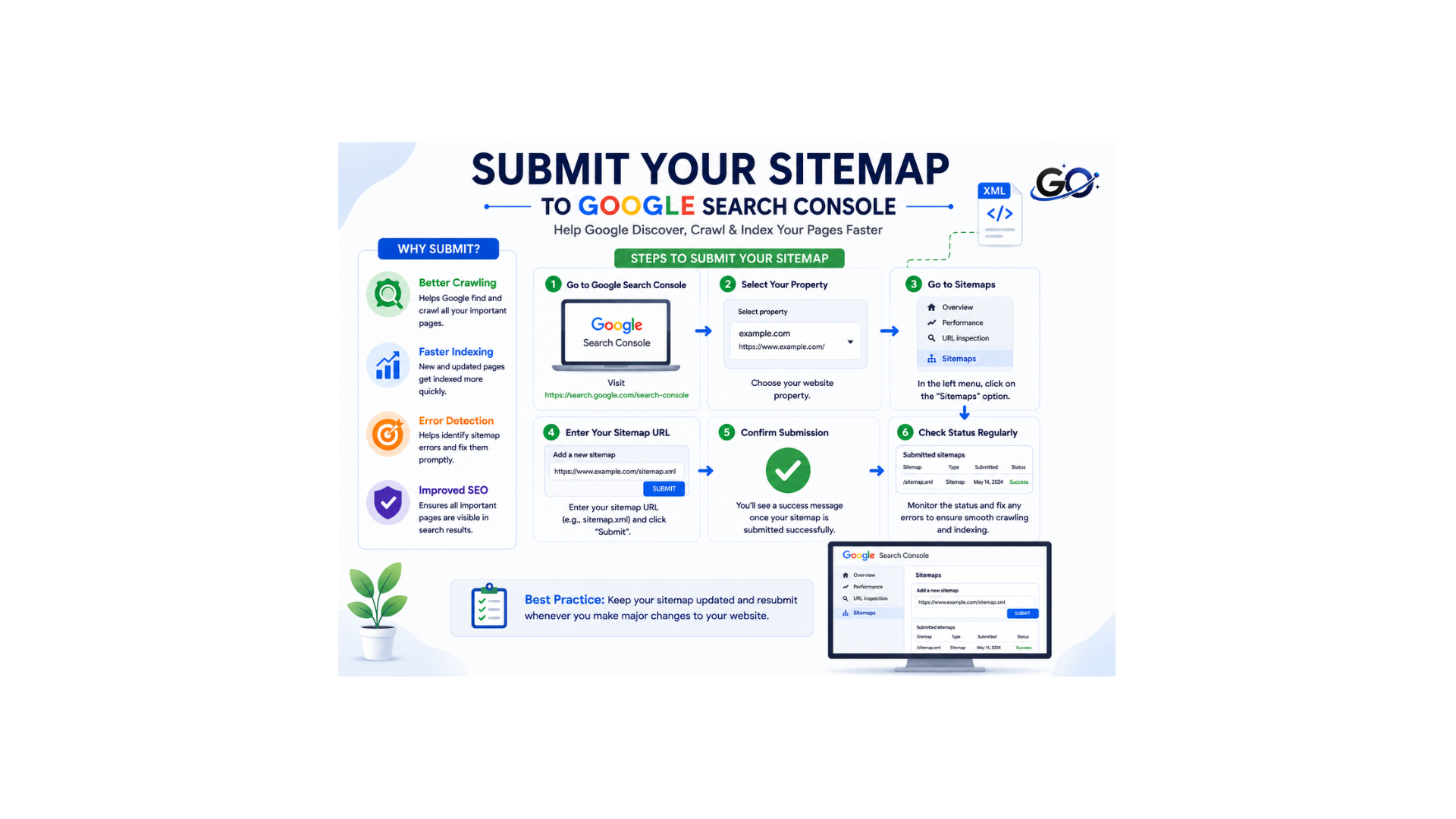
Submitting your sitemap directly to Google Search Console is the most reliable way to ensure Google is aware of it. Here are the steps:
- Sign in to Google Search Console and select your property.
- Click Indexing on the left sidebar, then select Sitemaps.
- In the “Add a new file” field, enter the path to your XML file (e.g.,
sitemap.xmlorsitemap-index.xml). - Click Submit.
Google will immediately attempt to fetch and process the sitemap. Reload the page after a few seconds — the sitemap will appear in the “Submitted sitemaps” table with a status, the number of discovered URLs, and the last read date.
What to monitor after submission:
- Status: Should show “Success.” Any other status (e.g., “Couldn’t fetch,” “Has errors”) requires investigation.
- Discovered URLs: The count Google reports. A significant discrepancy between your submitted count and the discovered count often indicates that many URLs were excluded due to errors.
- Indexed vs. found gap: To find out how many submitted URLs are actually indexed, go to the Pages report and filter by “Submitted in sitemap.” A significant gap indicates problems with canonicalization, thin content, or crawl budget.
Add Your Sitemap to Robots.txt
Adding a File: directive to your robots.txt file is a simple, passive way to help crawlers discover your XML file without manual submission. Place it at the bottom of the file:
A few rules to follow here:
- Use the full absolute URL including the protocol (https://). Relative paths are not valid.
- You can list multiple Sitemap directives if you have separate sitemaps for different content types.
- The Sitemap: directive applies to all crawlers regardless of which User-agent block it appears in — place it outside of any User-agent block to make this explicit.
For a deeper look at how robots.txt and sitemaps interact — and how to avoid common conflicts between the two — see the robots.txt best practices guide
Avoid Including Redirected URLs
Your sitemap shouldn’t contain redirected URLs (3xx status codes). Only the final destination URLs—the canonical, indexable versions of your pages—should be listed in sitemaps. When a redirect is included, Googlebot is forced to make an extra hop before arriving at the content, wasting crawl budget and perhaps delaying indexation.
For example, if an old page redirects from:
example.com/old-page
to:
example.com/new-page
The sitemap should normally contain the new page rather than the redirected URL. This reduces unnecessary crawling signals and helps keep the file consistent with the current website structure.
Avoid Broken and Error URLs
Your sitemap’s dead links erode your crawl budget. Google will make an effort to crawl each URL you supply; if those URLs repeatedly return 404 or 410 status codes, Google will eventually stop considering your sitemap to be a trustworthy signal.
Removing outdated URLs helps maintain a clean sitemap and can make technical SEO monitoring easier.
Use Separate Sitemaps When Helpful
Some websites benefit from separating different types of content into individual sitemap files. This can be useful for large websites or websites with different content categories.
For example, an online store could maintain separate sitemaps for products and categories, while a publishing website could separate articles from other content.
Separate files can also make troubleshooting easier. If one section of a website has indexing problems, website owners can identify the affected file more quickly.
Optimize Image ,Video and News Sitemaps When Needed
Image Sitemaps
Image sitemaps use the image: namespace to declare images associated with a page. This helps Google discover images that might not be findable through regular crawling — images
Video Sitemaps
Video sitemaps use the video: namespace and allow you to declare thumbnail URL, title, description, duration, publication date, family-friendliness, and platform restrictions. Google’s video sitemap documentation lists all supported tags.
News Sitemaps
News sitemaps are specifically for Google News inclusion. They use the news: namespace and must only contain articles published within the last two days.ISO 8601 format is required for the tag. Stale news sitemaps cause articles to be removed from Google News, hence Google demands that they be updated as soon as new articles are released.
Keep Sitemap and Internal Links Consistent
A sitemap should not replace internal linking. Internal links remain important for helping users and search engine crawlers navigate a website.
Important pages should ideally be linked from other relevant pages on the website. The XML file provides an additional discovery path, while internal links help communicate relationships and importance between pages.
Keeping your XML file and internal linking structure consistent creates clearer signals about the website’s architecture.
Monitor Sitemap Errors Regularly
Creating a sitemap once and forgetting about it is not a good SEO practice. Websites constantly change, so sitemap errors should be monitored regularly.
Google Search Console can help identify XML file processing problems. Website owners should also review their XML file after major changes such as website migrations, URL restructuring, redesigns, or large content updates.
Common issues may include broken URLs, incorrect file locations, blocked resources, redirects, or URLs that should not be indexed.Fixing these problems quickly helps maintain a reliable XML file.
Conclusion
A sitemap is a valuable part of technical SEO because it helps search engines discover important pages on a website. While it does not guarantee crawling, indexing, or higher rankings, a clean and properly maintained sitemap can improve URL discovery and provide useful information about the structure of a website.
The best approach is to include only important and indexable URLs, use canonical versions, remove errors and redirects, keep the sitemap updated, and monitor it regularly. Large websites can use sitemap indexes to organize thousands of URLs, while smaller websites can usually manage with a single XML sitemap.