

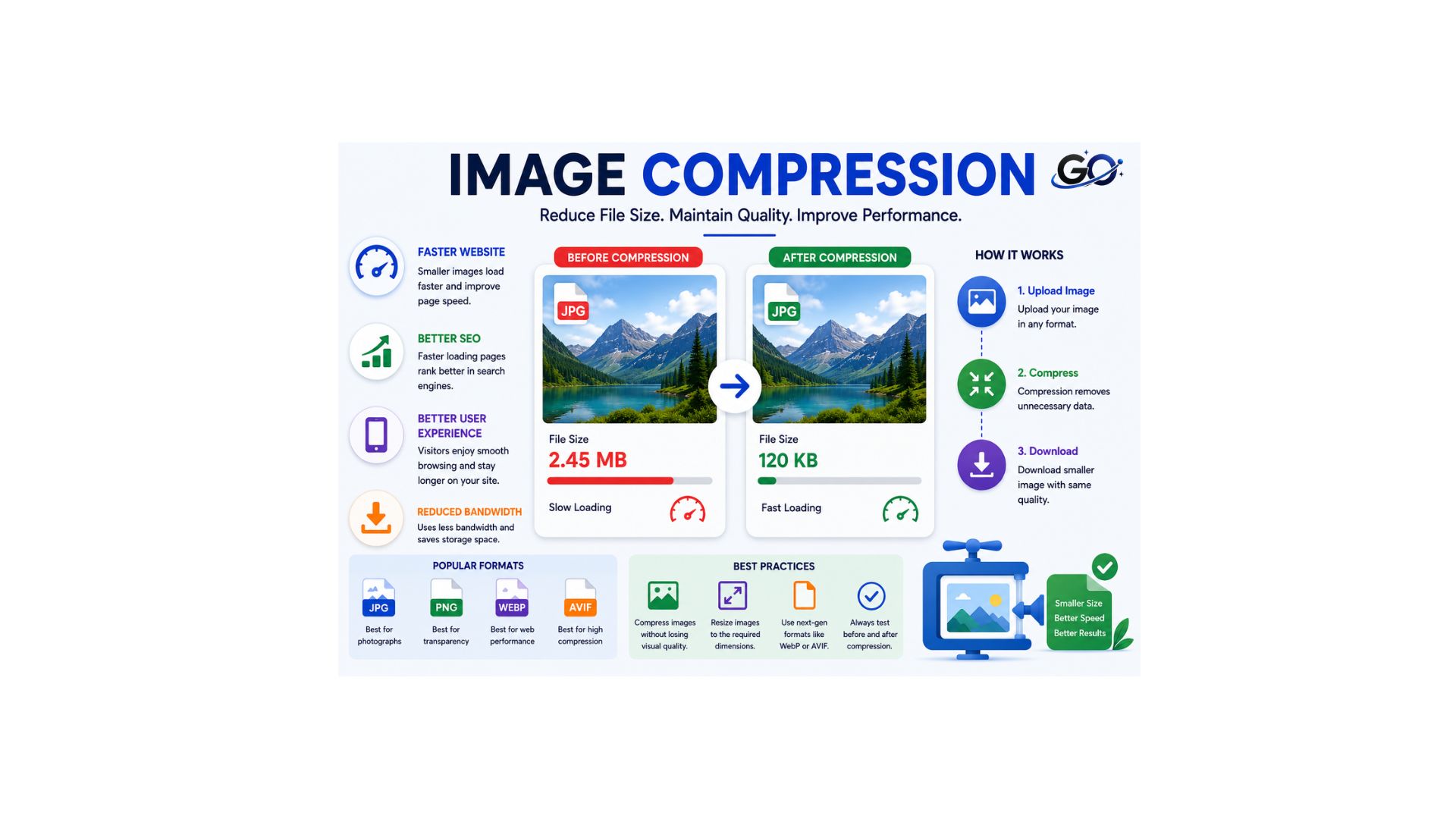
Image compression improves website speed by reducing file sizes without sacrificing quality, enhancing SEO performance and user experience. Image compression is the process of reducing the file size of an image without significantly affecting its visual quality. Instead of changing an image’s dimensions, it removes or optimizes data to create a smaller file. Every digital image is saved using a specific file format and compression method, which are usually determined by the device or software used to create and save it. Choosing the right compression technique helps improve website performance, reduces storage requirements, speeds up page loading, and delivers a better user experience.
Nevertheless, the automatically allocated compression and picture file types may result in too big photos. Because of this, users can utilise software or internet tools that are specifically designed to work with a certain kind of picture file to further compress the images.When uploaded to a website, compressed photos don’t significantly slow down the page’s loading time and require less storage space.
Why Is Image Compression Important?
Compressed images load faster than uncompressed images. This matters because the speed at which webpages and applications load has a huge impact on SEO, conversion rates, the user’s digital experience, and other crucial metrics. Improving web performance is one of the major ways that developers optimize websites.
Usually, image compression is used in conjunction with other techniques to enhance web performance. A CDN, for example, caches content so that end consumers can access it faster. Web servers are kept from overloading by load balancing. The most crucial content on a webpage might load even more quickly when lazy loading is used. All things considered, however, one of the fastest solutions for slow page performance is frequent picture compression.
How Image Compression Works
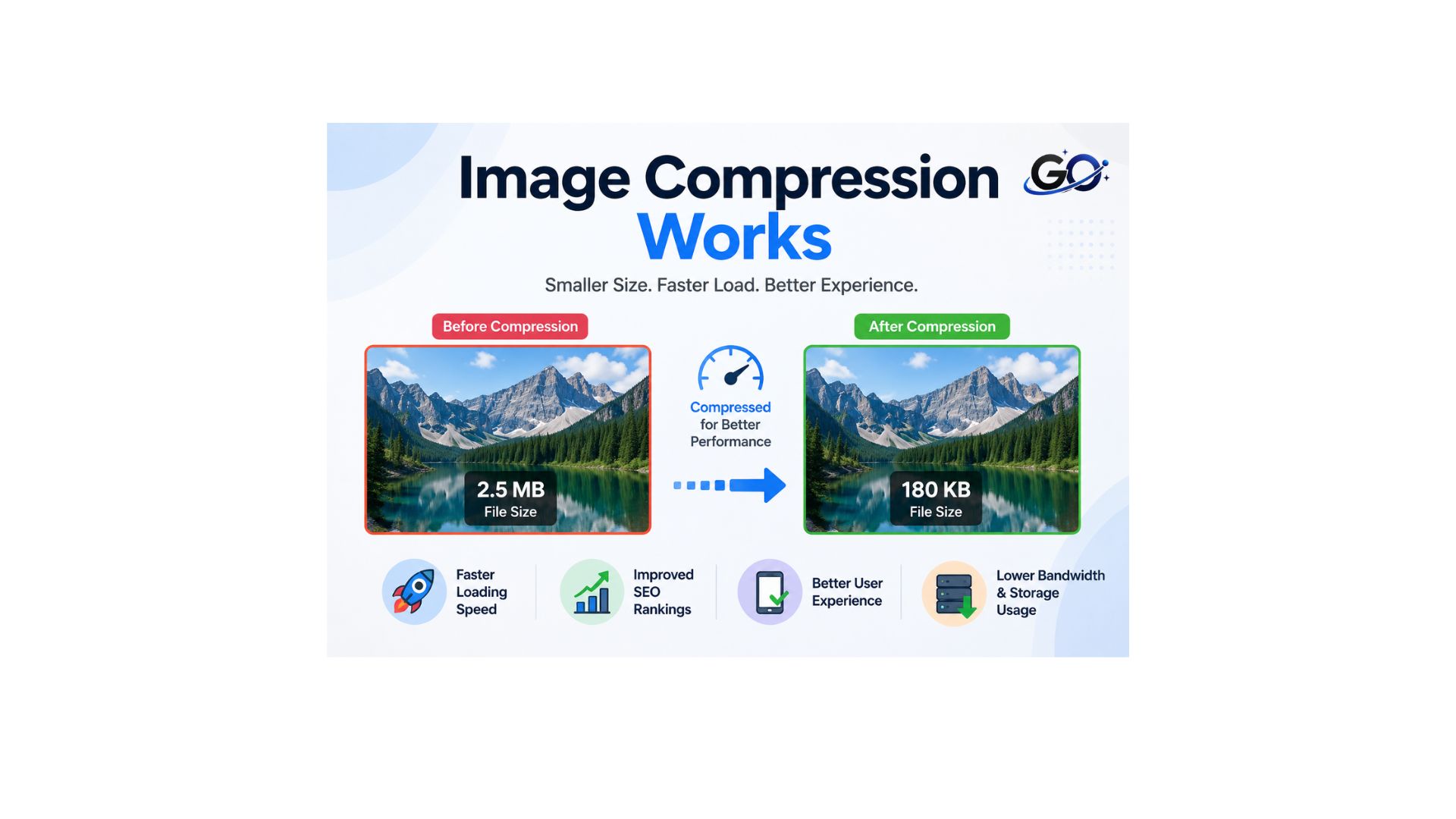
When an image is compressed, some of the redundant technical data, such as colors or pixels, are removed to reduce the file sizeYou may trace every stage of compression in the picture below, from colour modification to quantisation (filtering). The main idea is to trim the “less important” information belonging to an image to make it smaller without altering its visual aspect.
Types of Image Compression
Image compression comes in two primary varieties.
Lossless compression
The majority of the picture’s quality can be preserved while the image file size is decreased via lossless compression.
For instance, DSLR cameras can store images in either RAW or JPEG format. Professional picture editors can use RAW files since they are not compressed. However, this type of file will require a large amount of storage space. However, when it comes to JPEG files, things are a little different. These won’t quickly fill the hard drive, but during the converting process, some data may be lost.
Lossless image types include:
RAW files are typically fairly huge. Additionally, RAW comes in several versions, therefore editing these files could require specialised software.Images are compressed and stored in a lightweight format using PNG. But once the PNG file is accessed, the compression may be undone, and it returns to its original size. There are several ways to make a PNG picture file smaller.Microsoft developed the basic raster graphics picture file format known as BMP. It has been observed that many users do not choose it as their first choice.
Lossy compression
Lossy compression can assist you in reducing the size of your image files by removing portions of a picture. However, this does not imply that the picture will appear terrible. Thus, let’s examine two primary forms of lossy compression:JPG JPEG is another name for this kind of file compression. It leaves out portions of a picture. Naturally, depending on the degree of compression, you can see a few little modifications.
You could experiment with other methods to further reduce the size of the image. For example, you can compress a JPG or JPEG file using computer software or online JPEG compression tools. Alternatively, there will be some variations in quality if you rotate the JPG excessively. This occurs because each rotation forces the image to recompress itself, which results in the loss of some data. Indeed, there are programs that rotate JPG without any loss. If you save a JPG more than once, the reduction concept still holds true.Another lossy compression technique is GIF. By lowering the image file’s colour count, it compresses files. This format will reduce the image’s colour if it has more than 256 colours. For photos that need to be animated, GIF compression is advised.
How Image Compression Improves SEO
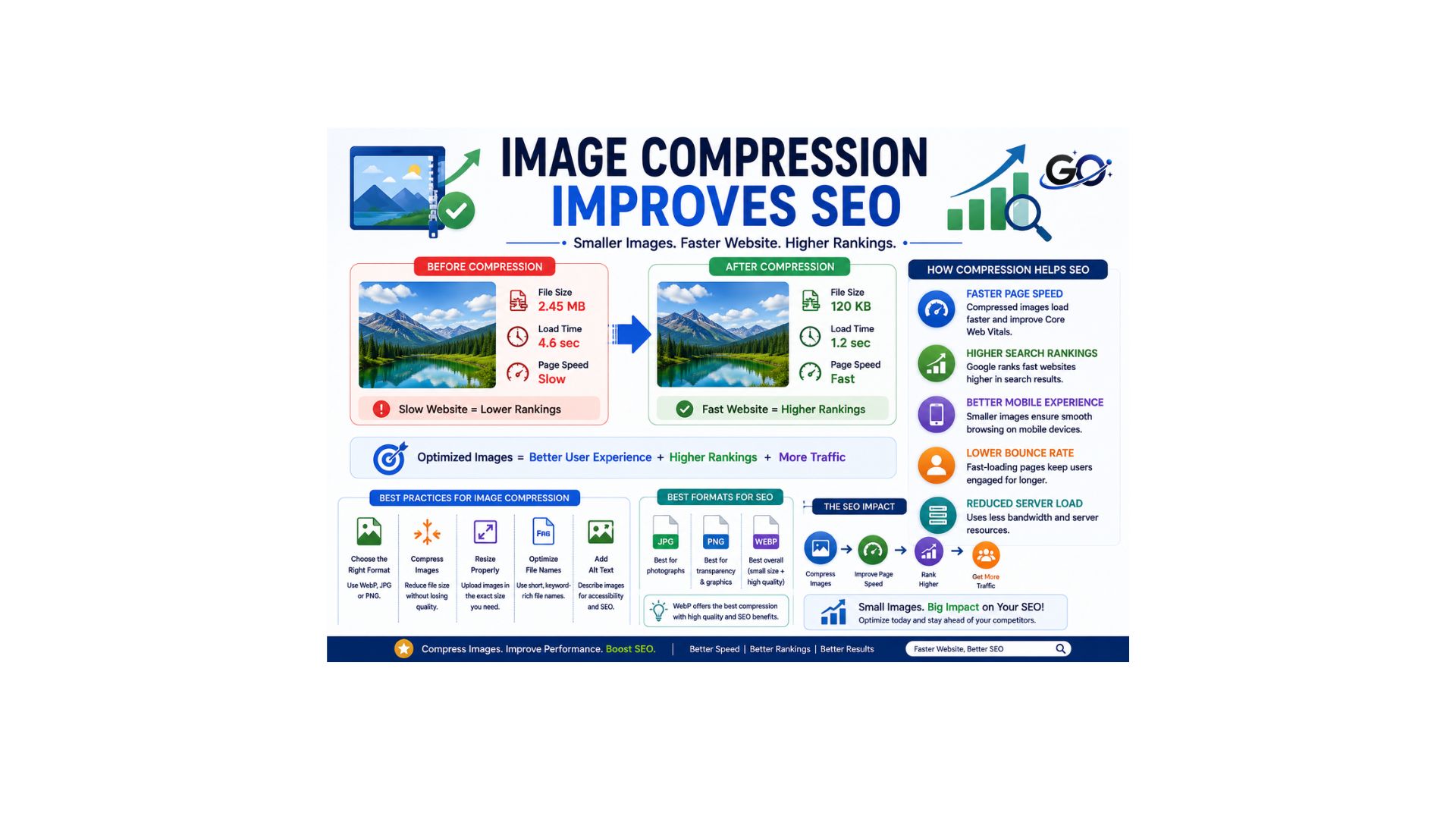
Reducing image file sizes improves website performance by increasing page speed and overall efficiency. Faster-loading websites provide a better user experience, encourage visitors to stay longer, and allow search engines to crawl and index pages more effectively, which can contribute to better search rankings.
Compressed images help SEO by:
- Improving page speed.
- Reducing bounce rates.
- Increasing user engagement.
- Supporting Core Web Vitals.
- Improving mobile usability.
- Enhancing overall website performance.
Image compression is an essential part of improving website performance, page speed, and overall SEO success.
Best Practices for Image Compression
Reducing image file sizes without noticeably affecting visual quality is an important part of website optimization. The best results come from choosing the right file format, resizing images to the required dimensions, and applying an appropriate compression level that maintains clarity. Modern formats such as WebP and AVIF provide excellent quality while keeping file sizes small. Removing unnecessary metadata and testing images across different devices further improves loading speed and visual consistency. Following these best practices enhances page speed, improves the user experience, supports better search engine rankings, and helps create a faster, more efficient website.
Common Image Compression Mistakes
Many website owners make mistakes that reduce image quality or limit SEO performance.
Common mistakes include:
- Uploading large images without compression.
- Compressing images too heavily.
- Using the wrong file format.
- Ignoring mobile optimization.
- Uploading oversized dimensions.
- Compressing the same image multiple times.
- Forgetting to test page speed.
Preventing these errors contributes to the preservation of performance and quality.
Best Image Compression Tools
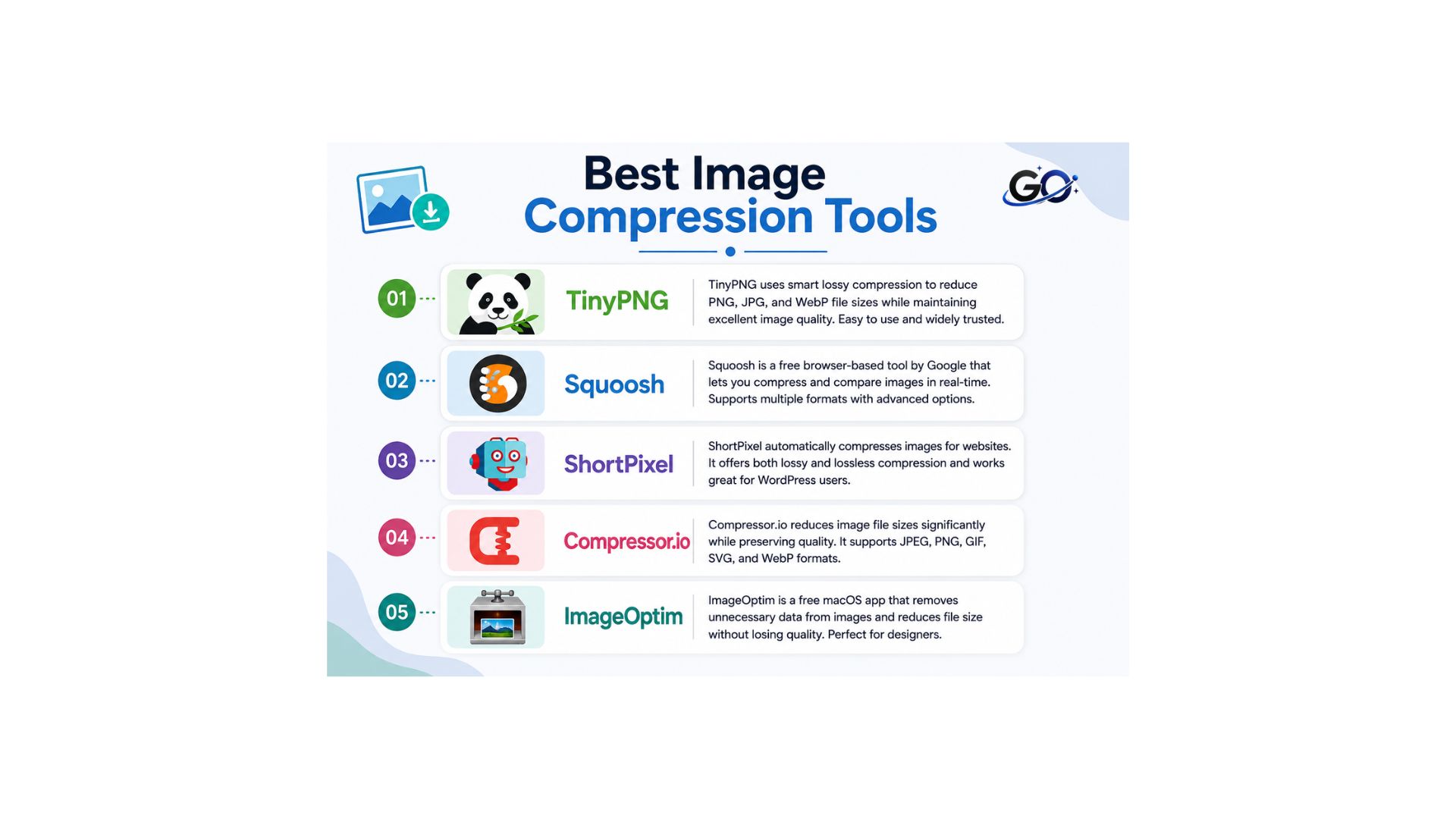
Several tools make image compression simple and effective.
TinyPNG
Compresses PNG and JPEG images while maintaining excellent visual quality.
Squoosh
A free browser-based tool that allows users to compare different compression methods.
ShortPixel
Automatically compresses website images and supports WordPress integration.
Compressor.io
Supports both lossy and lossless image compression.
ImageOptim
A popular application for macOS users that reduces image file sizes without noticeable quality loss.
These tools help optimize images before publishing them online.
Conclusion
Image compression is one of the simplest and most effective ways to improve website performance and support SEO. By reducing image file sizes without sacrificing quality, you can create faster-loading pages, improve user experience, and strengthen your overall Image SEO strategy.
Whether you choose lossy or lossless compression, reducing image file sizes before uploading them should be a standard part of your content publishing workflow. Pairing compressed images with the correct file format, descriptive file names, and clear alt text improves page speed, enhances the user experience, and helps search engines understand and rank your visual content more effectively.
FAQs
1. Why is image compression important for SEO?
Web pages load more quickly when image compression is used to reduce file sizes. In addition to improving user experience and lowering bounce rates, faster loading times can have a favourable effect on search engine rankings.
2. Does image compression reduce image quality?
Not all the time. While lossy compression significantly lowers quality to produce substantially smaller file sizes, lossless compression maintains the original quality. The quality difference is frequently imperceptible when used appropriately.
3. Which image format is best for compressed images?
Because it provides outstanding compression and high image quality, WebP is one of the best formats for online use. PNG is superior for graphics and images that need transparency, whereas JPEG is best for photography.
4. What distinguishes lossless image compression from lossy image compression?
Lossy compression decreases file size by removing some image data, but lossless compression keeps all of the original data. Lossless is the best choice when preserving image quality is essential.
5. What tools can I use to compress images?
TinyPNG, Squoosh, ShortPixel, Compressor.io and ImageOptim are a few popular image compression programs. These programs assist in reducing the size of image files for websites without sacrificing their visual quality.